Animation Maker : Flipbook


Animation Maker : Flipbook Summary
Animation Maker : Flipbook is a ad-supported, with in-app purchases Android app in Art And Design by Ferocious Tech. Released in Apr 2024 (1 year ago). It has about 3.7K+ installs Based on AppGoblin estimates, it reaches roughly 443 monthly active users and generates around $<10K monthly revenue (65% IAP / 35% ads). Store metadata: updated Aug 6, 2025.
Recent activity: 268 installs this week (323 over 4 weeks) showing exceptional growth View trends →
Store info: Last updated on Google Play on Aug 6, 2025 .
0★
Ratings: 0
Screenshots

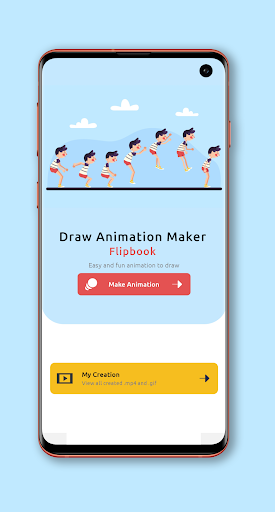

App Description
Animation Maker application for easily Create Animated Drawings or Flipbook.
Unleash your creativity and bring your drawings to life with Animation Maker Flipbook! This innovative app lets you easily create flipbook-style animations right on your Android device, whether you're a beginner or a seasoned animator.
Steps for animation makers:
1. Create project by entering project name, selecting background image, frame per second and animation ratio.
2. Draw animation on frames and add as many frames as you want. Edit drawings using stickers, text, colors, erasers and copy-paste frames by a single tap.
3. Play created Cartoon Animation and then export it as a video or GIF format. Share created animations with your loved ones.
Key Features:
Drawing Tools: Use a variety of drawing tools like brushes, pencils, and erasers to create your animated frames.
Flipbook Animation: Seamlessly create flipbook-style animations by drawing multiple frames and playing them back in sequence.
Frame Management: Easily add, duplicate, rearrange, and delete frames to refine your animation with Frame by Frame Animation.
Playback Control: Adjust the playback speed to see your animation in real-time or slow motion.
Onion Skinning: Overlay previous and next frames to guide your drawing and maintain consistency.
Color Palette: Choose from a wide range of colors to bring your drawings to life.
Backgrounds : Choose backgrounds from applications like background as a solid color or background as an image.
Touch-friendly Interface: Designed for easy use on touchscreens, making it perfect for drawing on the go.
Export Options: Save your animations as GIFs or video files to share with friends or post on social media.
Install "Animation Maker" or "Flipbook Animation" application and turn your sketches into mesmerizing animations and share your creativity with the world.