Subtitle Finder & Downloader


Subtitle Finder & Downloader Summary
Subtitle Finder & Downloader is a ad-supported Android app in Entertainment by spapptech. Released in May 2022 (4 years ago). It has about 159.1K+ installs and 3.4K ratings with a 4.21★ (good) average. Based on AppGoblin estimates, it reaches roughly 6.8K monthly active users and generates around $<10K monthly revenue (0% IAP / 100% ads). Store metadata: updated Mar 24, 2026.
Recent activity: 674 installs this week (2.7K over 4 weeks) showing below average growth , and 1.00 new ratings this week View trends →
Store info: Last updated on Google Play on Mar 24, 2026 .
4.21★
Ratings: 3.4K
Screenshots

App Description
Find subtitles & download them for your videos, movies, TV series & share them.
Day-to-day, a huge collection of translated YouTube sub-files is uploaded in srt format. Subtitle finder & downloader app allows downloading multi-language subtitles for movies, TV series, and videos.
Now you can watch your favorite and trending movies with the desired subtitles. The application also helps to download subtitles in the required languages.
Features of Subtitle Downloader
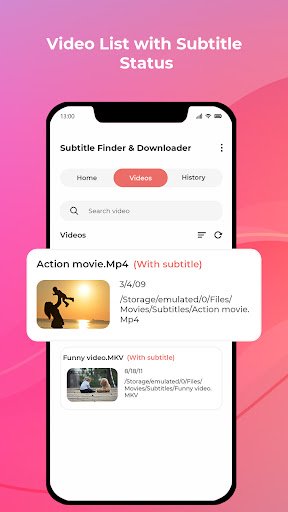
1. Easily find subtitles of videos on your device
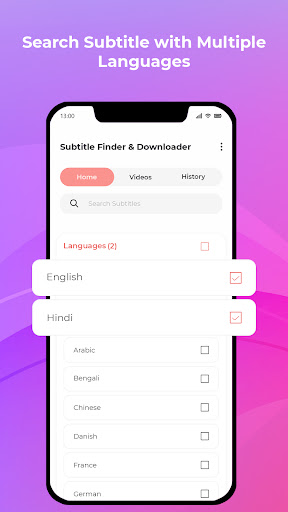
2. Get the Subtitles in the multi-language or desired language.
3. Full automatic downloading (match subtitles by the filename of video)
4. Share the downloaded srt file with friends and family.
How to download subtitles for movies OR TV shows?
1. Firstly, select the language or select multiple languages to find the subtitle.
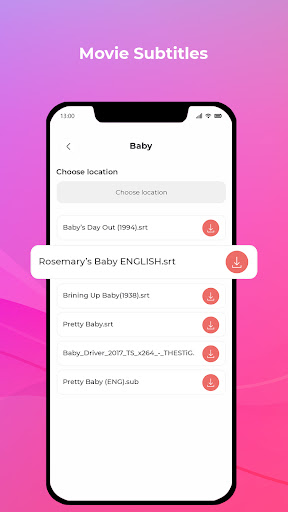
2. Search the srt files of movies, TV series, and videos name.
3. Select the storage location to download the subtitles of videos on your device.
4. Select the srt files from the list and use them in your respective videos.
5. You can also find subtitles by selecting the videos from the phone.
6. In subtitle history, you will get all downloaded srt files.
6. Share the downloaded srt file with friends and family via social media networks.
The "READ_MEDIA_VIDEO" permission is required to access the list of videos on the device, allowing to retrieve the corresponding SRT file directly from the video's details.