EzBlock Studio


EzBlock Studio Summary
EzBlock Studio is a mobile Android app in Tools by SunFounder. Released in Jul 2022 (3 years ago). It has about 2.7K+ installs and 13 ratings with a 3.40★ (mixed) average. Based on AppGoblin estimates, it reaches roughly 151 monthly active users . Store metadata: updated Jul 7, 2025.
Recent activity: 13 installs this week (52 over 4 weeks) showing below average growth View trends →
Store info: Last updated on Google Play on Jul 7, 2025 .
3.4★
Ratings: 13
Screenshots

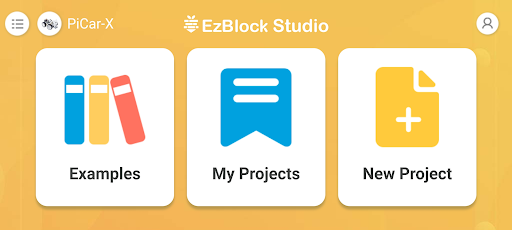
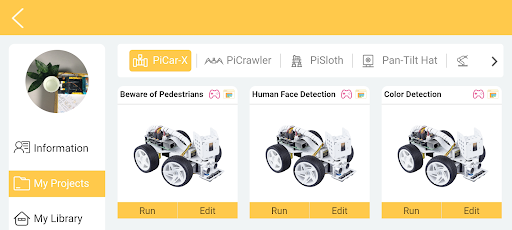
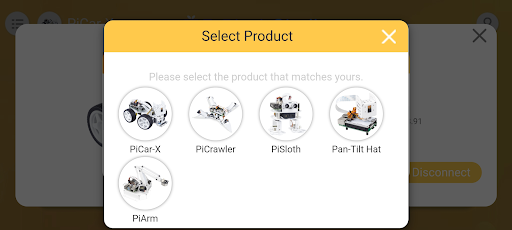
App Description
Robotics programming and control App for Raspberry Pi
EzBlock Studio is an App for programming and controlling SunFounder Raspberry Pi robots, which allows beginners (students) to quickly get started with Raspberry Pi robot programming. It has built-in TTS, camera recognition, remote control, music/sound effects, and sensor control functions.
Updated
The main optimization of EzBlock 3.1 is the compatibility with the built-in Bluetooth of the Raspberry Pi, no need to use an expansion board with Bluetooth module. Also add three feedback sound and add product Bluetooth name modifiable function, as well as optimize other use and connection experience.
Note:
1) The old version of the robot can also be used normally after burning the new image. The bluetooth module on the original robot hat will not conflict with the new system.
2) The EzBlock Studio 3.1 version should be used with the Ezblock 3.1 image (https://ezblock.cc/download/v31.html).
For more information, refer to: ezblock3.rtfd.io.
Features
⦁ Blockly & Python programming
⦁ Built-in TTS, camera recognition, remote control, music/sound effects, and sensor control functions.
⦁ Simply drag and drop and then check the effect immediately.
⦁ Support for SunFounder robots: PiCar-X, PiSloth, PiCrawler, PiArm, Pan-tilt HAT etc.
Required Devices
⦁ Raspberry Pi and Accessories
⦁ SunFounder Robot HAT or products with Robot HAT
⦁ Robot HAT online tutorials: robot-hat.rtfd.io.
Steps to use
1. Download the Raspberry Pi OS with EzBlock Pre-installed image file here: http://ezblock.cc/download/v31.html.
2. Insert the card and Robot HAT to the Raspberry Pi and start it.
3. Open the downloaded app and select the correct Bluetooth to connect.
4. Configure Wi-Fi.
5. Start to write programs for Raspberry Pi.
Tutorials & support
⦁ Online tutorials: ezblock3.rtfd.io.
⦁ Email: service@sunfounder.com
Supported Systems
⦁ Web version for desktop operation system: http://ezblock.cc/ezblock_studio/beta/index.html?lang=en
⦁ Android
⦁ iOS