Video To Photo Converter


Video To Photo Converter Summary
Video To Photo Converter is a ad-supported Android app in Tools by SurekhaDeveloper. Released in Apr 2020 (6 years ago). It has about 38.8K+ installs and 312 ratings with a 4.00★ (good) average. Based on AppGoblin estimates, it reaches roughly 594 monthly active users and generates around $<10K monthly revenue (0% IAP / 100% ads). Store metadata: updated Nov 25, 2025.
Recent activity: 35 installs this week (156 over 4 weeks) showing steady growth , and -1 new ratings this week View trends →
Store info: Last updated on Google Play on Nov 25, 2025 .
4★
Ratings: 312
Screenshots


App Description
Capture your favorite part of video and convert in to photo.
Video To Photo Converter app use to capture photo from video very easily. it is very fast and simple way to get images from selected video.
It Help to captured yours favorite part of video and store it as a photos.
You can do it with simple way:
• First you click Start button And Select the video folder from list.
• Then Pick your favorite video to capture Images From it.
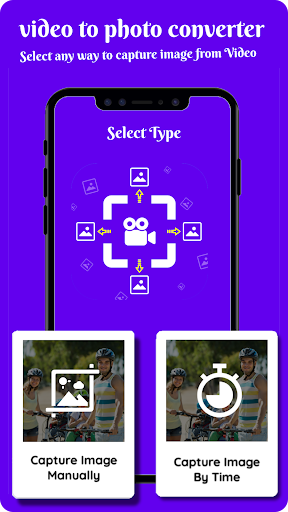
♥ There are the two way to capture images from your video. ♥
1. Capture Images Manually
As the name says you can capture images manually. play video and just click capture button and all captured image list seen you at the bottom.
in this way you can capture any Beautiful moment from the video which you like, in just one click. you can check captured images from the list.
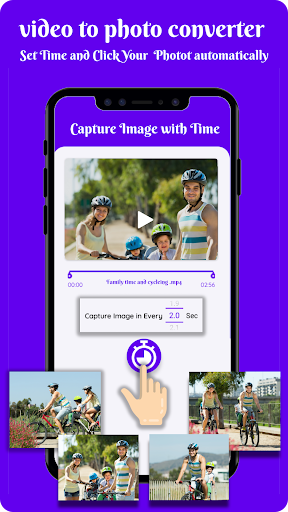
2. Capture Images By Time Interval.
It's a second option to get images from video. you need to just set time interval to capture Images from video.
it's very fast and easy way to capture images from video. you can check the captured images list at bottom.
also you can check all capture images one by one, just swap on image and next image reach to you.
App store all images in particular folder with the same video name so that you can easily sort it out and find your captured images from my Images function.
Application store all this Images for your feature usage. so You can share this image with Friends just one single click.