Push Authenticator Pro


Push Authenticator Pro Summary
Push Authenticator Pro is a ad-supported, with in-app purchases Android app in Tools by Tachyon Factory. Released in Nov 2018 (7 years ago). It has about 645+ installs and 10 ratings with a 4.80★ (excellent) average. Based on AppGoblin estimates, it reaches roughly 27 monthly active users and generates around $<10K monthly revenue (33% IAP / 67% ads). Store metadata: updated Aug 26, 2024.
Recent activity: 1.00 installs this week (2.00 over 4 weeks) showing steady growth View trends →
Store info: Last updated on Google Play on Aug 26, 2024 .
4.8★
Ratings: 10
Screenshots

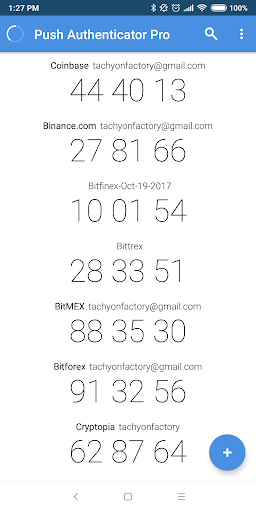
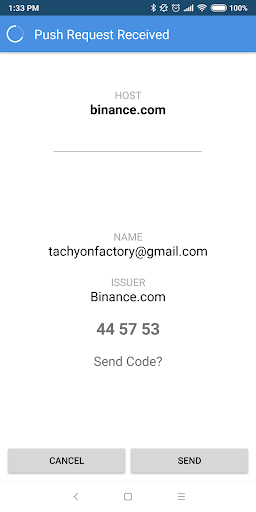
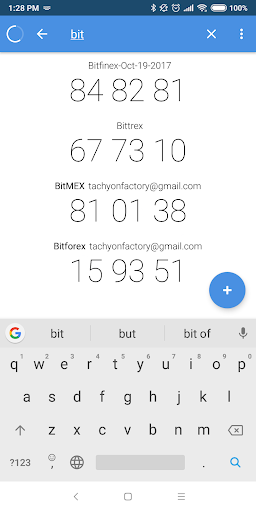
App Description
push notification for 2 factor authentication
Login in quickly and safely with push notification. Tired of finding the right code for the site and manually typing in 6 digits on your keyboard? You can now just press "Send" on your phone and 6 digit verification codes are sent to your Chrome browser automatically.
Features:
* push notification. Send verification codes with push of a button.
* share action : Select share from your favorite Android web browser, and copy the matching verification code to the clipboard. Your login is one paste away.
* search filter: find 2FA codes faster
* constantly adding supported sites.
Security:
1. Safe data transfer between device and Chrome extension using end-to-end encryption.
2. app only sends the current verification digits when you press "Send" button. It does NOT send anything or reveal about the secret code.
3. Your 2FA code secrets are kept encrypted and is not included in a backup. It never leaves the device.
To use push notification, please install "Push Authenticator Pro" Chrome extension available free from Chrome Web Store:
https://chrome.google.com/webstore/detail/push-authenticator-pro/bmkgobnckmhcmpdhojfmanpanbhjfmce
Camera permission: Needed to add accounts and pair with Chrome extension using QR codes