Image to PDF Photo Converter


Image to PDF Photo Converter Summary
Image to PDF Photo Converter is a mobile Android app in Productivity by Team SPINOFF. Released in Dec 2025 (6 months ago). It has about 13+ installs Based on AppGoblin estimates, it reaches roughly 3.00 monthly active users . Store metadata: updated Dec 15, 2025.
Recent activity: 1.00 installs this week (3.00 over 4 weeks) showing steady growth View trends →
Store info: Last updated on Google Play on Dec 15, 2025 .
0★
Ratings: 0
Screenshots

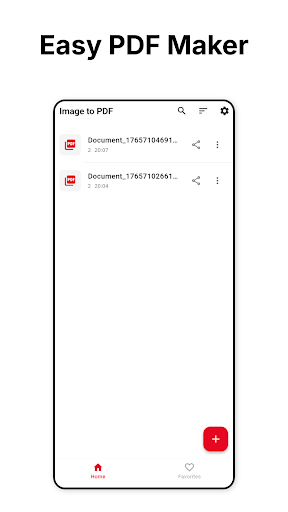


App Description
Convert images to PDF fast. Merge photos, organize documents & share anywhere.
Image to PDF - Photo Converter is the fastest way to convert images to PDF, merge multiple photos into professional documents, and organize your files. Transform JPG to PDF, PNG to PDF, and HEIC to PDF in seconds with complete privacy.
🎯 CONVERT IMAGES TO PDF INSTANTLY
Turn your photos into professional PDF documents with just a few taps. Our powerful converter supports all image formats and creates high-quality PDFs every time.
• Convert multiple images to one PDF document
• Support for JPG, PNG, HEIC, WebP, and all image formats
• Drag-and-drop interface to reorder pages easily
• Batch conversion for multiple files
• Professional PDF quality maintained
• Fast processing - create PDFs in seconds
• Works completely offline
✨ PROFESSIONAL PDF CUSTOMIZATION
Create PDFs exactly how you need them with powerful customization options:
• Page sizes: A4, Letter, Legal, or custom dimensions
• Orientation: Portrait or Landscape mode
• Adjustable margins for perfect formatting
• Preview before saving
• Professional results every time
📁 SMART PDF ORGANIZATION
Keep all your PDF documents organized with built-in management:
• PDF history - access all converted documents
• Smart search - find files instantly by name or date
• Favorites - mark important PDFs for quick access
• Sort by date, name, or size
• Clean, intuitive interface
🔒 PRIVACY-FIRST DESIGN
Your privacy matters. Unlike other converters that upload your photos to unknown servers, Image to PDF processes everything locally on your device:
• 100% offline processing guaranteed
• Your photos never uploaded to servers
• No data collection or tracking
• Complete privacy and security
• Works without internet connection
📤 SHARE ANYWHERE, ANYTIME
Share your PDFs seamlessly across all your platforms:
• Email PDFs directly from the app
• Upload to cloud storage (Google Drive, Dropbox, OneDrive)
• Share via messaging apps (WhatsApp, Telegram, Slack)
• Export to device storage
🚀 DRAG & DROP PAGE REORDERING
Our unique drag-and-drop interface makes organizing multi-page PDFs incredibly fast:
• Visual page organization
• Rearrange pages in seconds
• No complicated menus
• Just tap, drag, and done
👥 PERFECT FOR
• Business professionals creating invoices and reports
• Students organizing notes and assignments
• Remote workers digitizing receipts and expenses
• Photographers creating portfolio PDFs
• Freelancers managing client documents
• Anyone going paperless
💡 WHY IMAGE TO PDF CONVERTER?
Unlike bloated scanner apps with confusing features, we focus on doing one thing perfectly: converting images to PDF quickly and professionally. No learning curve - just select images, customize if needed, and create your PDF.
🎁 FLEXIBLE PRICING
• Daily free tokens - convert PDFs without paying
• Premium subscription for unlimited conversions
• No intrusive ads
• Cancel anytime - keep all your PDFs
📊 PROFESSIONAL USE CASES
Create polished PDFs perfect for:
• Business contracts and proposals
• Invoices and quotes
• School assignments and research papers
• Photo albums and portfolios
• Receipts and expense tracking
• Scanned documents and forms
Download Image to PDF Converter now and transform how you create and organize digital documents!