Text to Speech TTS_Text Reader

Text to Speech TTS_Text Reader Summary
Text to Speech TTS_Text Reader is a ad-supported, with in-app purchases Android app in Tools by Bizcraft Apps. Released in Sep 2018 (7 years ago). It has about 3.4M+ installs and 9.5K ratings with a 3.74★ (average) average. Based on AppGoblin estimates, it reaches roughly 47.3K monthly active users and generates around $<10K monthly revenue (39% IAP / 61% ads). Store metadata: updated Sep 3, 2025.
Recent activity: 293 installs this week (1.9K over 4 weeks) showing steady growth , and -3 new ratings this week View trends →
Store info: Last updated on Google Play on Sep 3, 2025 .
3.74★
Ratings: 9.5K
Screenshots


App Description
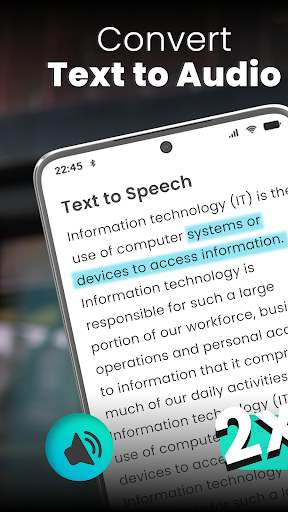
Convert written text to voice or text file into speech with text to speech app.
Text to Speech is a simple and easy to use text to voice converter which also called TTS. It provides easy type and speak option in eleven different languages. Just type your text or copy it, in the text box, tap on speaker button to listen what you have typed or pasted. Text to speak includes a lot of beautiful features like text input, text to voice converter, Copy text, save audio of text, clear the text box and a lot more.
An interesting feature of text to speech is “to save audio file of text. You can use this feature for voice over on your video”. Type text and tap on the speaker to listen that text and at the end of listening you will see that save button is enabled now. Tap the enabled button to use it as voice generator of text.
Features of Text to Speech (TTS):
• Text to speech converter
• Copy text
• Save audio of that text reader
• Text to audio conversion in eleven languages
• Change pitch of voice
• Increase or decrease volume
• Accurate pronuonciation
• Change speed of audio
• Copy text which you wrote for text to audio conversion
• Clear voice generator
• Share text and audio to any platform
Type and Speak:
Text to speech provides easiest way to listen what you have typed. Select your language and start typing. It will speak very accurately as it uses the latest online library of speech to text. After typing text you can copy that text. You can also download audio file of after completing typing and listening in this awesome text to voice generator.
Type to speak is a simple and relaxed voice translator to convert text to voice with the help of TTS functionality. The free text to speech app offers the easy type and speak option in eleven different languages. Just type text or copy it and paste in the text box, tap on the speaker button and listen to unlimited text to speech with the text listening app. The type to speak app includes a lot of attractive features like text to voice converter, import text files, saving audio of text, clearing the text box, and a lot more.
We care about the mobile user because it’s hard to read books or paragraphs so we developed text to audio converter that helps you to convert text into voice. Text to audio reader or is the main feature of this giant app for text to speech that is targeting the people who are non-bookish or irritating to r