CLAW Weather App Clock Widget
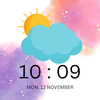

CLAW Weather App Clock Widget Summary
CLAW Weather App Clock Widget is a ad-supported Android app in Weather by Govind Narayan. Released in May 2017 (8 years ago). It has about 302.4K+ installs and 1.3K ratings with a 2.72★ (poor) average. Based on AppGoblin estimates, it reaches roughly 3.8K monthly active users and generates around $<10K monthly revenue (0% IAP / 100% ads). Store metadata: updated Nov 13, 2023.
Recent activity: 3.1K installs this week (5.4K over 4 weeks) showing exceptional growth , and -1 new ratings this week View trends →
Store info: Last updated on Google Play on Nov 13, 2023 .
2.72★
Ratings: 1.3K
Screenshots

App Description
CLAW: Weather App & Clock Widget – Your Ultimate Forecast Companion!
CLAW Weather App Clock Widget - Your Ultimate Weather Companion!
Unleash the power of CLAW, a premium weather app and clock widget crafted for all devices, including phones and tablets. Elevate your experience with the latest Galaxy S23 Ultra-inspired design, bringing the new S23 Ultra effect right to your fingertips.
Key Features:
🌦️ Live Weather Updates:
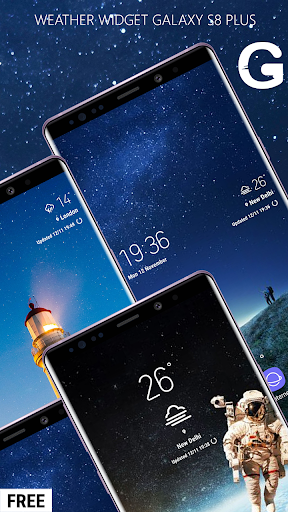
Experience real-time weather updates in the distinctive S23 Ultra style, offering precise temperature readings in both Celsius and Fahrenheit.
🕰️ Digital Clock and Calendar:
Stay organized with the last update time, a digital clock, and an integrated calendar feature that seamlessly aligns with your daily routine.
🎨 Themes and Widget Sizes:
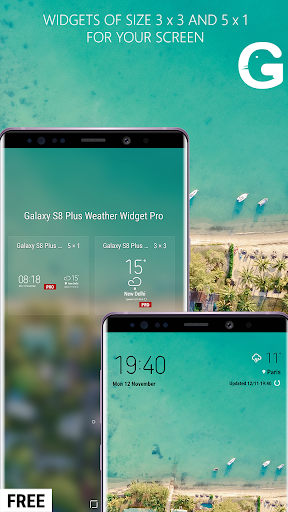
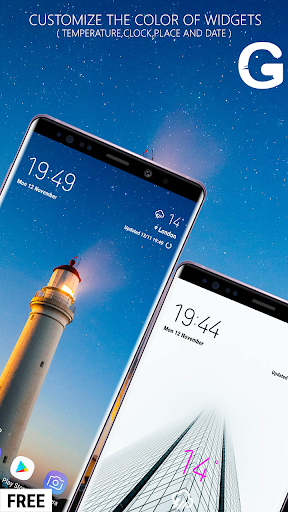
Personalize your experience with various themes. Now introducing new 3x3 and 5x1 widget sizes for a customized home screen layout.
🔄 Dynamic Updates and Features:
Enjoy regular updates introducing new themes and exciting features, ensuring your CLAW experience remains fresh and engaging.
What's New in the Latest Update:
Themes: Explore a range of themes for a unique visual experience.
Widget Sizes: Now includes new 3X3 and 5X1 widgets for enhanced flexibility.
Temperature Units: Choose from Celsius, Fahrenheit, and Kelvin for temperature displays.
Custom Openweathermap API: Easily enhance functionality by integrating your exclusive free API from openweathermap.org.
How to Use:
📥 Download and Install:
Get CLAW from the app store and install it on your device.
📖 Read Instructions:
Open the app, follow simple instructions, and set up CLAW.
🔄 Place Widget on Home Screen:
Navigate to your home screen, press options, select Widgets, and add the CLAW Weather App Clock Widget for instant access to weather and time.
Optimize Your Day with CLAW - Download Now!
Share the CLAW experience with your friends and family. For suggestions or feedback, contact us via email within the app.