PTZ Camera App


PTZ Camera App Summary
PTZ Camera App is a free, ad-supported Android app in Tools by James Bordon. Released in Aug 2026 (1 month ago). It has about 38+ installs Based on AppGoblin estimates, it reaches roughly 26 monthly active users and generates around $<10K monthly revenue (0% IAP / 100% ads). Store last updated Aug 18, 2026
Recent activity: 23 installs this week (38 over 4 weeks) View trends →
PTZ Camera App SDKs Summary
App not yet scanned for SDKs.
0★
Ratings: 0
Screenshots


App Description
Manage compatible PTZ cameras with easy device control features.
PTZ Camera App is an Android utility designed for users who want convenient control of compatible pan-tilt-zoom security cameras. The app provides an organized mobile interface for accessing supported camera controls and managing compatible devices from one place.
With straightforward navigation and essential PTZ functions, managing a supported camera can be simple and convenient for everyday use.
Convenient PTZ Control
Adjust the position of compatible PTZ cameras directly from your Android smartphone. Use supported directional controls to move the camera horizontally or vertically.
Zoom Adjustment
Access available zoom controls when supported by your connected camera. Adjust the zoom level using the controls provided for your specific device.
Device Management
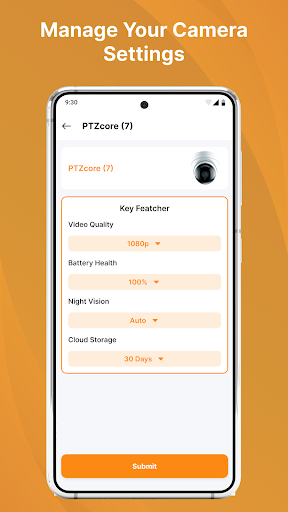
Select compatible camera hardware and access supported device controls through a simple interface. Available options can vary according to camera model and firmware.
Key Features
• Pan control
• Tilt control
• Supported zoom functions
• PTZ device management
• Compatible camera selection
• Device connection information
• Reconnection support
• Responsive control layout
• Simple Android interface
• Lightweight design
Suitable For Multiple Locations
The app can be useful with compatible PTZ security cameras installed in:
• Homes
• Offices
• Shops
• Warehouses
• Workspaces
• Business locations
• Indoor areas
Camera capabilities depend on the connected hardware.
Why Use PTZ Camera App?
PTZ cameras offer flexible positioning, and this app is designed to make supported controls accessible from an Android phone.
It is suitable for users looking for:
• PTZ camera controller
• Pan and tilt adjustment
• Camera zoom control
• Android security camera utility
• PTZ device management
• Compatible camera controls
Easy To Get Started
Launch PTZ Security Camera App.
Prepare your compatible PTZ camera.
Add or select the supported device.
Complete the available connection process.
Open the control interface.
Use the PTZ functions supported by your camera.
Compatibility
Features depend on your camera model, firmware, Android device, supported connection method, and camera protocols.
Different PTZ cameras may provide different control options.
Important Information
A compatible PTZ camera is required to use the app's device-control features. Certain functions may require specific hardware or manufacturer-supported services.
Disclaimer
PTZ Camera App is an independent third-party application and is not affiliated with, endorsed by, sponsored by, or officially connected to any camera manufacturer or brand.
All trademarks, product names, and brand names are used solely for identification and compatibility purposes.