PDF Scanner Scan files & notes

PDF Scanner Scan files & notes Summary
PDF Scanner Scan files & notes is a ad-supported, with in-app purchases Android app in Productivity by Offiwiz. Released in Mar 2017 (9 years ago). It has about 4.9M+ installs and 18.5K ratings with a 4.34★ (good) average. Based on AppGoblin estimates, it reaches roughly 562.6K monthly active users and generates around $50K+ monthly revenue (31% IAP / 69% ads). Store metadata: updated Jul 1, 2025, version 2391.
Recent activity: 578 installs this week (2.1K over 4 weeks) showing steady growth , and -1 new ratings this week View trends →
Data tracking: SDKs and third-party integrations were last analyzed on Oct 13, 2025.
Store info: Last updated on Google Play on Jul 1, 2025 (version 2391).
SDKs, Trackers & Permissions
PDF Scanner Scan files & notes was last scanned for SDKs 2025-10-13. Below is the overview of third party companies detected in the app. The full list of raw SDKs, app permissions and unknown SDKs is available here.
AppGoblin saw PDF Scanner Scan files & notes uses 13 Development Tools
 JetBrains IntelliJ
 Jake Wharton
 ReactiveX
 BouncyCastle
AppGoblin saw PDF Scanner Scan files & notes uses 2 Analytics: Product
 Firebase
 Google Analytics
AppGoblin saw PDF Scanner Scan files & notes uses 1 Ad Networks
 Google
AppGoblin saw PDF Scanner Scan files & notes uses 1 Mediation
 AdMob
AdMobAppGoblin saw PDF Scanner Scan files & notes uses 1 Analytics: Attribution
 Huawei Analytics
App Details
App Store
Ads & App-Ads.txt
AppGoblin SDK Scans
4.34★
Ratings: 18.5K
Screenshots


App Description
Scan edit convert all your documents & photos to PDF files with camera scanner
PDF Scanner Scan files documents, photos, ID, passport, notes...
Scan edit convert all your documents & photos to PDF files with camera scanner
PDF Scanner Scan files documents, photos, ID, passport, notes... is the best app to create PDF from images and photos of your Phone. Your PDF scanner to scan files and docs. Create your own Doc file, you can create books, notes, journals, backups, photo albums ...
Scan your photos and convert your images into PDF format to generate your documents and scan your files. You can add filters to the images to make the texts clearer.
PDF Scanner Scan files documents, photos, ID, passport, notes... Key Features:
- Photo and Image Scanner
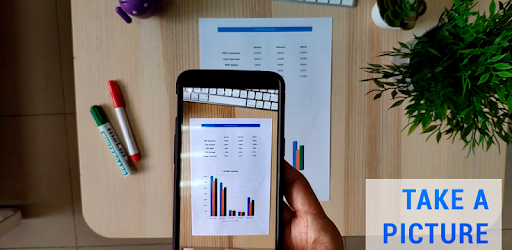
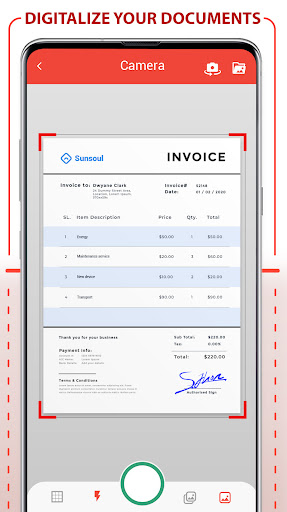
Using the camera of your phone, you can scan receipts, notes, invoices, business cards, certificates ...
- Paper Size:
Choose the best size for your document as A3, A4, A5, note, letter, postal and legal.
- Password to protect your PDF
Protect your scanned docs with the use of a password, keep your privacy and block any documents.
- Improvement with the help of filters:
Improve the quality of your documents with filters like Black and White, magic color, grayscale ...
- Adjusting images
You can deform the image and photos of your document to fit your needs
- Intuitive interface
Document Scanner is the most intuitive and practical tool for creating your PDF document.
Convert to PDF, create, digitize files in PDF format is easy and fast thanks to Scanner Document - PDF Creator, the best photo scanner app. This PDF scanner app scan Doc to PDF. Simply use the document scanner, scan document, scan images, any photo or image you have in the gallery or generate a new photo from the mobile camera, you can apply filters to the pages to Create your perfect PDF file. It is a photo scanner and Doc scanner application to scan documents and scan images, very useful for making photo albums, journals, notes, letters, books ... Scan Doc to PDF, scan your photos and images, scan documents with the PDF scanner is immediate, the best way to scan Doc to PDF.
Once the images have been scanned and converted to PDF you can apply the filter you want for a correct visualization, you can choose between black and white, magic color, grayscale etc. Once you have generated all the pages of your PDF document you can select the paper size of your PDF file, you can choose from many