PDF Master : PDF Editor 2026


PDF Master : PDF Editor 2026 Summary
PDF Master : PDF Editor 2026 is a mobile Android app in Tools by Tiger Apps Studios. Released in Jan 2026 (4 months ago). It has about 135+ installs Based on AppGoblin estimates, it reaches roughly 23 monthly active users . Store metadata: updated Feb 11, 2026.
Recent activity: 8.00 installs this week (34 over 4 weeks) showing steady growth View trends →
Store info: Last updated on Google Play on Feb 11, 2026 .
0★
Ratings: 0
Screenshots



App Description
PDF Master: Pro PDF Editor, Scanner & Converter. 100% Free. No Subscription
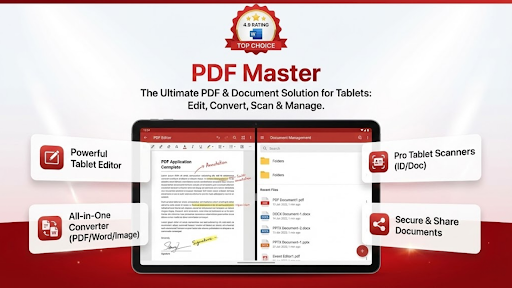
Looking for a premium, high-performance PDF tool without the premium price tag? Join millions of users who trust PDF Master, the top-choice app with a 4.9-star rating. Whether you need to edit, scan, convert, or secure your documents, PDF Master provides a full suite of desktop-grade features—100% free with no subscriptions required.
✍️ Powerful PDF Editor & Annotator
Take full control of your documents. Edit text directly, add professional signatures, and highlight key information.
Edit Text: Modify content within your PDFs seamlessly.
Annotate: Draw, highlight, and add comments for better collaboration.
Signatures: Add your digital signature to contracts and forms in seconds.
Insert Text: Easily add new paragraphs or notes anywhere on the page.
🔄 Ultimate PDF Converter & OCR
Convert files with lightning speed and high accuracy.
Image to PDF: Turn gallery photos or new captures into professional PDFs.
Word to PDF & Back: Seamlessly switch between DOC/DOCX and PDF formats.
PDF to Image: Extract pages as high-quality image files.
OCR (Text Recognition): Extract editable text from any scanned PDF or image.
📸 Specialized Pro Scanner
Turn your phone into a high-end portable scanner.
ID Card Scanner: A dedicated mode to scan the front and back of IDs onto a single page with auto-crop and filters.
Document Scanner: Capture crystal-clear scans of receipts, notes, and multi-page documents.
🛠️ Advanced PDF Utilities
Manage your files like a pro with built-in advanced tools.
Merge & Split: Combine multiple files or separate pages into new documents.
Page Management: Rotate, reorder, or delete specific pages easily.
Compress PDF: Reduce file size for fast sharing without losing quality.
Security: Lock your sensitive files with password protection or unlock existing PDFs.
📂 All-in-One Document Manager
No need for multiple apps. PDF Master supports all major office formats.
View Everything: Open PDF, Word (DOC/DOCX), Excel (XLS/XLSX), PowerPoint (PPT/PPTX), and Text (TXT).
Smart Organization: Use "Favorites" for important files and "Recent" for quick access.
Fast Search: Find any document on your device instantly.
🌟 Why Choose PDF Master?
4.9 Rated: Trusted for its reliability and premium feature set.
100% Free: No hidden fees, no subscriptions, and no limits.
Privacy Focused: Your documents stay on your device; we value your data security.
Download PDF Master today and experience the ultimate "Top Choice" document tool!