Bottom Quick Settings


Bottom Quick Settings Summary
Bottom Quick Settings is a free, with in-app purchases Android app in Personalization by Tom Bayley. Released in Nov 2018 (7 years ago). It has about 2.9M+ installs and 12K ratings with a 4.03★ (good) average. Based on AppGoblin estimates, it reaches roughly 8.7K monthly active users and generates around $<10K monthly revenue (100% IAP / 0% ads). Store last updated Jun 11, 2026
Recent activity: 1.3K installs this week (6.9K over 4 weeks) showing above average growth , and 4.00 new ratings this week View trends →
SDK intelligence: AppGoblin detected 3 development tools(e.g. Google), 1 analytics: product,and 1 ad networks integrated into Bottom Quick Settings. View full SDK list →
Data tracking: The app's network data flows (API traffic to/from the app and its SDKs) were last crawled on Jun 24, 2026.
Bottom Quick Settings SDKs Summary
Bottom Quick Settings was last scanned for SDKs on 2026-07-25. Below is the overview of third-party companies detected in the app. The full list of SDKs, permissions and unknowns is available here.
AppGoblin saw Bottom Quick Settings uses 3 Development Tools
 Google
 Kotlin
 Airbnb Engineering
AppGoblin saw Bottom Quick Settings uses 1 Analytics: Product
 Firebase
AppGoblin saw Bottom Quick Settings uses 1 Ad Networks
4.03★
Ratings: 12K
Screenshots


App Description
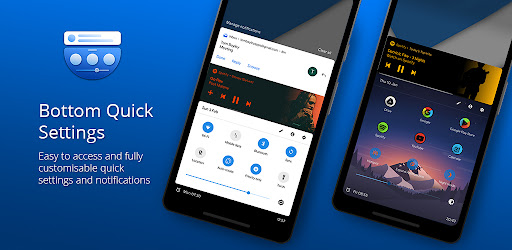
Quick settings panel & notification shade at the bottom of the screen
Bottom Quick Settings moves your notification shade and quick settings panel to the bottom of your Android screen — one-handed access to 40+ controls, right where your thumb reaches.
Swipe up from a customizable trigger anywhere on screen and your quick settings panel opens instantly at the bottom. Toggle WiFi, Bluetooth, brightness, volume, and dozens more with just your thumb.
NOTIFICATION SHADE
- Full notification panel relocated to the bottom of your screen
- Reply, open, dismiss, interact and manage all notifications
- Full color customization
- Dynamic colors
BOTTOM STATUS BAR
- Move your device's status bar to the bottom of the screen
- All notification and system icons — now within thumb reach
- Full color personalization
- Blacklist: auto-hide the status bar in specific apps
QUICK SETTING TILES — 40+ CONTROLS
- WiFi, Bluetooth, Mobile Data, Location, Torch, NFC and 35 more
- Add any app or website as a custom shortcut tile
- Adjust the grid: change rows and columns to fit your style
- Built-in sliders: screen brightness, media, ringtone, alarm and notification volume
SWIPE TRIGGER HANDLE
- Place it anywhere along the screen edge
- Fully adjustable size — never conflicts with navigation gestures
- Auto-hide in fullscreen and landscape
- Blacklist: hide the trigger handle in specific apps
CUSTOMIZATION
- Blur the quick settings panel background
- Custom colors for the panel background and quick setting icons
- Add a background image to the panel
- App icon pack support
- Match navigation bar color to the panel footer
- Dark mode
- Tasker integration for automation
BACKUP / RESTORE
- Save and restore your full customization setup
- Share your themes with other users
ROOT / ADB POWER FEATURES
- Toggle Mobile Data, Location and other secure system settings
- One-time ADB command unlocks Android-restricted controls — no root required
Android's quick settings shouldn't be stuck at the top of a large screen. Bottom Quick Settings puts your notification shade, status bar, and quick settings panel exactly where your thumb reaches — all in one swipe.
Bottom Quick Settings uses Accessibility Services to display the custom quick settings and notification panel on your screen.