AI PDF Scanner & PDF Editor


AI PDF Scanner & PDF Editor Summary
AI PDF Scanner & PDF Editor is a free, ad-supported, with in-app purchases Android app in Tools by Tools for Everyday - AI Tasks. Released in Dec 2024 (1 year ago). It has about 326K+ installs and 1.5K ratings with a 4.41★ (good) average. Based on AppGoblin estimates, it reaches roughly 93K monthly active users and generates around $10K+ monthly revenue (76% IAP / 24% ads). Store last updated Sep 24, 2026
Recent activity: 56K installs this week (225K over 4 weeks) showing exceptional growth , and 226 new ratings this week View trends →
SDK intelligence: AppGoblin detected 11 ad networks(e.g. Google), 6 development tools, 2 mediation, 2 business tools, 1 analytics: product,and 1 analytics: attribution integrated into AI PDF Scanner & PDF Editor. View full SDK list →
AI PDF Scanner & PDF Editor SDKs Summary
AI PDF Scanner & PDF Editor was last scanned for SDKs on 2026-08-26. Below is the overview of third-party companies detected in the app. The full list of SDKs, permissions and unknowns is available here.
AI PDF Scanner & PDF Editor has 11 Ad Networks SDKs
 Google
 Facebook
 AppLovin
 Unity
UnityAI PDF Scanner & PDF Editor has 6 Development Tools SDKs
 Square
 Airbnb Engineering
AI PDF Scanner & PDF Editor has 2 Mediation SDKs
 AdMob
AdMobAI PDF Scanner & PDF Editor has 1 Analytics: Product SDKs
 Firebase
AI PDF Scanner & PDF Editor has 1 Analytics: Attribution SDKs
 Adjust
AI PDF Scanner & PDF Editor has 2 Business Tools SDKs
 Zendesk
4.41★
Ratings: 1.5K
Screenshots
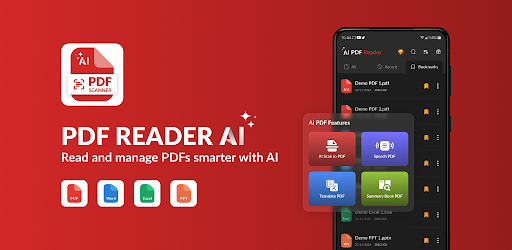


App Description
AI PDF scanner, PDF reader & editor with document scan and image to PDF tools
AI PDF Scanner & PDF Editor helps you scan, read, edit, extract text from images, and manage everyday content with useful AI tools.
Whether you are working with notes, receipts, forms, study materials, or reports, use the PDF scanner and PDF editor to capture, review, organize, and work with your content.
📷 PDF Scanner & Document Scan
Use the PDF scanner to capture paper content with your camera.
• Scan notes, receipts, forms, reports, and study materials
• Use the document scanner for single or multiple pages
• Crop and review scanned pages before saving
• Use scan to PDF for everyday needs
• Access recent scans when needed
The PDF scanner helps turn paper content into digital pages for reading, editing, or sharing.
🔤 Image to Text
Extract text from photos and scanned pages with image to text tools.
• Capture printed text from images
• Copy extracted text for editing or sharing
• Use with notes, receipts, books, and study materials
• Review extracted content before using it
🖼️ Image to PDF
Create PDFs from images stored on your device.
• Use image to PDF for photos and screenshots
• Convert photo to PDF or JPG to PDF
• Add multiple images into one PDF
📖 PDF Reader
Use the PDF reader to view and navigate your content.
• Scroll through pages
• Zoom in or out
• Search text
• Add bookmarks
• Switch between supported viewing modes
• Return to recently opened content
✏️ PDF Editor
Use the PDF editor to review and annotate your content.
• Highlight or underline text
• Draw or write on pages
• Copy selected text
The PDF editor gives you practical tools for study materials, reports, forms, and everyday reading.
🤖 AI Reader Tools
Use AI features to work with longer content.
• Summarize supported PDFs
• Translate supported text
• Listen with text-to-speech
• Review longer content in a shorter format
AI-generated results may contain inaccuracies. Check important information against the original content when needed.
🗂️ Manage Your PDFs
Keep your content organized with practical tools:
• Merge or split PDFs
• Rename saved items
• Add password protection to supported PDFs
• Share through available apps
• Print from your device
Use AI PDF Scanner & PDF Editor for PDF scanner, PDF editor, image to text, reading, image to PDF, and everyday content management.