LINK Toolkit


LINK Toolkit Summary
LINK Toolkit is a mobile Android app in Tools by Bridgestone Mobility Solutions B.V.. Released in Jul 2016 (9 years ago). It has about 25.1K+ installs and 96 ratings with a 3.56★ (average) average. Based on AppGoblin estimates, it reaches roughly 139 monthly active users . Store metadata: updated Jul 21, 2016.
Store info: Last updated on Google Play on Jul 21, 2016 .
3.56★
Ratings: 96
Screenshots

App Description
App for installation partners of Webfleet Solutions
***App decommission notice***
This application will be retired soon and no longer supported.
To continue your installation work without interruption, please migrate to the new application, Webfleet Installer App: https://play.google.com/store/apps/details?id=com.webfleet.almereapp.beta&pcampaignid=web_share
LINK Toolkit
*** This is a Tool for Webfleet Solutions Resellers and Installers only ***
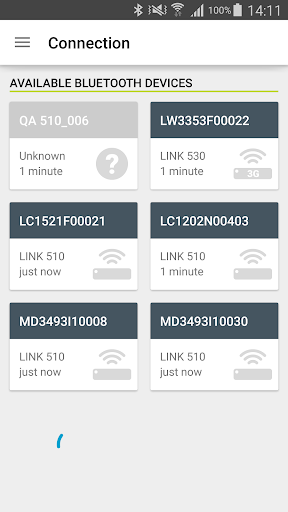
The LINK Toolkit is a versatile Android app supporting you with the installation process of Webfleet Solutions LINK devices and accessories.
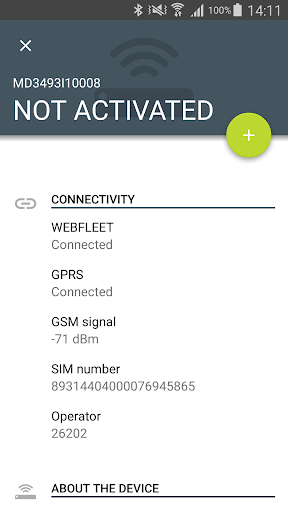
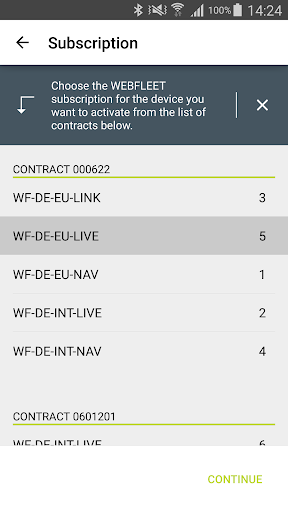
With the LINK Toolkit you can activate LINK vehicle tracking devices and connect a ecoPLUS, a LINK 105 or a Remote LINK with them. Additionally the app allows you to assign additional services such as Tachograph Manager, LINK.connect or Remaining Driving Times to the LINK that gets installed into a vehicle.
A position check allows you to check if a device is properly connected to WEBFLEET without logging in to WEBFLEET or to contact Customer Support for this matter.
LINK Toolkit is also equipped with diagnostic functionalities helping you to check the installation and connections such as power, GPS reception, digital Tachograph or FMS. Next to these functionalities the app gives you the option to do soft and hard resets if required and to update the firmware.
You will find FAQs around the LINK Toolkit in the Partner Portal.
For creating a LINK Toolkit user, please contact your local Sales Support team.