Incoming Call Pin Locker


Incoming Call Pin Locker Summary
Incoming Call Pin Locker is a ad-supported Android app in Personalization by TotalTechApps. Released in Jun 2016 (9 years ago). It has about 1.4M+ installs and 2.9K ratings with a 3.30★ (mixed) average. Based on AppGoblin estimates, it reaches roughly 1.3K monthly active users . Store metadata: updated Sep 23, 2023.
Recent activity: 1K installs this week (2.4K over 4 weeks) showing steady growth , and 1.00 new ratings this week View trends →
Store info: Last updated on Google Play on Sep 23, 2023 .
3.3★
Ratings: 2.9K
Screenshots


App Description
Protect your call privacy by being the only one to unlock and receive them.
Incoming Call Pin Locker protects your Incoming call to be picked by some one else.
This Application will not allow others to see the caller name, number or
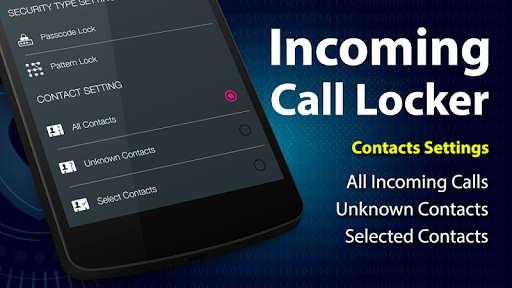
any other details. The password screen popups on Incoming Calls to hide all information about the caller. You can protect your incoming calls by using either pattern lock or pincode security. This app also allows the user to protect All incoming calls, Unknown contacts or for selected contacts only. Using this app will secure your incoming calls by Selecting the Password Lock or Pattern Lock.
Features:
* Enable/Disable Call Lock Option
* Place a call lock on either all of your contacts or just specific ones or all unknown contacts.
* Security : Contains both Pattern lock and Pincode.
* You can Easily Change Password
* User Friendly
How To Use :
* First of all set your pattern or passcode to secure your incoming calls.
* Then Enable lock switch button.
* Then check one of the radio buttons to enable lock on all contacts, unknown contacts or selected contacts.
How To Uninstall App :
Go to Setting -> Security -> Device Administration -> and Uncheck the Incoming Call Locker -> Select Deactivate... and then Uninstall the Incoming Call Locker application.