Русско-турецкий словарь


Русско-турецкий словарь Summary
Русско-турецкий словарь is a ad-supported, with in-app purchases Android app in Books And Reference by TTdictionary Offline. Released in Aug 2014 (11 years ago). It has about 401.8K+ installs and 3.2K ratings with a 4.46★ (good) average. Based on AppGoblin estimates, it reaches roughly 6.7K monthly active users and generates around $<10K monthly revenue (35% IAP / 65% ads). Store metadata: updated May 27, 2026.
Recent activity: 231 installs this week (791 over 4 weeks) showing steady growth , and 3.00 new ratings this week View trends →
Store info: Last updated on Google Play on May 27, 2026 .
4.46★
Ratings: 3.2K
Screenshots


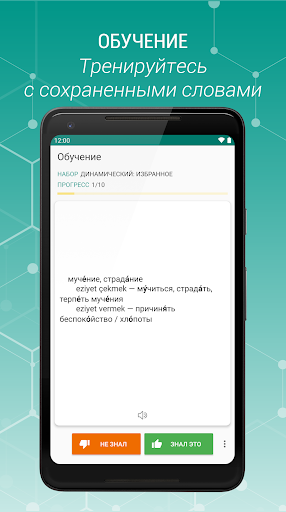
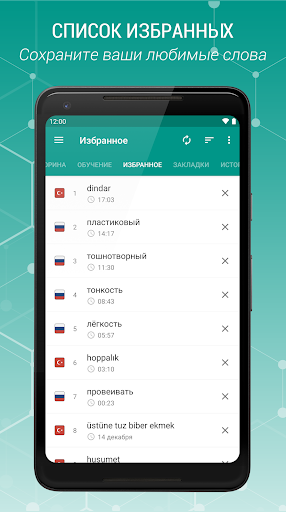
App Description
Russian-Turkish and Turkish-Russian offline dictionary
Russian-Turkish and Turkish-Russian free offline dictionary with easy and functional interface.
Russian-Turkish and Turkish-Russian - free offline explanatory dictionary with easy and functional interface, covering over 75,000 words
Characteristic:
• Very efficient, fast and with a good performance.
• High speed search
• Search Filter - search suffix, prefix (start / end)
• Voice Recognition (Text-to-speech engine)
• You can add a word marked as a favorite.
• Ability to create bookmarks and add the word to your favorites
• Save scanned words in stories (day, month ...)
• Ability to create bookmarks and add the word to your favorites
• The ability to share in other applications
• Sounding a word or selected text
description window opens when you click on the word. You can wrap and unwrap the description window function swipe.
• Search option, the audio and the possibility to share a word selected in the Description window.
- Settings
• The option to change the text size
• Optional interface changes color
• Cleaning option lists Bookmarks, Favorites, History
• You can change the display color by double-clicking on the buttons to increase / decrease the volume
• You can change the display color by double-clicking on the buttons to increase / decrease the volume
You can send your suggestions, comments and legal issues associated with paved at this address.
ttdicpro@gmail.com
Explanatory Dictionary of the Turkish language phrasebook