Travelkhana-Train Food Service


Travelkhana-Train Food Service Summary
Travelkhana-Train Food Service is a mobile Android app in Travel And Local by Travelkhana.com. Released in Jun 2015 (10 years ago). It has about 2.5M+ installs and 34.9K ratings with a 3.15★ (mixed) average. Based on AppGoblin estimates, it reaches roughly 87.4K monthly active users . Store metadata: updated Aug 28, 2025.
Recent activity: 25.8K installs this week (51.7K over 4 weeks) showing exceptional growth , and -3 new ratings this week View trends →
Store info: Last updated on Google Play on Aug 28, 2025 .
3.15★
Ratings: 34.9K
Screenshots

App Description
Food delivered in train at your seat in Indian Railways
Travelkhana is the train food order booking application. Get great train food anywhere in India while traveling in a train. Offers wide variety of food from Veg, Non Veg & Jain Thali, Combos, Sandwiches, South Indian snacks, etc.
Travelkhana tracks your train in real-time and gets favorite food delivered to your seat while travelling in train. Now offering food delivery at more than 300 locations across India.
The app is extremely useful as it works in offline mode (no - internet) mode. Highly useful for the train traveller.
Search for food in train using your train journey details or PNR details and get a hassle free ordering and delivery experience.
This is your favorite E-CATERING service on the Indian Railways.
How the Mobile App works?
The food order facility through its mobile app is another feather in TravelKhana’s Cap. It works in the following simple steps:
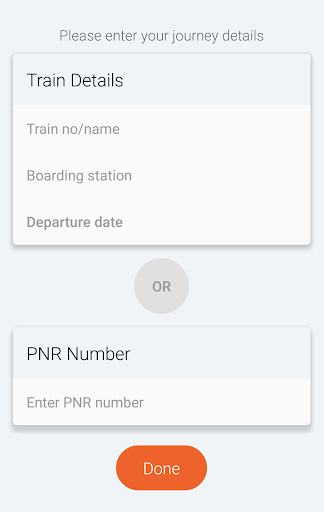
First, you can download the Travelkhana App from Playstore on your Smartphone. On the first page, enter the train number or name and station of departure or you can simply key in the PNR number of your ticket.
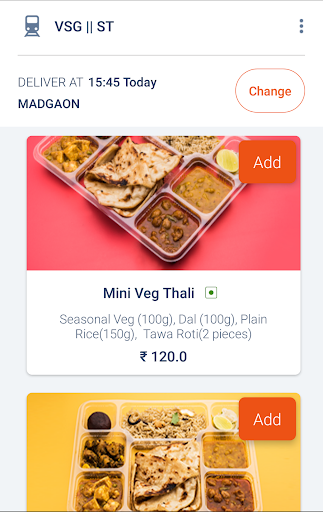
The site throws open options of the menu: Examples are Vegetarian thali, Non vegetarian Thali, Pizza, Jeera rice and curry, Veg and Non-Veg., Biryani, Tandoori Naan and Chicken/ Paneer Curry or individual items like Curd Rice, Curry, Vegetables, Rice, Naan, etc. which can be ordered separately. In most places, local delicacies are on the menu. Usually, there is a minimum size of order from Rs. 300 and upwards.
Now you can place an order and view the total order, before confirming the order. Next step is to Sign in by providing name, mobile number and e-mail ID. Now you will get an SMS from TravelKhana on your phone, and you have to enter this code on the next page. You must now provide coach number and seat number.
Next, you have to proceed to the payments section. The page will show total amount to be paid and payment options- mainly Cash on Delivery or Online via Visa, Master card or Diner’s Club International card. After you make payment, you will be redirected to your bank’s website to confirm the transaction.
Now you have completed the whole process, and all you need is to wait for the food that will be delivered piping hot and delicious.
What is special about Travelkhana?
• Its services extend over 300 cities in the country
• Its s