Screen Cast: Bluetooth Manager


Screen Cast: Bluetooth Manager Summary
Screen Cast: Bluetooth Manager is a free, ad-supported Android app in Tools by ShaDob AppTech. Released in Apr 2021 (5 years ago). It has about 420K+ installs and 1.1K ratings with a 3.29★ (mixed) average. Based on AppGoblin estimates, it reaches roughly 13K monthly active users and generates around $<10K monthly revenue (0% IAP / 100% ads). Store last updated Jun 26, 2026
Recent activity: 158 installs this week (624 over 4 weeks) showing above average growth View trends →
Screen Cast: Bluetooth Manager SDKs Summary
App not yet scanned for SDKs.
3.29★
Ratings: 1.1K
Screenshots



App Description
Cast your screen and manage Bluetooth connections with ease in one app.
An easy-to-use app that helps you mirror your screen, images, and videos to different devices. It also helps you manage your Bluetooth devices. Whether you want to share your screen or organize your paired Bluetooth devices, this app makes it simple and smooth.
App Features :
Screen Mirroring & Casting
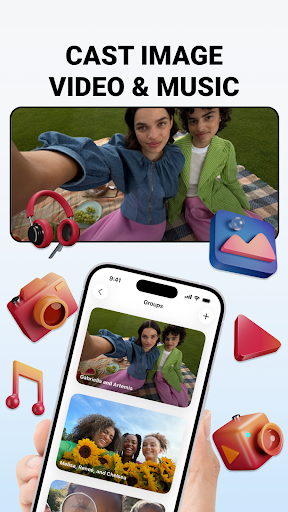
This feature will help you to cast your phone's screen with compatible devices. This includes streaming videos, showing images, or mirroring your entire display. Whether you’re casting to a smart TV, computer, or another compatible device, this app makes the process simple and hassle-free.
• Screen Mirroring: This feature will provide you easy steps to cast mobile screen to other compatible devices.
• Image and Video Mirroring: You can access images and videos from this app while casting your mobile screen.
• How-to Guide: Get instructions on how to connect for screen casting and mirroring.
Bluetooth Device Management
Manage all your Bluetooth devices with ease, whether you're pairing new devices or editing existing ones.
• Find Bluetooth Devices: Quickly scan and detect all nearby Bluetooth devices.
• List of Paired Devices: View all Bluetooth devices that are paired with your phone.
• Bluetooth Device Information: Get information about each paired Bluetooth device connection details.
• Pair & Unpair Devices: Effortlessly connect or disconnect any Bluetooth device.
• Add to Favorites: Keep your most used Bluetooth devices handy by adding them to your favorites list for faster access.
• Rename Paired Devices: Customize and edit the names of your paired Bluetooth devices for better organization and convenience.
• View Device Details: Access in-depth details about each Bluetooth device, including connection status, name, MAC Address and more.