TurboGear - Game Mode Manager


TurboGear - Game Mode Manager Summary
TurboGear - Game Mode Manager is a free, ad-supported Android app in Tools by MinsapCorp. Released in Aug 2026 (recently released ago). Store last updated Aug 7, 2026
TurboGear - Game Mode Manager SDKs Summary
App not yet scanned for SDKs.
0★
Ratings:
Screenshots
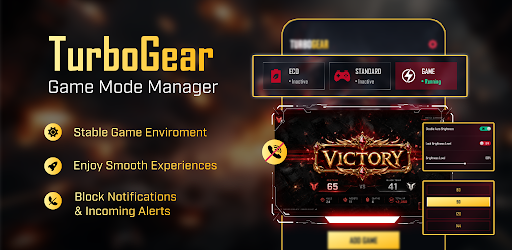


App Description
Manage screen brightness settings and block silent notifications.
Take control of your active sessions with TurboGear! Effortlessly manage display and volume settings to stay focused and reduce unwanted interruptions.
🔥 Key Features:
• Environment Profile: Quickly set up display and sound configurations for a consistent setup on supported devices.
• Preset Profile: Select which management mode you prefer to use
• Brightness Adjustment: Fine-tune screen visibility for day or night comfort.
• Distraction Blocker: Mute notification alerts and ringtone sounds via Do Not Disturb (enabled only after you grant permission); does not block or auto-reject calls.
• Profile Setup: Apply your custom display and volume presets before launching.
To provide its core features, our app requires the following permissions:
• Optional Resource Prep (where supported): Used by our Resource Management feature to pause non-essential background tasks. Effectiveness varies widely by device/OS and may have no effect on some devices; off by default.
• Do Not Disturb Access (Notification Policy Access): Used by Distraction Blocker to mute notification sounds and ringtones during an active session after you enable it in Android Settings; does not block or auto-reject calls.
• Write Settings: Allows the app to adjust system configurations like brightness and media volume according to your active profile.
• Post Notifications (optional): Used to show status reminders; you can turn this off anytime in Settings.
• Internet: Needed for app updates and to display advertisements.
Download TurboGear - Game Mode Manager and enjoy an uninterrupted experience with personalized controls.
❗️ DISCLAIMER:
TurboGear is an UNOFFICIAL utility and management tool. We are not affiliated with, endorsed by, or connected to any third-party developers or publishers. Outcomes are not guaranteed and will vary based on your hardware, OS version, and active settings. This tool does not modify application files, system kernels, or network connections.