Big Minimal Watch Face


Big Minimal Watch Face Summary
Big Minimal Watch Face is a mobile Android app in Personalization by Turcu Radu. Released in Mar 2025 (1 year ago). It has about 78+ installs Based on AppGoblin estimates, it reaches roughly 1.00 monthly active users . Store metadata: updated Mar 28, 2025.
Store info: Last updated on Google Play on Mar 28, 2025 .
0★
Ratings: 0
Screenshots

App Description
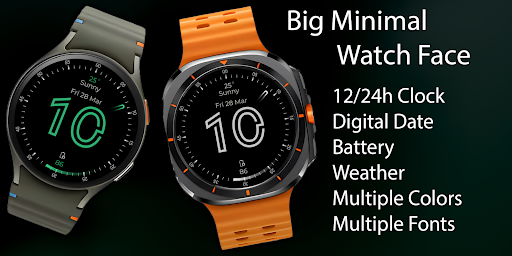
Big, bold & minimal! Customize fonts, colors & date, weather & battery.
Big Minimal Watch Face – Clean & Bold Design for Wear OS ⌚🎨
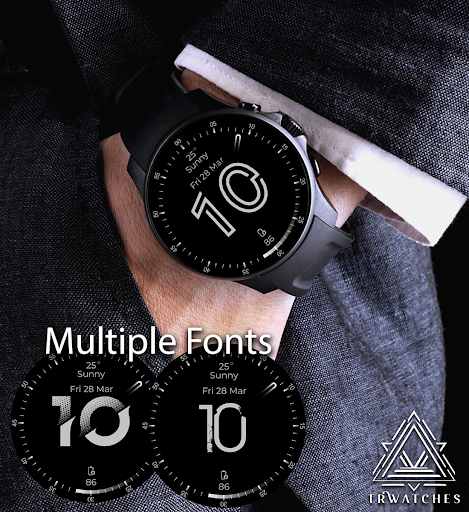
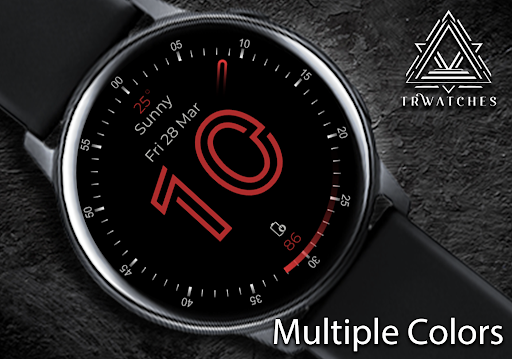
Simplicity meets style with Big Minimal Watch Face, a modern and elegant watch face designed for all Wear OS devices. Featuring large, easy-to-read numbers, multiple color options, and three font styles, this watch face brings both functionality and sophistication to your wrist!
🔹 Key Features:
✅ Big Hour Font – Perfect for quick time checks ⏰
✅ Multiple Font Options – Choose from 3 sleek styles ✍️
✅ Customizable Colors – Match your mood & outfit 🎨
✅ Full Date Display – Stay updated with day, month & weekday 📅
✅ Weather Information – Live temperature & conditions ☀️❄️
✅ Battery Indicator – Monitor your power level 🔋
✅ Minimal & Elegant – A clean, distraction-free look 🖤
Designed for those who appreciate clarity and minimalism, Big Minimal Watch Face keeps your focus on what matters! Download now and upgrade your smartwatch with bold simplicity! 🚀
--------------------------------------------------------------------------------------------------------
Watch face installation notes on smart watch:
Phone app serves only as a placeholder to make it easier to install & find the watch face on your Wear OS watch. You have to select your watch device from the install dropdown menu.
If you download the helper directly with the phone , you need to open application and touch on the display or the download button. -> will start to install on the watch.
A wear os watch need to be connected.
If not working in that way , you can copy that link into your phone chrome browser and click on arrow down from right , and you choose the watch face to install.
..............................................
After installation you need to set that watch face to your screen , from wear OS app , go down at downloaded watch faces and you will find it.
If you have problems , please contact me on raduturcu03@gmail.com
xxxxxxxxxxxxxxxxxxxxxxxxxxxxxxxxxxxxxxxxxxxxxxxx
FOLLOW US AT TELEGRAM : https://t.me/TRWatchfaces
FOLLOW US WEBSITE TO GET FREE COUPONS :
https://trwatches.odoo.com/
xxxxxxxxxxxxxxxxxxxxxxxxxxxxxxxxxxxxxxxxxxxxxxxxx
Try to see others designs in my google profile.