Space Earth Watch Face

Space Earth Watch Face Summary
Space Earth Watch Face is a mobile Android app in Personalization by Turcu Radu. Released in Nov 2024 (1 year ago). It has about 56+ installs Based on AppGoblin estimates, it reaches roughly 1.00 monthly active users . Store metadata: updated Nov 28, 2024.
Store info: Last updated on Google Play on Nov 28, 2024 .
0★
Ratings: 0
Screenshots

App Description
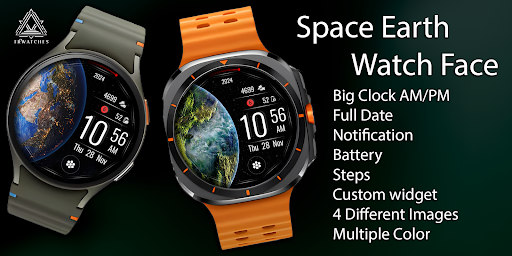
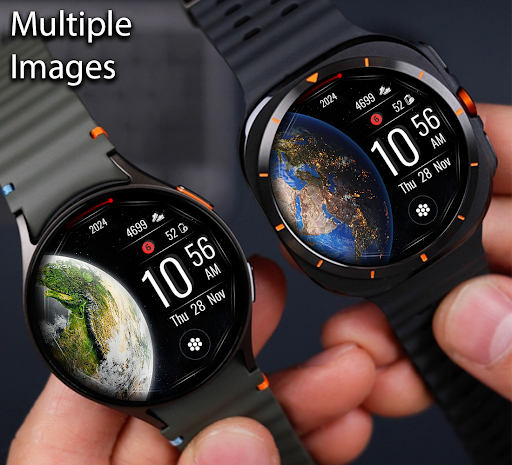
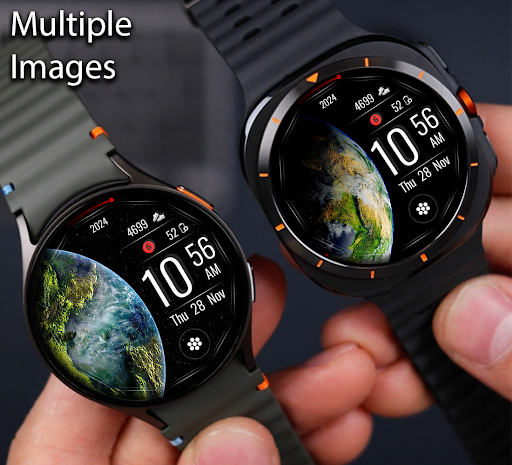
4 Different images in single one.
🌍 Experience a Stunning Watch Face That Combines Style and Functionality! 🌟
Elevate your smartwatch experience with this beautifully designed planet-inspired watch face. Packed with customizable features and vibrant colors, it's more than just a watch face – it’s your ultimate daily companion! 🕰️✨
🌟 Features:
✅ Large Digital Clock with AM/PM format – easy to read at a glance.
✅ Full Date Display – never miss an important day! 📅
✅ Battery Indicator – stay powered all day. 🔋
✅ Step Counter – track your fitness journey effortlessly. 👟
✅ Notification Counter – keep up with messages & alerts. 🔔
✅ Custom Widgets – personalize your watch face with your favorite functionalities.
🎨 Multiple Text Colors & Designs
💫 4 Unique Display Styles – switch it up to match your mood!
🌌 Breathtaking Earth-inspired theme – blend of beauty & practicality.
🔧 Why Choose This Watch Face?
✔️ Customizable Widgets – Add the features you care about most! (Weather, calendar, or shortcuts 🚀).
✔️ Fitness Enthusiast? Real-time steps tracking to stay motivated.
✔️ Clean Notifications Display – keep things tidy and organized.
✔️ Ideal for busy schedules or casual everyday use!
📥 Download Now to transform your smartwatch into the perfect blend of style and productivity! 💪
---------------------------------------------------------------
Watch face installation notes on smart watch:
Phone app serves only as a placeholder to make it easier to install & find the watch face on your Wear OS watch. You have to select your watch device from the install dropdown menu.
If you download the helper directly with the phone , you need to open application and touch on the display or the download button. -> will start to install on the watch.
A wear os watch need to be connected.
If not working in that way , you can copy that link into your phone chrome browser and click on arrow down from right , and you choose the watchface to install.
If you have problems , please contact me on raduturcu03@gmail.com
Try to see others designs in my google profile.