Remote Control App for All TV


Remote Control App for All TV Summary
Remote Control App for All TV is a free, ad-supported, with in-app purchases Android app in Tools by Super Ludo™ Games. Released in Apr 2026 (6 months ago). It has about 489K+ installs and 2.3K ratings with a 3.97★ (average) average. Based on AppGoblin estimates, it reaches roughly 71K monthly active users and generates around $10K+ monthly revenue (70% IAP / 30% ads). Store last updated Aug 4, 2026
Recent activity: 25K installs this week (109K over 4 weeks) showing strong growth , and 155 new ratings this week View trends →
SDK intelligence: AppGoblin detected 5 development tools(e.g. Google), 2 ad networks, 1 mediation,and 1 analytics: product integrated into Remote Control App for All TV. View full SDK list →
Data tracking: The app's network data flows (API traffic to/from the app and its SDKs) were last crawled on Jul 1, 2026.
Remote Control App for All TV SDKs Summary
Remote Control App for All TV was last scanned for SDKs on 2026-09-30. Below is the overview of third-party companies detected in the app. The full list of SDKs, permissions and unknowns is available here.
 Google
 Facebook
 Square
 Airbnb Engineering
 Bumptech
 AdMob
AdMob Firebase
3.97★
Ratings: 2.3K
Screenshots



App Description
Universal TV remote control with screen cast to TV feature
Remote Control App for All TV – Smart TV Remote & Cast to TV
Control your entertainment with a TV remote app designed for easy connection and smooth navigation. This smart TV remote works as a universal remote control for compatible TVs, allowing you to manage your device using WiFi or IR. It supports smart TVs via WiFi, Android TV remote control, and mobile TV remote features, helping you turn your phone into a simple and reliable TV remote control app.
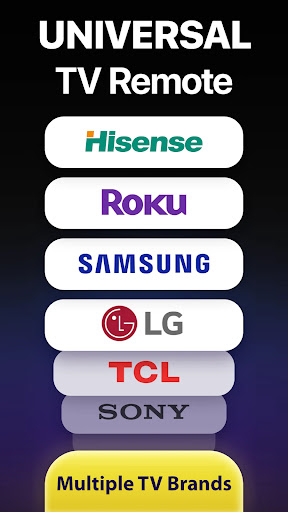
Easily switch channels, adjust volume, and browse content with a universal remote control app designed for multiple TV brands. This app supports popular smart TVs, including Samsung, LG, Sony, Roku, and Android TV, depending on device compatibility.
Key Features of Remote Control App for All TV
Universal TV Remote Control:
Use your phone as a universal remote for controlling all TV remote functions including power, volume, channels, and input selection.
WiFi & IR Smart Remote:
Connect instantly with a smart TV remote WiFi remote or use IR-supported devices for smooth and reliable control.
Cast to TV & Screen Mirroring:
Enjoy content on a bigger screen with cast to TV remote and screen mirroring TV, allowing you to stream media.
Multi-Brand Compatibility:
Works with major TV brands including Samsung, LG, Sony, TCL, Vizio, Roku, and Android TV, providing a universal remote control experience for compatible smart TVs.
Easy Navigation & Smart Control:
Navigate menus, apps, and settings with a simple interface designed for quick access and smooth performance.
Voice Control Support:
Control your TV using voice commands for faster interaction and hands-free operation.
Disclaimer:
This Remote Control App for All TV App is not an official application of any TV brand such as Samsung, LG, Sony, Roku, others. This app is developed to provide a convenient remote control solution compatible with a wide range of smart TVs. Some features like IR control depend on device hardware compatibility. WiFi remote and cast features require the mobile device and TV to be connected to the same network.
For any queries and feedback, contact us at support@superludogames.com
Privacy policy: http://remotecontrolforalltv.superludogames.com/privacy.html