Custom quotation


Custom quotation Summary
Custom quotation is a with in-app purchases Android app in Business by Ultra-solutions. Released in Jan 2024 (2 years ago). It has about 76+ installs Based on AppGoblin estimates, it reaches roughly 9.00 monthly active users and generates around $<10K monthly revenue (100% IAP / 0% ads). Store metadata: updated Feb 1, 2024.
Store info: Last updated on Google Play on Feb 1, 2024 .
0★
Ratings: 0
Screenshots

App Description
Create & manage quotations using your own existing quotation template
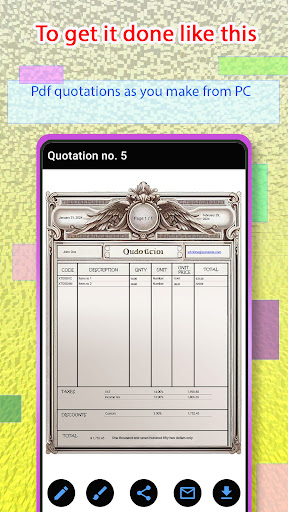
Create and manage quotations quickly using your own existing quotation form, all from your mobile as if you're using your PC and more.
** Key features **:
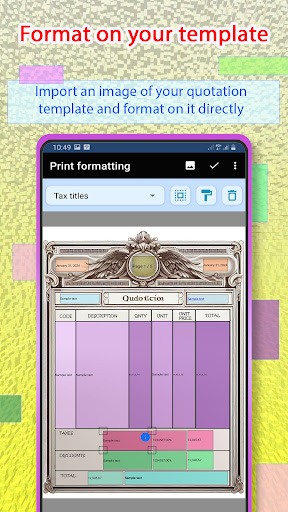
* For the first time, we have no quotation templates. Instead, import your existing quotation or invoice template and just use it.
* Format texts and numbers on your existing quotation template as in real world exactly like using your PC, but just one time formatting then let magic starts.
* Format your template once then use it to create and manage you quotations forever.
* Import all your products at once from an existing Excel file, including (Item code, description, unit, and price).
* Super autocomplete feature. Just write a part of your product name then we will fill all its data (code, description, unit, and price) then just set the quantity.
* Save all your Clients (Name, email, phones, and address) to use them later quickly.
* Most of the world wide currencies are available to use.
* Add expiration date to your quotations.
* Add Taxes automatically to your quotations and manage them quickly.
* Set discounts to your clients.
* Add the (NUMBER TO WORDS) to your quotations (English and Arabic) forms.
* Set conditions automatically to your quotations and manage them.
* Send the quotation in a preformatted email with just one tap. No need to write the client email address every time.
* Manage the template of your email to send to your clients easily.
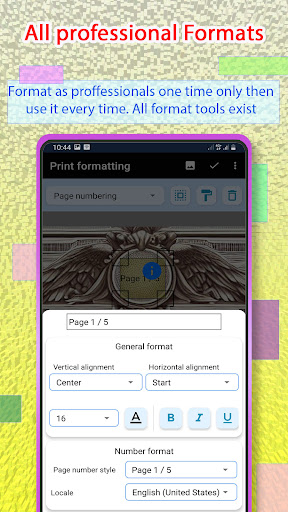
** Formatting **:
* All text formats available like PC professional apps, Font size, color, Bold, Italic, underlined, and (Align top, center, bottom, right, left, and middle) .
* All number formats like: locale numbering (Arabic, English, Persian, or any worldwide numbers), show trailing zero, number of decimal digits, using grouping coma or percent sign, Font size, color, Bold, Italic, underlined, and (Align top, center, bottom, right, left, and middle).
* All date formats, including all your localized date formats and (short, medium, long) date formats and more.
* Multi type page numbering.