3D Biology +

3D Biology + Summary
3D Biology + is a ad-supported, with in-app purchases Android app in Education by Vaibhav Kokare. Released in Apr 2018 (7 years ago). It has about 267K+ installs and 1.6K ratings with a 4.48★ (good) average. Based on AppGoblin estimates, it reaches roughly 7K monthly active users and generates around $<10K monthly revenue (72% IAP / 28% ads). Store metadata: updated Jan 31, 2026.
Recent activity: 6.7K installs this week (7.9K over 4 weeks) showing exceptional growth , and -1 new ratings this week View trends →
Store info: Last updated on Google Play on Jan 31, 2026 .
4.48★
Ratings: 1.6K
Screenshots



App Description
★ Learn Biology in 3D = Easy Understanding ★
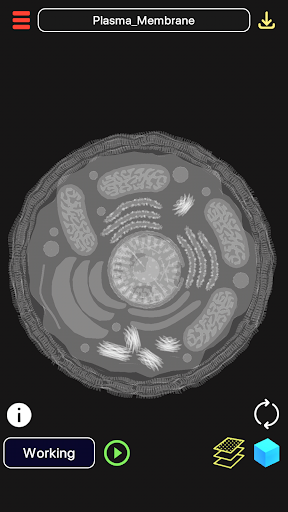
"3D Biology +" provides information, visualization of 3D Biology models. A 3D interactive model helps to visualize the 3d model from all sides. Models can be rotated, enlarged and panned.
Features:
1. Enable/disable 3D parts to see the parts which exactly you want to view.
2. Information of each 3D models' parts and other mechanism available through Dictation and Search Engine.
3. Download 3D Models from Online Library and visualize them anytime. Some of the 3D Models in the Online Library:
a) Human Cell
b) Human Anatomy Complete
c) Bacteriphage
d) Sperm Cell
e) Neuron, etc. (More content added every week)
4. "Dictation of information related to the model" of 3D Models.
5. Rotation, Scale and Pan Sensitivity of the 3d model can be controlled.
6. Multi Layer Mode: Can see through the objects for skeletal view of an object.
Usage and Navigation:
1. Rotate the scene by dragging your fingers over the model.
2. Zoom the model in and out by pinching with your fingers.
3. Toggle check/uncheck the part to enable/disable them.
4. Reset the camera to get the initial view of the model.
5. Internet Connection is mandatory to download models. Downloaded models can be viewed in Offline Mode.
Note: App is supported in 6 Languages(+ dictation):
1. English
2. Spanish
3. Russian
4. German
5. Portuguese
6. Japanese
Note: A 3D Model size ranges from 2-5 MB. So, only downloading models use up little data; visualising pre-downloaded models take no data.