Screenshot Capture Easy Touch

Screenshot Capture Easy Touch Summary
Screenshot Capture Easy Touch is a ad-supported, with in-app purchases Android app in Tools by Riva Tech. Released in Dec 2021 (4 years ago). It has about 92K+ installs and 545 ratings with a 4.12★ (good) average. Based on AppGoblin estimates, it reaches roughly 2.9K monthly active users and generates around $<10K monthly revenue (27% IAP / 73% ads). Store metadata: updated Jan 13, 2026.
Recent activity: 61 installs this week (248 over 4 weeks) showing below average growth , and 1.00 new ratings this week View trends →
Store info: Last updated on Google Play on Jan 13, 2026 .
4.12★
Ratings: 545
Screenshots

App Description
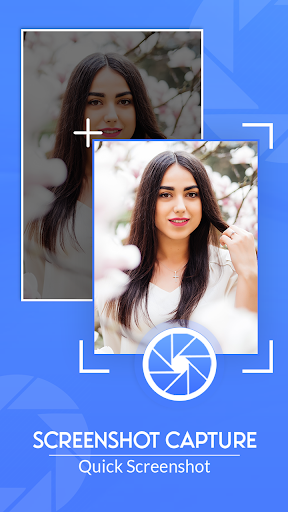
This screenshot capture app Easy lets you take screenshots on your phone
Screenshot Capture Easy Touch is the most simple, smallest and fastest screenshot taking app. Very small size. It is optimized for high performance especially to take screenshots while playing games or watching videos.
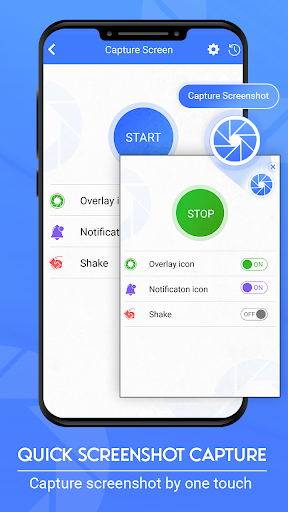
There is a Floating button to capture the screen that is displayed on top of everything. You can take the screenshot easily with one touch on the screen. Floating button always remains on the top of the screen, so that you can capture it easily at any time.
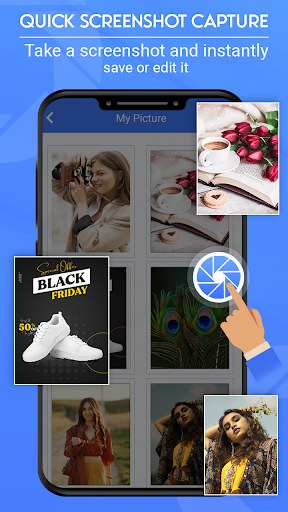
You can share or delete screenshots from my creation folder, also enable and disable the screenshot taker sound while taking a screenshot Capture screen now with this amazing Screenshot Capture Easy Touch
Quick Screenshot Capture Features:
➔ Easy and user-friendly interface
➔ One-touch Floating button
➔ Image file format JPG, PNG
➔ Display floating.
➔ Also you can Change color
➔ Shake the phone to take screenshots.
➔ Display Image after shot
➔ Vibrate on shot
➔ Time interval to capture screen
➔ Notification icon click
➔ Capture screenshot by one touch
➔ Save screenshot to the device.
➔ Share screenshot with your friends.
Download this Screenshot Capture Easy Touch app and get a quick screenshot easily and Share this app to your family and friends.