Video Resizer & Compressor


Video Resizer & Compressor Summary
Video Resizer & Compressor is a ad-supported, with in-app purchases Android app in Video Players by Envobyte Ltd.. Released in Sep 2024 (1 year ago). It has about 343.7K+ installs and 3.9K ratings with a 4.32★ (good) average. Based on AppGoblin estimates, it reaches roughly 27.4K monthly active users and generates around $<10K monthly revenue (61% IAP / 39% ads). Store metadata: updated Apr 7, 2026.
Recent activity: 3K installs this week (17.4K over 4 weeks) showing steady growth , and 17 new ratings this week View trends →
Data tracking: SDKs and third-party integrations were last analyzed on Feb 28, 2026.
Store info: Last updated on Google Play on Apr 7, 2026 .
Video Resizer & Compressor was last scanned for SDKs 2026-02-28. Below is the overview of third party companies detected in the app. The full list of raw SDKs, app permissions and unknown SDKs is available here.
 Firebase
 AdMob
AdMob Google
 Bumptech
4.32★
Ratings: 3.9K
Screenshots

App Description
Resize video for social media, trim, crop, cut, compress mp4 & reduce video size
EDIT & RESIZE VIDEO WITH POWERFUL COMPRESS & EDITING TOOLS
Have a powerful video resizer and editor in your pocket 24/7 with our Video Resizer & Compressor app.
Whether you want to resize video size to fit popular social media, reduce storage, quickly upload a large video online, or edit videos, this is your go-to all-in-one video editing app.
Resize, compress, convert, crop, trim, speed up, reverse videos, and so much more!
Download Video Resizer and Compressor for free!RETOUCH, CROP & TRIM VIDEOS TO REDUCE SIZE OR MAKE VIDEOS SMALLER
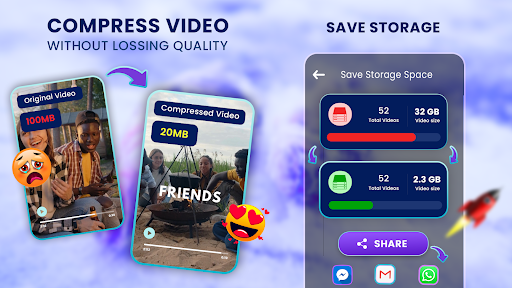
▶️ A video compression tool to compress video size. A video resizer to change resolution. A video converter. A video editor to cut, crop, and edit videos. Here you’ll have it all. Our video compressor app for Android blends superior video editing features in one so you can reduce video size without losing quality, but also further retouch and edit your videos.COMPRESS A VIDEO & REDUCE VIDEO FILE SIZE
🔽 Select videos from your gallery quickly to compress a video on Android.
- Choose quick compression between Small File, Medium File, Large File & Custom Size, Advanced Compression with mute or Add Music feature.
- You can also choose an encoder such as H264, Format such as mp4, and Speed within our video size compressor tool. VIDEO RESIZING MADE EASY
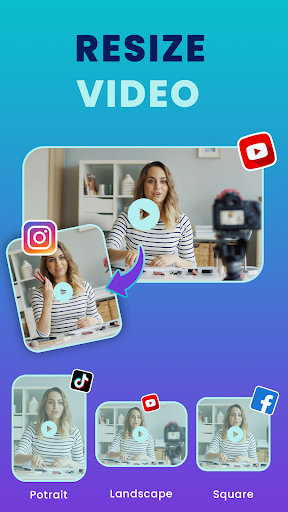
⬇️ Different social media have different video requirements. Now you can easily adjust yours with our video resizing app. Resize video and change resolution to adjust video for social media such as Instagram, Facebook, Youtube, and TikTok.
Simply pick a video from your gallery and make use of the following resizing options:
● No crop video: resize video to squre, short, youtube, facebook, 4:5, 3:4, 3:2, 2:1 ratios without cropping your video. It adds a blur or any color to create a social media-ready video without cropping.
● Change resolution: change the width & height with custom dimensions. You can also change the aspect ratio of the video.
● Force video resize: Resize the video to the aspect ratios of popular social media with cropping or stretching i.e forced resizing.VIDEO CONVERTER & VIDEO TO IMAGE CONVERTER
🔄 Besides using it as a video mp4 compressor, you can also convert videos to other formats, images, gifs. There available many video formats such as MP4, AVI, MOV, FLV, MKV, WMV, WEBM, 3GP, F4V, TS, etc. Simply select videos from your gallery and select the File Format Converter, Video to Image, or Video to Gift converter tools from the homepage.EDIT VIDEOS: CROP, TRIM, CUT, MERGE, REVERSE, SPEED UP & MORE
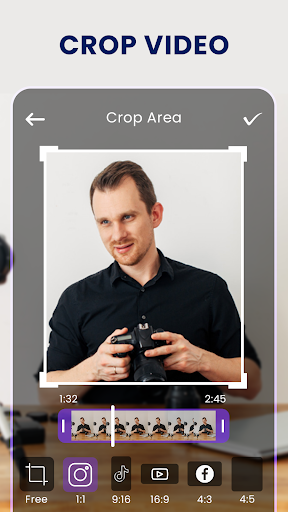
🎬 Your compressed videos can be easily edited with our video editing tools. Crop videos and reduce size, or trim and cut videos, the choice is yours. Alternatively, you can speed up or reverse videos, add music to videos, split videos with a video splitter, or extra audio from videos. This is an all-in-one video editor, it’s not just a video resizing app.VIDEO RESIZER & COMPRESSOR APP FEATURES:
‣ resize video to fit requirements for social media apps
‣ compress video to make videos smaller
‣ crop video
‣ trim & cut video
‣ blur video
‣ video file format converter
‣ video filter
‣ video to image converter
‣ adjust video
‣ video to gif
‣ flip & rotate
‣ reverse video
‣ split video
‣ merge video
‣ speed video – speed up and make video faster
‣ loop video
‣ extract audio from videos
‣ add music to videos
‣ view all your latest edited videos
‣ rename and share your edited videos
Don’t settle for just a video HD converter or video conversion app to make videos smaller with fast video compressing. Instead, have a resourceful video editor to tweak and resize your videos as a pro.
⏺️Try one of the best video compressing and video editing apps of 2024