Countdown Timer

Countdown Timer Summary
Countdown Timer is a mobile Android app in Tools by Vinson Developers. Released in Jul 2025 (8 months ago). It has about 34+ installs Based on AppGoblin estimates, it reaches roughly 4.00 monthly active users . Store metadata: updated Feb 14, 2026.
Recent activity: 1.00 installs this week (4.00 over 4 weeks) showing steady growth View trends →
Store info: Last updated on Google Play on Feb 14, 2026 .
0★
Ratings: 0
Screenshots

App Description
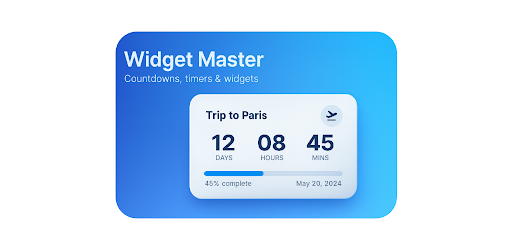
Create and customize beautiful countdown widgets for your home screen.
The Ultimate Countdown Timer Widget App ⏳🔥
🏆 Transform Your Home Screen!
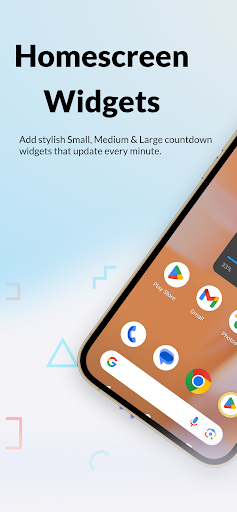
Add beautiful countdown widgets to your home screen in minutes!
Supports Small, Medium, and Large widget sizes for any event.
🎨 Feature Highlights
Custom Color Palette:
Choose from 20+ stunning colors including Crimson, Jade, Azure, Coral, and more!
Visual Progress Bars:
Enjoy elegant progress bars for medium & large widgets to track your countdown at a glance.
Customizable Titles:
Set your timer title and choose BOLD or normal font for perfect style match.
Flexible Countdown:
Countdown to any important date and time—birthdays, anniversaries, exams, launches, holidays, or fitness goals.
Widget Configurations:
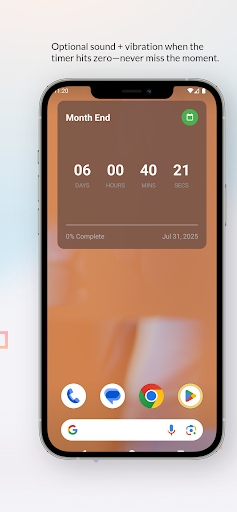
Adjust transparency, text size, timer options (vibrate, sound), and display with or without seconds.
🚀 Why You’ll Love Widget Master!
Easy to Use:
Intuitive wizard for creating, editing, and deleting timers.
Professional Design:
Modern, minimal interface and widgets that look great on any device.
Multiple Widgets:
Add as many countdowns as you want—track multiple events in parallel.
Reliable Updates:
Widgets auto-refresh themselves so your countdown is always accurate, even when the app is closed.
Vibrant Visuals:
Progress bars, color customization, and beautiful typography make your widgets pop!
📱 How To Use
Add Widget:
Long-press your home screen, select "Widgets," and choose Widget Master.
Configure Timer:
Enter title, pick your color, set the target date/time, adjust style.
Customize:
Set timer title boldness, choose widget size, select options, and see instant preview.
Enjoy:
Your unique countdown appears on your home screen—stay motivated for every event!
🌟 Perfect For
Birthdays & Anniversaries 🎂
Holidays & Trips 🌍
Exam & Goal Tracking 🎓
Product & Project Launches 🚀
Sports & Fitness Challenges 💪