Radio - FM Cube

Radio - FM Cube Summary
Radio - FM Cube is a ad-supported, with in-app purchases Android app in Music And Audio by PCRADIO. Released in Dec 2014 (11 years ago). It has about 514K+ installs and 13.6K ratings with a 4.29★ (good) average. Based on AppGoblin estimates, it reaches roughly 284 monthly active users and generates around $<10K monthly revenue (22% IAP / 78% ads). Store metadata: updated Feb 15, 2019.
Store info: Last updated on Google Play on Feb 15, 2019 .
4.29★
Ratings: 13.6K
Screenshots

App Description
Radio Player - FM Cube. Save your traffic while listening.
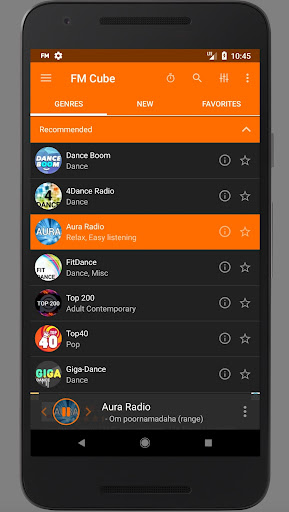
FM Cube Radio - thousands of the best radio stations on your device that work great on the mobile Internet!
You don't need fast Internet connection to listen to web radio. Listen your favorite radio stations wherever you are: in the street, at home, in the office, in your car. Revolutionary internet radio app - FM Cube. Thousands of stations in the small, fast and easy-to-use app.
Excellent sound quality even at slow internet connection (2G, 3G, 4G, WiFi).
You don't need broadband connection to listen to the internet radio. Listen to online radio absolutely free!
This app consumes 4 times less internet traffic to play radio than any similar app.
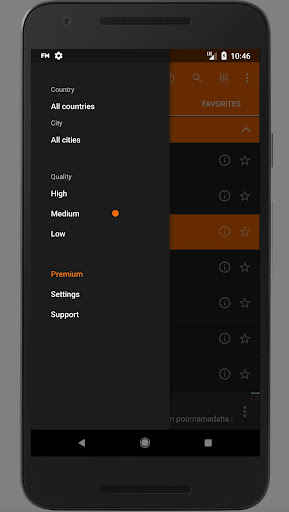
You can select the most suitable stream quality for you - using stream quality selector. Poor connection? Playback stops too often? Select traffic efficient mode (Low quality) - even in this mode sound quality stays very high. If you have stable and fast internet connection - listen to the radio at its best sound quality (High and Medium stream quality). Sound quality stays great in any mode!
Useful additional features in the radio player:
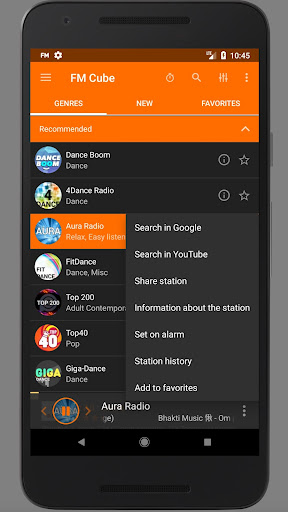
- You can save your favorite stations to the Favorites list. Also you can browse History (list of the stations you've listened to).
- Any currently playing song you can search in YouTube or Google with one click.
- Turn Off Timer will stop the playback at the time you specified.
- Alarm clock will start playing your favorite station at the specified time.
TO THE OWNERS OF THE RADIO STATIONS:
If you'd like to add or remove your station to (or from) our catalogue, please contact us via email: support@fmcube.net