Date Status Bar 2 Pro


Date Status Bar 2 Pro Summary
Date Status Bar 2 Pro is a mobile Android app in Productivity by Wagwan Apps. Released in Apr 2013 (13 years ago). It has about 3.6K+ installs and 120 ratings with a 2.74★ (poor) average. Based on AppGoblin estimates, it reaches roughly 117 monthly active users . Store metadata: updated Dec 9, 2025.
Store info: Last updated on Google Play on Dec 9, 2025 .
2.74★
Ratings: 120
Screenshots

App Description
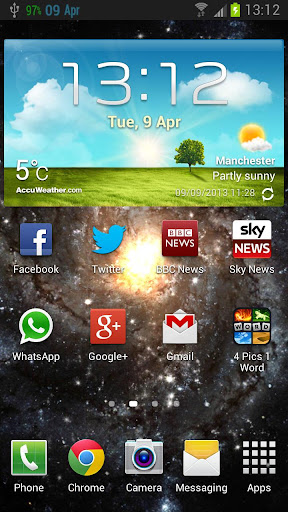
Displays the day of the week and month side by side in your status bar.
Displays the day of the week and month side by side in your status bar.
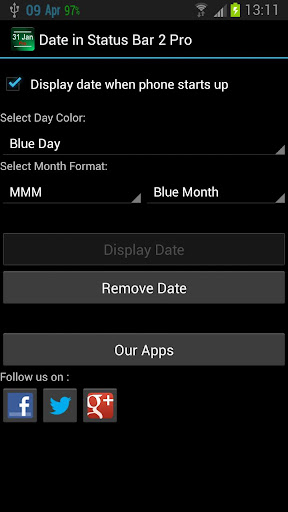
Date Status Bar 2 shows the current day and month in the top status bar. The date fits right in and appears as if its part of the Android OS unlike some apps.
The month can be displayed in 2 formats.
1. As a number i,e 03 for March
2. As English 3 characters i.e Mar for March
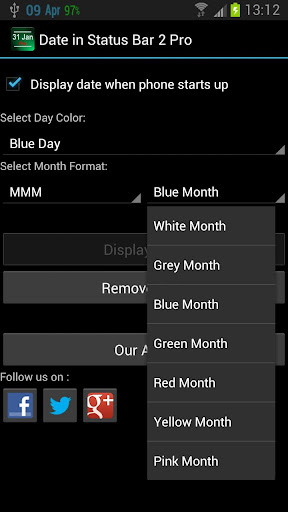
You can vary the color of the day and month in the following colors
White
Grey
Blue
Green
Yellow
Red
Pink
To display the day and month in a more compact form please see our other apps.
PLEASE CONTACT US IF YOU HAVE ANY PROBLEMS OR QUESTIONS
wagwanapps@gmail.com
Facebook - https://www.facebook.com/WagwanApps
Twitter - https://twitter.com/WagwanApps
Google - http://gplus.to/WagwanApps
YouTube : https://www.youtube.com/user/WagwanApps
Features:
- Simple UI with easy to understand options. Remember Less is More.
- App auto start when phone is rebooted.
- NO ADS
Try them out.
- Display the full date, day of the year and week of the year in the notification drop down
- Very small app with a small footprint. Virtually no battery drain
- Support Android tablets.
If you have a request please email us and we will do what we can to help
Extensive testing on the following devices/Versions:
Samsung Galaxy S3
Samsung Galaxy Y
Android 2.2.x
Android 2.3.x
Android 3.2
Android 4.x
Limitations:
- In Android 3.0 or above, and Android 4.0 or above, the Android OS has "automatic shrinking and dimming" for status bar notifications to focus on the main activity. The
icons do remain at thier full size and at full intensity in the notification area when selected,
Please contact us to report any issues or to request a feature.