Ramdevpir HD Wallpaper


Ramdevpir HD Wallpaper Summary
Ramdevpir HD Wallpaper is a mobile Android app in Art And Design by Gods Ultra HD Images Wallpapers Lab. Released in Mar 2026 (recently released ago). Store metadata: updated Mar 21, 2026.
Store info: Last updated on Google Play on Mar 21, 2026 .
0★
Ratings:
Screenshots
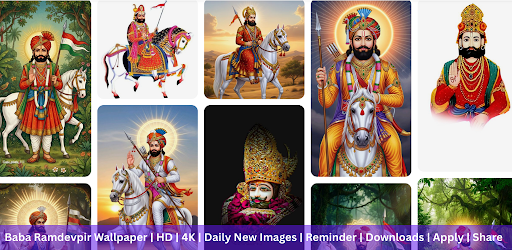


App Description
Beautiful ramdevpir wallpapers. For WhatsApp status, Instagram stories & DP.
Ramdevphir in HD & 4K quality for your Android phone and tablet.
Browse stunning wallpapers, preview and set as background.
Looking for ramdevphir wallpapers that feel sharp and detailed? This collection features high-quality ramdevphir imagery in full resolution. Perfect for WhatsApp status, Instagram stories, or as a DP. Whether you want a wallpaper for your home screen, lock screen, or social media, you can discover, preview and apply them without extra steps.
📱 What you'll find
• Wallpapers with ramdevphir themes (phones and tablets).
• Manually moderated images before they're added to the catalogue.
• A catalogue organized for browsing with categories.
🔍 Browse without friction
• Dozens of categories, so you can jump straight to the type of wallpaper you want.
• Sorting options to explore the catalogue differently:
– Newest (fresh additions)
– Rating (user-rated picks)
– Popularity (commonly chosen wallpapers)
⭐ Quality and fit
• Resolution support: Full HD (1080p) and above — QHD, UHD, 4K.
• Works across different screen sizes on smartphones and tablets.
• Full-screen preview before you set a wallpaper.
• Cropping tools to make the image fit neatly on your screen.
📲 Social media and usage
• Use as WhatsApp Status or set as WhatsApp DP.
• Perfect for Instagram Stories, Facebook profile, and Telegram.
• Square (1:1) format for WhatsApp DP and Instagram posts.
• Portrait (9:16) format for WhatsApp Status and Instagram Stories.
🎨 Set wallpapers the way you like
• Apply separately to Home screen and/or Lock screen (or set both).
• Keep your favourite backgrounds in one place, ready to set again anytime.
💾 Save for later
• Download wallpapers to your Gallery for later installation.
• Save to SD card too (if your device supports it).
❓ Quick FAQ
• Different wallpaper for Home and Lock screen? Yes — choose Home, Lock, or both when setting.
• Download and keep wallpapers? Yes — save to Gallery or SD card (if supported).
• WhatsApp background? Yes — set any image as chat wallpaper (also works with other messengers).
🚀 How to start
1) Choose a wallpaper and open Preview.
2) Crop it if needed.
3) Tap Set and choose where to apply it (Home screen, Lock screen, or both).
Note: this is a wallpaper app — it provides images for backgrounds only.
Compatible with all Android smartphones and tablets.