Home Security Camera WardenCam

Home Security Camera WardenCam Summary
Home Security Camera WardenCam is a ad-supported, with in-app purchases Android app in House And Home by WardenCam360 - Home Security, Video Monitoring. Released in Jun 2013 (12 years ago). It has about 12.5M+ installs and 62.6K ratings with a 3.92★ (average) average. Based on AppGoblin estimates, it reaches roughly 126.7K monthly active users and generates around $10K+ monthly revenue (67% IAP / 33% ads). Store metadata: updated Jun 17, 2023, version 377.
Recent activity: 96.5K installs this week (99.9K over 4 weeks) showing exceptional growth , and -21 new ratings this week View trends →
Data tracking: SDKs and third-party integrations were last analyzed on Mar 27, 2026. The app's network data flows (API traffic to/from the app and its SDKs) were last crawled on Aug 13, 2025.
Store info: Last updated on Google Play on Jun 17, 2023 (version 377).
Home Security Camera WardenCam was last scanned for SDKs 2026-03-27. Below is the overview of third party companies detected in the app. The full list of raw SDKs, app permissions and unknown SDKs is available here.
 Facebook
 Google
 OpenTelemetry
 JetBrains
 Eclipse
 Firebase
 AdMob
AdMob3.92★
Ratings: 62.6K
Screenshots
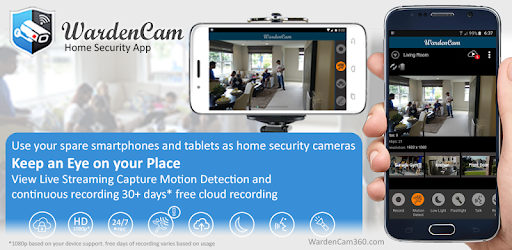
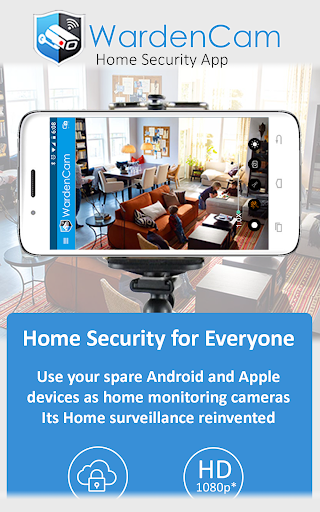
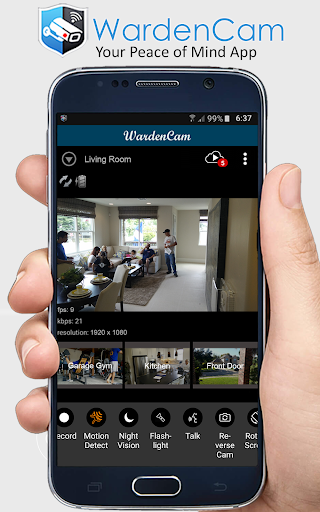
App Description
Turn old phones to home security cameras with Motion Detection & Cloud Recording
WardenCam turns your spare smartphones and tablets into home security cameras that you can watch while you are away. You can view live streaming, and past events through motion captured recordings. WardenCam can help you find out if your package arrived, help check on your loved ones health and safety, or find out what your pets are up to.
Getting Started: Install the Free WardenCam App on your phone and your spare android devices. In the App, set your spare device to "Camera" mode, sign in with your Google Account, and place your device where you want to watch. In your phone's WardenCam App, set it to "Viewer" Mode, sign in with the same Google Account, and that’s it! Please Log in with the same Google account, that's how the 2 devices can find each other. You are now connected to your loved ones. With WardenCam's motion detection feature and Google Drive and Dropbox integration, you can enjoy peace of mind without keeping a constant eye on things.
FEATURES
- Works anywhere with WiFi, 3G, 4G, and LTE
- Motion detection & alerts (push notification and email)
- Free cloud storage (directly to your Google Drive or Dropbox)
- Replay recordings, to see what you missed
- Setup multiple cameras all in one system
- Live streaming all day and night
- Talk and listen from the viewer console to any of the cameras
VIDEO MONITORING 24/7: Install WardenCam on your spare devices and pocket phone. Sign in with any gmail account as "camera" & "viewer". Place the spare device anywhere of interest at home, in the kitchen, the garage, your office. Monitor live on the pocket phone anywhere with internet.
MOTION DETECTION: Enjoy peace of mind without keeping a constant eye on things. WardenCam provides automated motion detection schedule. Once a motion is detected, it starts siren alarm to scare the intruder away. Link your Google Drive and Dropbox on both the camera and viewer so that WardenCam can also upload the motion video to your cloud storage. You may even enable 24/7 recording to cloud. Simple and secure!
CLOUD STORAGE: All videos are stored directly to your personal cloud storage in Google Drive or Dropbox. You can sign up for free and use GBs of Free Cloud Storage with Wardencam. We never analyze and store your data on our WardenCam servers.
RECEIVE ALERT: Receive a push notification immediately when an int