Remote Camera: Watch Control
ASO Keyword Dashboard
Tracking 0 keywords for Remote Camera: Watch Control in Google Play

Developer: watch-go.com Category: photo_and_video
Remote Camera: Watch Control doesn't have tracked keywords yet.
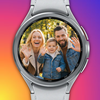
Control your phone camera via Wear OS. Live preview & timer.
No keywords tracked yet
We could not generate keyword insights for this app. Add more metadata or refresh the crawl to populate ASO keywords.
App Description
Control your phone camera via Wear OS. Live preview & timer.
Take the perfect shot, right from your wrist!
Remote Cam Watch turns your Wear OS smartwatch into a powerful remote controller for your phone's camera. Whether you are taking a group photo, a solo selfie, or filming a vlog, you can now check the live screen and trigger the shutter without touching your phone.
Experience the smoothest Low Latency Preview technology that streams your camera's view to your watch in real-time with minimal delay.
📸 Key Features:
- Real-Time Live Preview: See exactly what your phone sees on your watch screen. Our optimized low-latency technology ensures smooth video streaming.
- Remote Shutter: Take photos or start/stop video recording with a simple tap on your wrist.
- Switch Modes Instantly: Easily toggle between Photo and Video modes without reaching for your phone.
- Timer Settings: Get in the frame! Choose from Instant, 3s, 5s, or 10s timers for the perfect pose.
- Camera Switching: Switch between the Front (Selfie) and Rear (High-Quality) cameras remotely.
- Flash Control: Toggle flash settings (On / Off / Auto) for any lighting condition.
⚙️ Advanced Settings for Perfect Shots:
- Aspect Ratio: Change image ratios (4:3, 16:9, 1:1) to fit your needs.
- Mirror Mode: Flip the preview horizontally for a natural selfie experience.
- Review Duration: Automatically view your captured photo on your watch for a set time (or keep it open) to ensure you got the shot.
🚀 Recommended For:
- Solo Travelers: Capture stunning landscapes with yourself in the frame.
- Group Photos: No one gets left behind to hold the camera.
- Content Creators: Monitor your framing while recording videos with the rear camera.
- Hard-to-Reach Angles: Place your phone in tight spots and view the screen remotely.
Download Remote Cam Watch now and upgrade your photography experience!
Remote Cam Watch turns your Wear OS smartwatch into a powerful remote controller for your phone's camera. Whether you are taking a group photo, a solo selfie, or filming a vlog, you can now check the live screen and trigger the shutter without touching your phone.
Experience the smoothest Low Latency Preview technology that streams your camera's view to your watch in real-time with minimal delay.
📸 Key Features:
- Real-Time Live Preview: See exactly what your phone sees on your watch screen. Our optimized low-latency technology ensures smooth video streaming.
- Remote Shutter: Take photos or start/stop video recording with a simple tap on your wrist.
- Switch Modes Instantly: Easily toggle between Photo and Video modes without reaching for your phone.
- Timer Settings: Get in the frame! Choose from Instant, 3s, 5s, or 10s timers for the perfect pose.
- Camera Switching: Switch between the Front (Selfie) and Rear (High-Quality) cameras remotely.
- Flash Control: Toggle flash settings (On / Off / Auto) for any lighting condition.
⚙️ Advanced Settings for Perfect Shots:
- Aspect Ratio: Change image ratios (4:3, 16:9, 1:1) to fit your needs.
- Mirror Mode: Flip the preview horizontally for a natural selfie experience.
- Review Duration: Automatically view your captured photo on your watch for a set time (or keep it open) to ensure you got the shot.
🚀 Recommended For:
- Solo Travelers: Capture stunning landscapes with yourself in the frame.
- Group Photos: No one gets left behind to hold the camera.
- Content Creators: Monitor your framing while recording videos with the rear camera.
- Hard-to-Reach Angles: Place your phone in tight spots and view the screen remotely.
Download Remote Cam Watch now and upgrade your photography experience!
