Hourly Weather for Wear OS
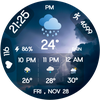

Hourly Weather for Wear OS Summary
Hourly Weather for Wear OS is a ad-supported Android app in Weather by jigu watchface. Released in Nov 2025 (4 months ago). It has about 1.7K+ installs Based on AppGoblin estimates, it reaches roughly 353 monthly active users and generates around $<10K monthly revenue (0% IAP / 100% ads). Store metadata: updated Feb 25, 2026.
Recent activity: 108 installs this week (529 over 4 weeks) showing steady growth View trends →
Store info: Last updated on Google Play on Feb 25, 2026 .
0★
Ratings: 0
Screenshots


App Description
Modern weather watch face with hourly forecast, steps, battery & temperature.
Stay informed hour by hour with the Hourly Weather for Wear OS—a powerful Wear OS watch face designed to display real-time
conditions, hourly forecasts, and essential daily stats. Perfect for
users who rely on accurate weather updates throughout the day, in a
clean and stylish digital layout.
🌦 Perfect For:
Users who enjoy weather, hourly forecast, rain alerts, clean
digital layouts, and informative weather watch faces.
🕒 Ideal for All Daily Moments:
Whether you're planning your commute, checking evening weather, or
preparing for outdoor activities, this watch face provides clear and
reliable hourly insights at a glance.
✨ Key Features:
1. Live Hourly Weather Forecast (with rain, storm, cloud & clear icons)
2. Digital Display: Time, date, temperature, steps, battery %
3. Weather backgrounds for day & night
4. 3-hour quick-view forecast panel
5. Always-On Display (AOD) Support
6. Optimized for all Wear OS devices with smooth, battery-friendly performance
⚙️ Phone App Features
• The companion app helps you easily install and locate the watch
face on your Wear OS smartwatch.
⚙️ Watch Face Features
• 12/24h Digital Time
• Day & Date
• Hourly Weather Forecast
• Condition Icons (Rain / Snow / Storm / Clear)
• Temperature Display
• Step Counter
• Battery Percentage
• Always-On Display (AOD)
📲 Installation Instructions:
1. Open the Companion App on your phone.
2. Tap “Install on Watch.” Select Hourly Weather for Wear OS
on your smartwatch.
✅ Compatibility:
•Compatible with all Wear OS devices (API 33+), including:
• Google Pixel Watch
• Samsung Galaxy Watch series
• Other Wear OS smartwatches
•❌ Not suitable for rectangular watches.
• Make every hour clearer with the
Hourly Weather for Wear OS—your smart and stylish daily
weather companion. ⛅