Analog Basic 2 for WEAR OS 4


Analog Basic 2 for WEAR OS 4 Summary
Analog Basic 2 for WEAR OS 4 is a mobile Android app in Personalization by OQ Watchfaces. Released in Nov 2021 (4 years ago). It has about 34K+ installs and 305 ratings with a 4.66★ (excellent) average. Based on AppGoblin estimates, it reaches roughly 410 monthly active users . Store metadata: updated May 10, 2024, version 1003.
Recent activity: 78 installs this week (307 over 4 weeks) showing below average growth , and 1.00 new ratings this week View trends →
Data tracking: SDKs and third-party integrations were last analyzed on Apr 20, 2026. The app's network data flows (API traffic to/from the app and its SDKs) were last crawled on Sep 30, 2025.
Store info: Last updated on Google Play on May 10, 2024 (version 1003).
Analog Basic 2 for WEAR OS 4 was last scanned for SDKs 2026-04-20. Below is the overview of third party companies detected in the app. The full list of raw SDKs, app permissions and unknown SDKs is available here.
 Google
 Kotlin
 JetBrains
 Firebase
4.66★
Ratings: 305
Screenshots


App Description
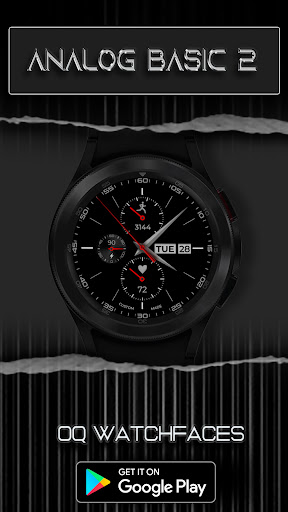
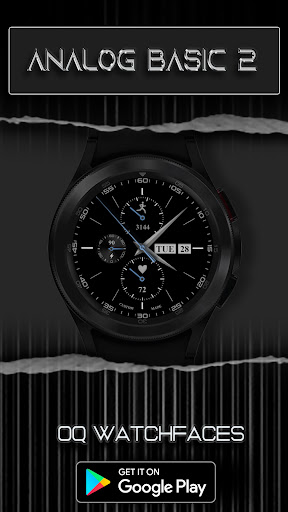
A basic watchface with lot of information and colors variations for WEAR OS 4
Analog Basic 2 is a simple watch face with lot of color customizations and complications information available right on main screen.It has a nice colored approach for the always on display mode as well.
Following features are available
0. 4 x customizable complications and 2 x complication shortcuts available via long press watch face menu.
1. Tapping inside Battery chronometer will open watch battery settings app.
2. Steps Indicator meter shows Goal % of whatever steps target selected by user in watch Samsung Health App.
3. Clicking on date will open will open watch Alarm menu.
4. Clicking on day text will open watch Calendar app.
5. Tapping on battery text area will open watch battery menu.
6. Hands Color by default is off. You can turn it On from customization menu.
7. Outer Index Color can be now switched Off/On as well from customization menu.
8. Secs Mov option is vailable via customization menu.
9. Dim your main background or your AOS Background option is made available for both Main and AoD separately.