Contour Analog WF Wear OS 4+
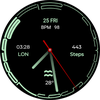

Contour Analog WF Wear OS 4+
Developer: OQ Watchfaces
Category: Personalization
1.6K installs
Ratings not yet available
+41 weekly installs
+298 monthly installs
Contour Analog WF Wear OS 4+ icon

ASO Keyword Dashboard

Tracking 156 keywords for Contour Analog WF Wear OS 4+ in Google Play

Developer: OQ Watchfaces Category: personalization

Contour Analog WF Wear OS 4+ tracks 156 keywords (no keywords rank yet; 156 need traction). Key metrics: opportunity 69.5, difficulty 51.8.

A colorful watch face with lot of customization options.

Tracked keywords

156

0  ranked •  156  not ranking yet

Top 10 coverage

Best rank — • Latest leader —

Avg opportunity

69.5

Top keyword: maps

Avg difficulty

51.8

Lower scores indicate easier wins

Opportunity leaders

  • maps

    Opportunity: 73.0 • Difficulty: 70.4 • Rank —

    Competitors: 1,419

    68.3
  • alarm

    Opportunity: 73.0 • Difficulty: 49.3 • Rank —

    Competitors: 879

    67.5
  • written

    Opportunity: 73.0 • Difficulty: 43.1 • Rank —

    Competitors: 478

    68.6
  • styles

    Opportunity: 73.0 • Difficulty: 51.8 • Rank —

    Competitors: 1,719

    68.2
  • calendar

    Opportunity: 72.0 • Difficulty: 64.3 • Rank —

    Competitors: 992

    69.2

Unranked opportunities

  • maps

    Opportunity: 73.0 • Difficulty: 70.4 • Competitors: 1,419

  • alarm

    Opportunity: 73.0 • Difficulty: 49.3 • Competitors: 879

  • written

    Opportunity: 73.0 • Difficulty: 43.1 • Competitors: 478

  • styles

    Opportunity: 73.0 • Difficulty: 51.8 • Competitors: 1,719

  • calendar

    Opportunity: 72.0 • Difficulty: 64.3 • Competitors: 992

High competition keywords

  • make

    Total apps: 163,352 • Major competitors: 21,922

    Latest rank: — • Difficulty: 65.0

  • help

    Total apps: 123,065 • Major competitors: 14,840

    Latest rank: — • Difficulty: 66.0

  • experience

    Total apps: 118,077 • Major competitors: 15,561

    Latest rank: — • Difficulty: 62.8

  • play

    Total apps: 113,236 • Major competitors: 19,366

    Latest rank: — • Difficulty: 67.3

  • different

    Total apps: 100,748 • Major competitors: 14,575

    Latest rank: — • Difficulty: 62.2

All tracked keywords

Includes opportunity, difficulty, rankings and competitor benchmarks

Major Competitors
play651006786

113,236 competing apps

Median installs: 62,750

Avg rating: 3.2

19,366

major competitor apps

health701005275

23,713 competing apps

Median installs: 25,526

Avg rating: 2.7

1,845

major competitor apps

maps731007068

9,914 competing apps

Median installs: 45,030

Avg rating: 3.0

1,419

major competitor apps

calendar721006469

11,191 competing apps

Median installs: 26,636

Avg rating: 3.0

992

major competitor apps

customization721004967

8,723 competing apps

Median installs: 46,389

Avg rating: 3.1

1,137

major competitor apps

right671006683

68,533 competing apps

Median installs: 35,866

Avg rating: 3.0

8,317

major competitor apps

make641006589

163,352 competing apps

Median installs: 42,108

Avg rating: 3.0

21,922

major competitor apps

phone671006983

75,756 competing apps

Median installs: 37,780

Avg rating: 3.0

9,010

major competitor apps

via681005881

54,601 competing apps

Median installs: 29,805

Avg rating: 2.7

5,243

major competitor apps

connected701005674

22,704 competing apps

Median installs: 25,700

Avg rating: 2.8

2,181

major competitor apps

images691005978

37,077 competing apps

Median installs: 30,933

Avg rating: 2.9

3,614

major competitor apps

users671006082

59,104 competing apps

Median installs: 30,976

Avg rating: 2.8

6,026

major competitor apps

place691005778

37,575 competing apps

Median installs: 32,284

Avg rating: 2.9

4,364

major competitor apps

experience651006387

118,077 competing apps

Median installs: 39,819

Avg rating: 2.9

15,561

major competitor apps

graphical701003755

1,697 competing apps

Median installs: 26,769

Avg rating: 2.7

132

major competitor apps

classic701005676

28,140 competing apps

Median installs: 50,800

Avg rating: 3.3

4,499

major competitor apps

heart711005071

15,090 competing apps

Median installs: 29,042

Avg rating: 2.9

1,461

major competitor apps

wear721008066

7,173 competing apps

Median installs: 24,222

Avg rating: 3.2

839

major competitor apps

date691006077

31,688 competing apps

Median installs: 26,732

Avg rating: 2.8

2,809

major competitor apps

transparent721004566

7,740 competing apps

Median installs: 12,454

Avg rating: 2.1

501

major competitor apps

wear os711007660

3,443 competing apps

Median installs: 13,088

Avg rating: 3.5

279

major competitor apps

image701005476

27,195 competing apps

Median installs: 35,290

Avg rating: 2.8

3,073

major competitor apps

working711005673

18,347 competing apps

Median installs: 30,163

Avg rating: 2.8

1,742

major competitor apps

avoid711006172

16,708 competing apps

Median installs: 44,275

Avg rating: 2.9

2,344

major competitor apps

menu721006571

13,685 competing apps

Median installs: 28,103

Avg rating: 3.0

1,278

major competitor apps

156 keywords
1 of 7

App Description

A colorful watch face with lot of customization options.

=======================================================
NOTICE: READ THIS ALWAYS BEFORE AND AFTER DOWNLOADING OUR WATCH FACE TO AVOID ANY SITUATION YOU DON'T LIKE.
=======================================================
This watch face for WEAR OS has been made in Samsung Galaxy Watch face studio which is still evolving and has been tested on Samsung Watch 4 Classic , Samsung Watch 5 Pro, and Tic watch 5 Pro. It also supports other wear os 3+ devices. Some feature experience can be slightly different on other watches.

a. Visit this link to official Install Guide written by Tony Morelan. (Sr. Developer, Evangelist). For Wear OS Watch faces powered by Samsung Watch face Studio. It is very detailed and precise with graphical and image illustrations on How to install the watch face bundle part to your connected wear os watch. Here is the link:-

https://developer.samsung.com/sdp/blog/en-us/2022/11/15/install-watch-faces-for-galaxy-watch5-and-one-ui-watch-45

b.An effort also has been made to make a brief INSTALL GUIDE which is an image added with screen previews .It is the last image in previews of this watch face for newbie android Wear OS users or those who do not know how to install the watch face to your connected device. So it is requested to also make an effort and read it before posting cannot install statements

c. DO NOT PAY TWICE FROM WATCH PLAY STORE . READ The Install Guide Image again. See 3 x methods 100 percent working to install both phone app and watch app . The install guide clearly says tap to open connected on connected watch is when you are installing it for the first time.

1. Tap at at Number 1 to open watch Google phone play store app.

2. Tap at Number 11 to open Google Maps app on your watch.

3. Tap at Number 2 to open watch settings menu.

4. Tap at Number 4 to open watch phone app.

4. Tap at Number 6 to open watch alarm app.

5. Tap at Number 8 to open watch calendar menu.

6. Tap On BPM Text or Reading and it will open Heart Rate counter in Samsung Health app on your watch.

9. Left , Right , Bottom Complications, Date Text, & Heart Rate reading & Complications can be hidden/Un-hidden separately from customization menu for main.

10. 8 x Customizable Complications are available to user in the customization menu.
3 x complications visible and 5x complications shortcuts for you to place shortcut of your favorite apps.

11. 8 x Hands Styles option including default in customization menu added.

12. 2x AoD styles including default select-able via customization menu.

13. Seconds Movement can be changed as well from customization menu. Please note there are are only 3 x types of movements supported and this option is achieved on self help basis by adding transparent images to turn one option on and other off. So its only possible to add two movements only.

14. You can also switch off color of index minutes from customization menu.