Diver 5 Black For Wear OS 5+

Diver 5 Black For Wear OS 5+ Summary
Diver 5 Black For Wear OS 5+ is a mobile Android app in Personalization by OQ Watchfaces. Released in Jan 2023 (3 years ago). It has about 86.7K+ installs and 918 ratings with a 4.30★ (good) average. Based on AppGoblin estimates, it reaches roughly 579 monthly active users . Store metadata: updated Dec 16, 2025, version 1004.
Recent activity: 408 installs this week (1.1K over 4 weeks) showing steady growth , and 3.00 new ratings this week View trends →
Data tracking: SDKs and third-party integrations were last analyzed on May 12, 2026. The app's network data flows (API traffic to/from the app and its SDKs) were last crawled on Nov 19, 2025.
Store info: Last updated on Google Play on Dec 16, 2025 (version 1004).
Diver 5 Black For Wear OS 5+ was last scanned for SDKs 2026-05-12. Below is the overview of third party companies detected in the app. The full list of raw SDKs, app permissions and unknown SDKs is available here.
 JetBrains
 JetBrains IntelliJ
 Kotlin
 Firebase
4.3★
Ratings: 918
Screenshots

App Description
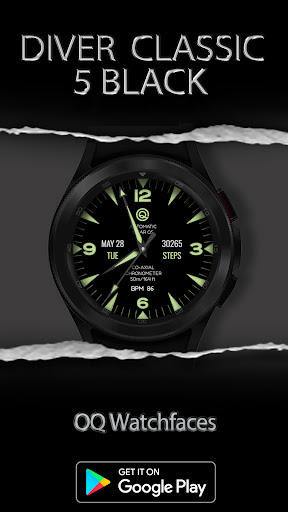
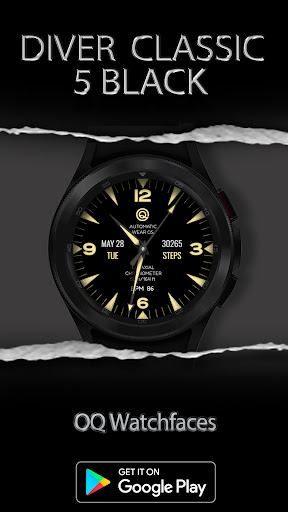
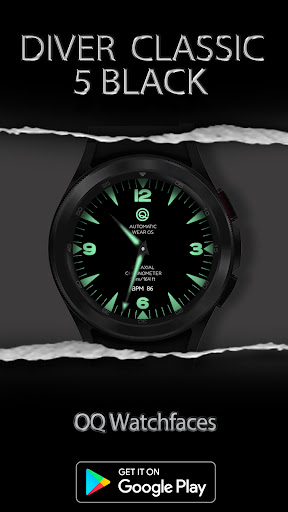
A watchface for Wear OS 5+ with bold color choices and customization options
=======================================================
NOTICE: READ THIS ALWAYS BEFORE AND AFTER DOWNLOADING OUR WATCH FACE TO AVOID ANY SITUATION YOU DON'T LIKE.
=======================================================
This watch face for WEAR OS has been made in latest released Samsung Galaxy Watch face studio V 1.9.5 which is still evolving and has been tested on Samsung Watch 8 Classic , Samsung Watch 5 Pro, and Samsung watch Ultra. It also supports all other wear OS 5+ devices. Some feature experience can be slightly different on other watches.
a. Visit this link to official Install Guide written by Tony Morelan. (Sr. Developer, Evangelist)For Wear OS Watch faces powered by Samsung Watch face Studio. It is very detailed and precise with graphical and image illustrations on How to install the watch face bundle part to your connected wear os watch.
b. An effort also has been made to make a brief install guide as well (an image added with screen previews) .It is the last image in previews of this watch face for newbie android Wear OS users or those who do not know how to install the watch face to your connected device. So it is requested to also make an effort and read it before posting cannot install statements.
This watch face for WEAR OS 5+ has following features:-
1. Tap on text below OQ logo and it will open watch settings menu.
2. Tap on text information just above BPM text to open watch battery settings menu.
3. Tap on BPM text and it will open Heart Rate counter on watch.
4. Tap at 6 o clock and it will open watch phone app.
5. Tap at 12 o clock and it will open watch messaging app.
6. Dim Mode is available for Main and AoD separately in Customization menu.