Field Watch 2 Bright WearOS 5+


Field Watch 2 Bright WearOS 5+ Summary
Field Watch 2 Bright WearOS 5+ is a mobile Android app in Personalization by OQ Watchfaces. Released in May 2023 (3 years ago). It has about 3.5K+ installs and 89 ratings with a 4.71★ (excellent) average. Based on AppGoblin estimates, it reaches roughly 57 monthly active users . Store last updated Jul 26, 2026
Recent activity: 13 installs this week (126 over 4 weeks) showing steady growth , and 3.00 new ratings this week View trends →
Field Watch 2 Bright WearOS 5+ SDKs Summary
App not yet scanned for SDKs.
4.71★
Ratings: 89
Screenshots



App Description
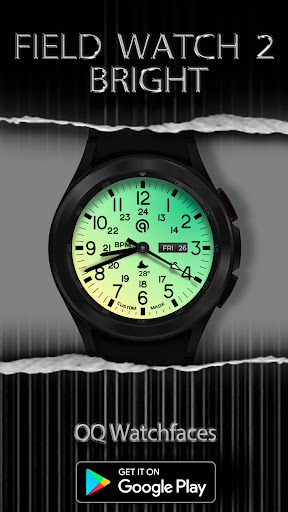
Watchface for Wear OS 5+ with bright main display & Pure Black Background AoD.
This watch face for Wear OS 5 + Devices
contains a lot of options in customization menu.If for some reason it takes time to load customization options in Wearable app wait for at least 8 secs to 10 secs to let it load up all customization menu options while opening on Galaxy wearable app.
=======================================================
FEATURES AND FUNCTIONS
=======================================================
This watch face for WEAR OS has following features:-
1. Tap on 6 o clock hour number to open watch Google Maps app.
2. Tap on 12 o clock hour number to open watch Google Play Store App.
3. Tap on 10 o clock hour number to open watch Battery app.
4. Tap on Date or Day Text to open watch Calendar app.
5. Tap on 2 o clock hour number to open watch Alarm app.
6. Tap on 4 o clock hour number to open watch settings app.
7. 3 x different logos are available via customization menu.
8. Backgrounds:-
a. First 4 x Background styles including default follow the default coloring 30 x
styles option colored backgrounds. The first four are backgrounds with
various depth and shadows. so you can mix and match the way you like.
b. last 6 xBackground Styles are gradient colored The AoD will still follow the
30 color styles but background doesnot & Background style remains a
gradient background.
c. AoD Background:- Is fixed to pure black Amoled Background. and is not
affected by above selections.
9. Hour & Minutes Hands Color for Main Display can be switched off from customization Menu to make them full black.
10. Shadow option on/off is available in customization menu. Tip: use shadow mode on brighter backgrounds available produces nice results.