
Gods Of War

88 installs
ratings
+1.00 weekly installs
trend steady
+2.00 monthly installs
trend steady
Gods Of War icon

ASO Keyword Dashboard

Tracking 105 keywords for Gods Of War in Google Play

Developer: Pars Watch Faces Category: personalization

Gods Of War tracks 105 keywords (no keywords rank yet; 105 need traction). Key metrics: opportunity 70.8, difficulty 46.6.

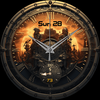
Analog watch face with the theme of ancient warriors

Tracked keywords

105

0  ranked •  105  not ranking yet

Top 10 coverage

Best rank — • Latest leader —

Avg opportunity

70.8

Top keyword: analog

Avg difficulty

46.6

Lower scores indicate easier wins

Opportunity leaders

  • analog

    Opportunity: 74.0 • Difficulty: 38.5 • Rank —

    Competitors: 188

    62.4
  • api

    Opportunity: 74.0 • Difficulty: 42.5 • Rank —

    Competitors: 394

    65.9
  • developer

    Opportunity: 74.0 • Difficulty: 41.1 • Rank —

    Competitors: 562

    65.8
  • notice

    Opportunity: 74.0 • Difficulty: 46.0 • Rank —

    Competitors: 491

    62.8
  • browser

    Opportunity: 74.0 • Difficulty: 55.5 • Rank —

    Competitors: 806

    64.1

Unranked opportunities

  • analog

    Opportunity: 74.0 • Difficulty: 38.5 • Competitors: 188

  • api

    Opportunity: 74.0 • Difficulty: 42.5 • Competitors: 394

  • developer

    Opportunity: 74.0 • Difficulty: 41.1 • Competitors: 562

  • notice

    Opportunity: 74.0 • Difficulty: 46.0 • Competitors: 491

  • browser

    Opportunity: 74.0 • Difficulty: 55.5 • Competitors: 806

High competition keywords

  • access

    Total apps: 331,798 • Major competitors: 12,273

    Latest rank: — • Difficulty: 58.6

  • download

    Total apps: 321,862 • Major competitors: 16,781

    Latest rank: — • Difficulty: 56.1

  • find

    Total apps: 301,105 • Major competitors: 17,483

    Latest rank: — • Difficulty: 58.5

  • simple

    Total apps: 247,032 • Major competitors: 11,970

    Latest rank: — • Difficulty: 55.1

  • play

    Total apps: 201,969 • Major competitors: 20,103

    Latest rank: — • Difficulty: 60.0

All tracked keywords

Includes opportunity, difficulty, rankings and competitor benchmarks

Major Competitors
download651005688

321,862 competing apps

Median installs: 2,163

Avg rating: 2.5

16,781

major competitor apps

play661006085

201,969 competing apps

Median installs: 7,518

Avg rating: 2.8

20,103

major competitor apps

level681005480

104,155 competing apps

Median installs: 2,572

Avg rating: 2.6

6,853

major competitor apps

follow691005278

80,266 competing apps

Median installs: 1,627

Avg rating: 2.5

4,300

major competitor apps

try691005578

78,636 competing apps

Median installs: 7,241

Avg rating: 2.8

7,816

major competitor apps

device681006080

105,602 competing apps

Median installs: 3,420

Avg rating: 2.5

6,704

major competitor apps

phone671006083

149,971 competing apps

Median installs: 3,588

Avg rating: 2.6

9,361

major competitor apps

connected691005077

72,213 competing apps

Median installs: 626

Avg rating: 2.2

2,329

major competitor apps

step691005178

80,919 competing apps

Median installs: 1,416

Avg rating: 2.4

3,988

major competitor apps

contact671005482

135,724 competing apps

Median installs: 1,824

Avg rating: 2.4

6,174

major competitor apps

heart711004774

41,528 competing apps

Median installs: 1,008

Avg rating: 2.2

1,574

major competitor apps

wear711006172

32,034 competing apps

Median installs: 378

Avg rating: 1.9

867

major competitor apps

wearos721003253

2,017 competing apps

Median installs: 151

Avg rating: 1.4

12

major competitor apps

analog741003962

8,239 competing apps

Median installs: 502

Avg rating: 2.0

188

major competitor apps

date681005379

91,355 competing apps

Median installs: 801

Avg rating: 2.2

2,885

major competitor apps

wear os721006070

23,834 competing apps

Median installs: 288

Avg rating: 1.7

296

major competitor apps

control671005482

132,079 competing apps

Median installs: 1,840

Avg rating: 2.4

7,356

major competitor apps

payment691005078

79,806 competing apps

Median installs: 992

Avg rating: 2.2

3,411

major competitor apps

find651005887

301,105 competing apps

Median installs: 2,814

Avg rating: 2.6

17,483

major competitor apps

api741004366

13,660 competing apps

Median installs: 465

Avg rating: 2.2

394

major competitor apps

rate701004775

49,376 competing apps

Median installs: 3,260

Avg rating: 2.2

2,248

major competitor apps

pay691005077

70,019 competing apps

Median installs: 1,723

Avg rating: 2.6

4,015

major competitor apps

note711004872

31,383 competing apps

Median installs: 4,310

Avg rating: 2.7

1,666

major competitor apps

giving711004872

32,283 competing apps

Median installs: 1,858

Avg rating: 2.4

1,520

major competitor apps

install701004976

58,364 competing apps

Median installs: 3,239

Avg rating: 2.5

2,832

major competitor apps

105 keywords
1 of 5

App Description

Analog watch face with the theme of ancient warriors

Gods Of War is an analog watch face with a simple but creative interface designed for all Wearos devices.

Gods Of War Watch Face is compitable with Wearos Api 34+ devices.

FEATURES
- Analog Design
- Day of the week
- Date of the month.
- Battery Indicator
- Battery status.
- Alarm & Battery Status App shortcuts.
- Always on view.

NOTES:

- Make sure you have allowed the access sensors.
- Step target set to 10k.
- Turning on the pedometer by clicking on the Pedometer text may not work on some watch models other than Samsung watch models.
- This watch face is compatible with Samsung Galaxy Watch 4, Galaxy Watch 5, Pixel Watch etc.It supports all Wear OS devices with API Level 30+.

ISTALLING NOTES:

1 - Make sure the watch is properly connected to the phone, open the Phone App on the phone and tap "DOWNLOAD TO WATCH" and follow the instructions on the watch.

A few minutes after tapping the set watch button, the watch face will be installed. You can choose the installed watch face.

The Phone app just acts as a placeholder to make it easy to set up and find the watch face on your Wear OS watch

PS: If you get stuck in the payment cycle, don't worry, only one payment will be made even if you are asked to pay a second time. Wait 5 minutes or restart your watch and try again.
There may be a synchronization issue between your device and Google servers.

or

2 - Alternatively, try to install the watch face from the web browser on your PC.


PS: While installing the watch face, the developer has no any control about the installation.
Before writing a negative comment or giving 1 star rating please read the Installation Guide carefully in the link below and please contact us via e-mail if you get any other problem.

https://www.parswatchfaces.com/installation-guide/


NOTE :If you get the message "Your devices are not compatible" instead of app on phone, please use Play Store in WEB browser from PC or Laptop.


IMPORTANT NOTICE :
After installation, the watch face can load the last heart rate measurement result, but it doesn't have to.
The watch face does not automatically measure and does not automatically display the heart rate result.
To view your current heart rate score, you'll need to take a manual measurement.
To do this, sit still, wait a few minutes and click on the heart rate display area.
Wait a few seconds. The watch face will take a measurement and display the current result.
Do this whenever you want to see your current heart rate.

MY WATCH FACES CATALOG
https://play.google.com/store/apps/dev?id=7655501335678734997

FOLLOW US :
FACEBOOK
https://www.facebook.com/profile.php?id=100078915463662
INSTAGRAM
https://www.instagram.com/parswf/
TELEGRAM
https://t.me/parswatchfaces

if you have any question, please contact with me: wfpars@gmail.com
I would be very grateful for the rate and review in the Store.
Thanks.