Gold Classic 1 WF Wear OS 5+

Gold Classic 1 WF Wear OS 5+ Summary
Gold Classic 1 WF Wear OS 5+ is a mobile Android app in Personalization by OQ Watchfaces. Released in Aug 2022 (3 years ago). It has about 188.2K+ installs and 1.8K ratings with a 4.39★ (good) average. Based on AppGoblin estimates, it reaches roughly 1.5K monthly active users . Store metadata: updated Sep 16, 2025.
Recent activity: 1.2K installs this week (3K over 4 weeks) showing below average growth , and 7.00 new ratings this week View trends →
Data tracking: SDKs and third-party integrations were last analyzed on Mar 26, 2026.
Store info: Last updated on Google Play on Sep 16, 2025 .
Gold Classic 1 WF Wear OS 5+ was last scanned for SDKs 2026-03-26. Below is the overview of third party companies detected in the app. The full list of raw SDKs, app permissions and unknown SDKs is available here.
 JetBrains
 Kotlin
 JetBrains IntelliJ
 Google
 Firebase
4.39★
Ratings: 1.8K
Screenshots


App Description
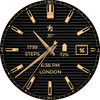
A Gold retro style watch face for Wear OS colorful with customization options.
=======================================================
NOTICE: READ THIS ALWAYS BEFORE AND AFTER DOWNLOADING OUR WATCH FACE TO AVOID ANY SITUATION YOU DON'T LIKE.
=======================================================
BEST WAY TO CUSTOMIZE THIS WATCH FACE IS BY LONG PRESSING ON WATCH FACE HOME SCREEN & ACCESS THE CUSTOMIZATION MENU.
=====================================================
FEATURES AND FUNCTIONS
======================================================
This watch face for WEAR OS 5+ has following features:-
1. Tap on 6 o clock hour index bar to open watch Alarm app.
2. Tap on 1 o clock hour index bar to open watch Google Play Store App.
3. Tap on Date Text to open watch Calendar app.
4. Tap on 9 o clock hour index bar to open watch music app.
5. Tap on 5 o clock hour index bar to open watch phone app.
6. Tap on 12 o clock hour index bar to open watch settings app.
7. Tap on 7 o clock hour index bar to open watch messaging app.
9. 7 x Background Styles are available as customization option in the customization menu. 1st one follows the 30 x color styles. rest are dark black background textures and last 1 is pure black background.
10. AoD Background by default is pure black Background for battery savings. BUT you can also turn same background as Main Display from Customization Menu of the watch face.
11. Outer Index for Minutes Can be turned off and on from customization menu. An Option has been created and added in the customization menu of the watch face.
13. Dim Modes have been added as customization options for Main & AoD Display both Separately in the customization menu.
14. 7 x Customizable Complication Slots are available in the Watch face customization menu. 4 x Visible and 4 x Customizable Complication invisible Shortcuts of your choice.
15. Seconds Hand can be turned off as well from the watchface customization menu.