HMKWatch Analog 164 F

HMKWatch Analog 164 F Summary
HMKWatch Analog 164 F is a mobile Android app in Personalization by HMKWatch. Released in Apr 2022 (4 years ago). It has about 100.9K+ installs and 297 ratings with a 4.33★ (good) average. Based on AppGoblin estimates, it reaches roughly 5.9K monthly active users . Store metadata: updated Oct 30, 2025, version 15.
Recent activity: 5K installs this week (8.9K over 4 weeks) showing exceptional growth , and 1.00 new ratings this week View trends →
Data tracking: SDKs and third-party integrations were last analyzed on Apr 3, 2026. The app's network data flows (API traffic to/from the app and its SDKs) were last crawled on Nov 17, 2025.
Store info: Last updated on Google Play on Oct 30, 2025 (version 15).
HMKWatch Analog 164 F was last scanned for SDKs 2026-04-03. Below is the overview of third party companies detected in the app. The full list of raw SDKs, app permissions and unknown SDKs is available here.
 JetBrains
 Kotlin
4.33★
Ratings: 297
Screenshots



App Description
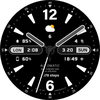
Convenient and clear watch face
*This watch face supports wear OS devices.
* Please install additional apps by referring to 'About this app'.
=======================================================
[How to install]
Make sure your watch is selected first before you press the payment button.
Press the small black triangle next to the Payment button to select the watch.
If you don't follow the above method, you can use Chrome or Samsung browser on your PC or smartphone.
After entering the store with a web browser, click Install on another device to install it on the watch.
After the release of Watch 5, a new UI was applied to Watch 4.
The newly installed watchface can be found in the following ways.
1. Press and hold the watch screen to enter the 'Frequently Used Watch Face List'.
2. Turn it to the rightmost and press 'Add watchface'.
3. Then, enter the 'Installed Watchface List'.
4. Find and select the watch face you purchased.
=======================================================
[Additional installation app]
1. Smart phone battery app (Free app)
Please install the additional app of the link below on the watch and smartphone, and set up the complication.
If the link does not open, please search for the 'Phone Battery Complication' app and install it.
https://play.google.com/store/apps/details?id=com.weartools.phonebattcomp
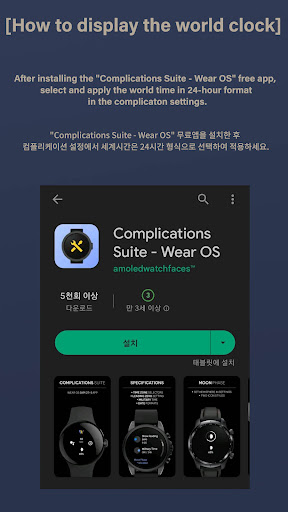
2. Complications Suite - Wear OS (Free app)
https://play.google.com/store/apps/details?id=com.weartools.weekdayutccomp
3. Heart Rate Complication (Paid app)
https://play.google.com/store/apps/details?id=com.weartools.heartratecomp
4. Health Services Complications (Paid app)
https://play.google.com/store/apps/details?id=com.weartools.hscomplications
All credits goes to original app creator:
amoledwatchfaces - https://play.google.com/store/apps/dev?id=5591589606735981545
=======================================================
Get new news from my Instagram & blog
https://www.instagram.com/hmkwatch
https://hmkwatch.tistory.com/
Please send me an email if you have any errors or suggestions.
hmkwatch@gmail.com