HMKWatch Digital 157
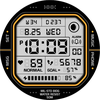
ASO Keyword Dashboard
Tracking 93 keywords for HMKWatch Digital 157 in Google Play

HMKWatch Digital 157 tracks 93 keywords (3 keywords rank; 90 need traction). Key metrics: 67% top-10 coverage, opportunity 70.6, difficulty 47.6, best rank 2.
Convenient and clear digital watch face
Tracked keywords
93
3 ranked • 90 not ranking yet
Top 10 coverage
67%
Best rank 2 • Latest leader 9
Avg opportunity
70.6
Top keyword: digital watch
Avg difficulty
47.6
Lower scores indicate easier wins
Opportunity leaders
- 60.1
digital watch
Opportunity: 74.0 • Difficulty: 36.1 • Rank 9
Competitors: 6
- 62.9
applied
Opportunity: 74.0 • Difficulty: 41.9 • Rank —
Competitors: 421
- 65.5
release
Opportunity: 74.0 • Difficulty: 47.3 • Rank —
Competitors: 840
- 64.8
frequently
Opportunity: 74.0 • Difficulty: 47.8 • Rank —
Competitors: 639
- 64.1
browser
Opportunity: 74.0 • Difficulty: 55.3 • Rank —
Competitors: 829
Unranked opportunities
applied
Opportunity: 74.0 • Difficulty: 41.9 • Competitors: 421
release
Opportunity: 74.0 • Difficulty: 47.3 • Competitors: 840
frequently
Opportunity: 74.0 • Difficulty: 47.8 • Competitors: 639
browser
Opportunity: 74.0 • Difficulty: 55.3 • Competitors: 829
pc
Opportunity: 74.0 • Difficulty: 46.6 • Competitors: 560
High competition keywords
new
Total apps: 367,776 • Major competitors: 23,553
Latest rank: — • Difficulty: 58.6
free
Total apps: 323,617 • Major competitors: 24,335
Latest rank: — • Difficulty: 58.7
find
Total apps: 308,533 • Major competitors: 17,760
Latest rank: — • Difficulty: 58.4
phone
Total apps: 152,947 • Major competitors: 9,505
Latest rank: — • Difficulty: 59.5
add
Total apps: 147,033 • Major competitors: 9,299
Latest rank: — • Difficulty: 56.8
All tracked keywords
Includes opportunity, difficulty, rankings and competitor benchmarks
| Major Competitors | |||||||
|---|---|---|---|---|---|---|---|
| digital | 68 | 100 | 51 | 81 125,343 competing apps Median installs: 877 Avg rating: 4.0 | 3 | 2 | 4,618 major competitor apps |
| digital watch | 74 | 100 | 36 | 60 5,946 competing apps Median installs: 308 Avg rating: 4.4 | 9 | 9 | 6 major competitor apps |
| modern digital | 72 | 100 | 32 | 51 1,513 competing apps Median installs: 406 Avg rating: 4.2 | 33 | 33 | 27 major competitor apps |
| free | 65 | 100 | 59 | 88 323,617 competing apps Median installs: 5,450 Avg rating: 4.1 | — | — | 24,335 major competitor apps |
| new | 65 | 100 | 59 | 89 367,776 competing apps Median installs: 3,159 Avg rating: 4.0 | — | — | 23,553 major competitor apps |
| health | 69 | 100 | 49 | 77 69,935 competing apps Median installs: 770 Avg rating: 3.9 | — | — | 1,974 major competitor apps |
| 69 | 100 | 50 | 77 69,606 competing apps Median installs: 2,543 Avg rating: 4.0 | — | — | 3,084 major competitor apps | |
| follow | 69 | 100 | 52 | 78 83,303 competing apps Median installs: 1,613 Avg rating: 4.1 | — | — | 4,452 major competitor apps |
| device | 68 | 100 | 60 | 80 108,562 competing apps Median installs: 3,348 Avg rating: 3.9 | — | — | 6,822 major competitor apps |
| phone | 67 | 100 | 60 | 83 152,947 competing apps Median installs: 3,555 Avg rating: 4.0 | — | — | 9,505 major competitor apps |
| heart | 71 | 100 | 47 | 74 42,827 competing apps Median installs: 1,012 Avg rating: 4.1 | — | — | 1,619 major competitor apps |
| wear | 71 | 100 | 61 | 72 32,740 competing apps Median installs: 379 Avg rating: 4.1 | — | — | 869 major competitor apps |
| wear os | 72 | 100 | 60 | 70 24,398 competing apps Median installs: 292 Avg rating: 4.2 | — | — | 300 major competitor apps |
| used | 68 | 100 | 54 | 81 115,888 competing apps Median installs: 3,156 Avg rating: 4.0 | — | — | 5,095 major competitor apps |
| payment | 69 | 100 | 50 | 78 79,068 competing apps Median installs: 1,142 Avg rating: 3.9 | — | — | 3,466 major competitor apps |
| find | 65 | 100 | 58 | 87 308,533 competing apps Median installs: 2,782 Avg rating: 4.1 | — | — | 17,760 major competitor apps |
| convenient | 69 | 100 | 49 | 78 75,927 competing apps Median installs: 1,506 Avg rating: 4.0 | — | — | 3,387 major competitor apps |
| complication | 73 | 100 | 64 | 58 4,470 competing apps Median installs: 372 Avg rating: 4.3 | — | — | 34 major competitor apps |
| rate | 70 | 100 | 47 | 75 50,454 competing apps Median installs: 3,192 Avg rating: 4.1 | — | — | 2,285 major competitor apps |
| install | 70 | 100 | 49 | 76 59,316 competing apps Median installs: 3,185 Avg rating: 4.1 | — | — | 2,855 major competitor apps |
| store | 69 | 100 | 54 | 78 81,790 competing apps Median installs: 1,653 Avg rating: 4.1 | — | — | 4,255 major competitor apps |
| watch | 68 | 100 | 57 | 80 105,069 competing apps Median installs: 1,213 Avg rating: 4.0 | — | — | 5,779 major competitor apps |
| search | 67 | 100 | 58 | 82 131,906 competing apps Median installs: 3,370 Avg rating: 4.1 | — | — | 6,893 major competitor apps |
| services | 68 | 100 | 55 | 80 104,062 competing apps Median installs: 1,038 Avg rating: 3.9 | — | — | 4,306 major competitor apps |
| small | 70 | 100 | 49 | 76 57,933 competing apps Median installs: 2,160 Avg rating: 4.1 | — | — | 2,940 major competitor apps |
App Description
Convenient and clear digital watch face
* Please install additional apps by referring to 'About this app'.
=======================================================
[How to install]
Make sure your watch is selected first before you press the payment button.
Press the small black triangle next to the Payment button to select the watch.
If you don't follow the above method, you can use Chrome or Samsung browser on your PC or smartphone.
After entering the store with a web browser, click Install on another device to install it on the watch.
After the release of Watch 5, a new UI was applied to Watch 4.
The newly installed watchface can be found in the following ways.
1. Press and hold the watch screen to enter the 'Frequently Used Watch Face List'.
2. Turn it to the rightmost and press 'Add watchface'.
3. Then, enter the 'Installed Watchface List'.
4. Find and select the watch face you purchased.
=======================================================
[Additional installation app]
1. Smart phone battery app (Free app)
Please install the additional app of the link below on the watch and smartphone, and set up the complication.
If the link does not open, please search for the 'Phone Battery Complication' app and install it.
https://play.google.com/store/apps/details?id=com.weartools.phonebattcomp
2. Complications Suite - Wear OS (Free app)
https://play.google.com/store/apps/details?id=com.weartools.weekdayutccomp
3. Heart Rate Complication (Paid app)
https://play.google.com/store/apps/details?id=com.weartools.heartratecomp
4. Health Services Complications (Paid app)
https://play.google.com/store/apps/details?id=com.weartools.hscomplications
All credits goes to original app creator:
amoledwatchfaces - https://play.google.com/store/apps/dev?id=5591589606735981545
=======================================================
Get new news from my Instagram.
www.instagram.com/hmkwatch
https://hmkwatch.tistory.com/
Please send me an email if you have any errors or suggestions.
hmkwatch@gmail.com
