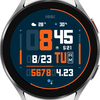
HMKWatch Digital 161
ASO Keyword Dashboard
Tracking 92 keywords for HMKWatch Digital 161 in Google Play

HMKWatch Digital 161 tracks 92 keywords (no keywords rank yet; 92 need traction). Key metrics: opportunity 70.6, difficulty 48.0.
Convenient and clear digital watch face
Tracked keywords
92
0 ranked • 92 not ranking yet
Top 10 coverage
—
Best rank — • Latest leader —
Avg opportunity
70.6
Top keyword: applied
Avg difficulty
48.0
Lower scores indicate easier wins
Opportunity leaders
- 63.0
applied
Opportunity: 74.0 • Difficulty: 41.9 • Rank —
Competitors: 426
- 65.4
release
Opportunity: 74.0 • Difficulty: 47.4 • Rank —
Competitors: 841
- 65.0
frequently
Opportunity: 74.0 • Difficulty: 47.8 • Rank —
Competitors: 655
- 64.1
browser
Opportunity: 74.0 • Difficulty: 55.4 • Rank —
Competitors: 815
- 62.2
pc
Opportunity: 74.0 • Difficulty: 46.7 • Rank —
Competitors: 554
Unranked opportunities
applied
Opportunity: 74.0 • Difficulty: 41.9 • Competitors: 426
release
Opportunity: 74.0 • Difficulty: 47.4 • Competitors: 841
frequently
Opportunity: 74.0 • Difficulty: 47.8 • Competitors: 655
browser
Opportunity: 74.0 • Difficulty: 55.4 • Competitors: 815
pc
Opportunity: 74.0 • Difficulty: 46.7 • Competitors: 554
High competition keywords
new
Total apps: 374,222 • Major competitors: 23,812
Latest rank: — • Difficulty: 58.7
free
Total apps: 315,912 • Major competitors: 24,149
Latest rank: — • Difficulty: 58.8
find
Total apps: 303,759 • Major competitors: 17,607
Latest rank: — • Difficulty: 58.5
phone
Total apps: 150,978 • Major competitors: 9,427
Latest rank: — • Difficulty: 59.6
add
Total apps: 144,337 • Major competitors: 9,200
Latest rank: — • Difficulty: 56.7
All tracked keywords
Includes opportunity, difficulty, rankings and competitor benchmarks
| Major Competitors | |||||||
|---|---|---|---|---|---|---|---|
| free | 65 | 100 | 59 | 88 315,912 competing apps Median installs: 5,818 Avg rating: 2.7 | — | — | 24,149 major competitor apps |
| new | 64 | 100 | 59 | 89 374,222 competing apps Median installs: 2,987 Avg rating: 2.6 | — | — | 23,812 major competitor apps |
| health | 69 | 100 | 49 | 77 68,730 competing apps Median installs: 762 Avg rating: 2.1 | — | — | 1,953 major competitor apps |
| 69 | 100 | 50 | 77 68,890 competing apps Median installs: 2,541 Avg rating: 2.5 | — | — | 3,065 major competitor apps | |
| follow | 69 | 100 | 52 | 78 81,280 competing apps Median installs: 1,602 Avg rating: 2.5 | — | — | 4,358 major competitor apps |
| device | 68 | 100 | 60 | 80 106,585 competing apps Median installs: 3,400 Avg rating: 2.5 | — | — | 6,751 major competitor apps |
| phone | 67 | 100 | 60 | 83 150,978 competing apps Median installs: 3,586 Avg rating: 2.6 | — | — | 9,427 major competitor apps |
| digital | 68 | 100 | 51 | 81 122,336 competing apps Median installs: 864 Avg rating: 2.2 | — | — | 4,539 major competitor apps |
| heart | 71 | 100 | 47 | 74 42,006 competing apps Median installs: 999 Avg rating: 2.2 | — | — | 1,590 major competitor apps |
| wear | 71 | 100 | 61 | 72 32,280 competing apps Median installs: 372 Avg rating: 1.9 | — | — | 872 major competitor apps |
| wear os | 72 | 100 | 60 | 70 24,041 competing apps Median installs: 285 Avg rating: 1.7 | — | — | 298 major competitor apps |
| used | 68 | 100 | 55 | 81 116,981 competing apps Median installs: 3,110 Avg rating: 2.4 | — | — | 5,188 major competitor apps |
| payment | 69 | 100 | 50 | 78 80,471 competing apps Median installs: 982 Avg rating: 2.2 | — | — | 3,440 major competitor apps |
| find | 65 | 100 | 58 | 87 303,759 competing apps Median installs: 2,797 Avg rating: 2.6 | — | — | 17,607 major competitor apps |
| convenient | 69 | 100 | 49 | 78 74,713 competing apps Median installs: 1,485 Avg rating: 2.3 | — | — | 3,348 major competitor apps |
| complication | 73 | 100 | 64 | 58 4,398 competing apps Median installs: 363 Avg rating: 1.8 | — | — | 34 major competitor apps |
| rate | 70 | 100 | 47 | 75 49,760 competing apps Median installs: 3,246 Avg rating: 2.2 | — | — | 2,264 major competitor apps |
| install | 70 | 100 | 49 | 76 58,663 competing apps Median installs: 3,220 Avg rating: 2.5 | — | — | 2,824 major competitor apps |
| store | 69 | 100 | 54 | 78 80,598 competing apps Median installs: 1,653 Avg rating: 2.4 | — | — | 4,215 major competitor apps |
| watch | 68 | 100 | 57 | 80 102,641 competing apps Median installs: 1,178 Avg rating: 2.3 | — | — | 5,694 major competitor apps |
| search | 67 | 100 | 58 | 82 130,019 competing apps Median installs: 3,425 Avg rating: 2.5 | — | — | 6,849 major competitor apps |
| services | 68 | 100 | 55 | 80 102,690 competing apps Median installs: 1,027 Avg rating: 2.1 | — | — | 4,253 major competitor apps |
| small | 70 | 100 | 49 | 76 56,694 competing apps Median installs: 2,152 Avg rating: 2.4 | — | — | 2,897 major competitor apps |
| smart | 68 | 100 | 55 | 81 118,717 competing apps Median installs: 1,745 Avg rating: 2.4 | — | — | 6,351 major competitor apps |
| news | 69 | 100 | 50 | 78 80,721 competing apps Median installs: 1,141 Avg rating: 2.3 | — | — | 2,342 major competitor apps |
App Description
Convenient and clear digital watch face
* Please install additional apps by referring to 'About this app'.
=======================================================
[How to install]
Make sure your watch is selected first before you press the payment button.
Press the small black triangle next to the Payment button to select the watch.
If you don't follow the above method, you can use Chrome or Samsung browser on your PC or smartphone.
After entering the store with a web browser, click Install on another device to install it on the watch.
After the release of Watch 5, a new UI was applied to Watch 4.
The newly installed watchface can be found in the following ways.
1. Press and hold the watch screen to enter the 'Frequently Used Watch Face List'.
2. Turn it to the rightmost and press 'Add watchface'.
3. Then, enter the 'Installed Watchface List'.
4. Find and select the watch face you purchased.
=======================================================
[Additional installation app]
1. Smart phone battery app (Free app)
Please install the additional app of the link below on the watch and smartphone, and set up the complication.
If the link does not open, please search for the 'Phone Battery Complication' app and install it.
https://play.google.com/store/apps/details?id=com.weartools.phonebattcomp
2. Complications Suite - Wear OS (Free app)
https://play.google.com/store/apps/details?id=com.weartools.weekdayutccomp
3. Heart Rate Complication (Paid app)
https://play.google.com/store/apps/details?id=com.weartools.heartratecomp
4. Health Services Complications (Paid app)
https://play.google.com/store/apps/details?id=com.weartools.hscomplications
All credits goes to original app creator:
amoledwatchfaces - https://play.google.com/store/apps/dev?id=5591589606735981545
=======================================================
Get new news from my Instagram.
www.instagram.com/hmkwatch
https://hmkwatch.tistory.com/
Please send me an email if you have any errors or suggestions.
hmkwatch@gmail.com
