it-M003: Hybrid Watch Face

it-M003: Hybrid Watch Face Summary
it-M003: Hybrid Watch Face is a mobile Android app in Personalization by it-master27. Released in Jan 2026 (5 months ago). It has about 73+ installs Based on AppGoblin estimates, it reaches roughly 2.00 monthly active users . Store metadata: updated Jan 8, 2026.
Store info: Last updated on Google Play on Jan 8, 2026 .
0★
Ratings: 0
Screenshots


App Description
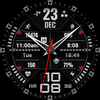
Elegant hybrid watch face with multiple color themes and essential fitness data.
it-M003 is a powerful and stylish hybrid watch face designed for those who value the classic look of analog hands combined with the advanced functionality of a digital smartwatch. Featuring a sporty, tactical design, it provides all your essential information at a single glance.
Main Features:
Hybrid Design: A perfect blend of traditional analog hands and a clear digital clock (12/24h format support).
Multicolor Customization: Choose from various vibrant color themes (Red, Blue, Green, Orange, Purple, and more) to match your style or mood.
Fitness Tracking: Stay on top of your health with integrated step counter, heart rate monitoring, and calorie tracking.
Comprehensive Data Display: Includes weather temperature, date, month, day of the week, and battery percentage.
Always-On Display (AOD): Optimized AOD mode ensures visibility while saving battery life, maintaining a sleek look even when the watch is dimmed.
High Readability: Large, crisp fonts and high-contrast elements ensure clear visibility in any lighting condition.
Technical Details:
Digital time in 12/24H format.
Analog watch hands (Hour, Minute, and Second).
Heart rate and Fitness data indicators.
Battery status bar.
Optimized for Wear OS.
Customization:
Touch and hold the watch screen.
Tap the "Customize" button.
Swipe left or right to change color themes or data complications.
Compatibility: Designed for Wear OS smartwatches, including Samsung Galaxy Watch series, Google Pixel Watch, and other compatible Wear OS devices.