JND0138
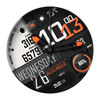

JND0138 Summary
JND0138 is a mobile Android app in Personalization by JacoNaudeDesign. Released in Nov 2025 (6 months ago). It has about 441+ installs and 8.00 ratings with a 4.60★ (excellent) average. Based on AppGoblin estimates, it reaches roughly 9.00 monthly active users . Store metadata: updated Nov 19, 2025.
Recent activity: 1.00 installs this week (5.00 over 4 weeks) showing declining growth View trends →
Store info: Last updated on Google Play on Nov 19, 2025 .
4.6★
Ratings: 8.00
Screenshots


App Description
The JND0138 is a Modern Stylish Layered Hybrid Watch face for Wear OS.
This watch face is compatible with Wear OS 5+ devices with API Level 34+, including Samsung Galaxy Watch 5, 6, 7, Ultra, Pixel Watch, and others.
The JND0138 is a high stylish modern hybrid watch face with a detailed layered design. Features include, 2x Theme Options, 4x Shortcuts, 1x Customizable complication, 1x Customizable shortcut, Battery, Time Zone, Date, Weather, Moon Phase, Temperature, Calories, Steps, & Heart rate.
A dark always on display ensures great style and battery life.
Some features may not be available on all watches and this dial is not suitable for square or rectangular watches. Calories is calculated on steps taken.
FEATURES
- 12/24hr Format: Syncs with your phone settings.
- Celsius and Fahrenheit Syncs with your phone location settings.
- Date.
- Time Zone.
- Battery Information.
- Calories.
- Steps and Heart Rate Monitoring.
- Temperature.
- Moon Phase.
- Weather Type.
- 2x Different Theme Options.
- 1x Custom Complication.
- 1x Custom Shortcut.
- Similar Always On Display Mode.
- 4x Preset App Shortcuts:
Calendar
Music Player
Alarms
Battery
INSTALLATION NOTES:
1 - Make sure the watch and phone is properly connected.
2 - Select target device from drop down in Play Store and select both Watch and Phone.
3. On your phone you can open up the Companion App and follow the instructions.
After a few minutes the watch face will transferred on watch : check the watch faces installed by the Wearable app on the phone.
IMPORTANT NOTE:
Please Make sure you have enabled all permissions from settings > applications. And also when prompted after installing face and when long pressing to customize complication.
INFORMATION ON HEART RATE:
The first time you use the face or put on the watch the heart rate is measured. After the first measurement, the watch face will automatically measure your heart rate every 10 minutes.
For any assistance please reach out to us at support@jaconaudedesign.com
Reach out to me on my other channels for ideas and promotions plus new releases.
WEB: www.jaconaudedesign.com
INSTAGRAM: https://www.instagram.com/jaconaude2020/
Thank you and enjoy.