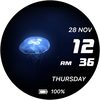

Live Jellyfish

Live Jellyfish
Live Jellyfish
Developer: Eugeniy Radzivill
Category: Personalization
107 installs
ratings
+7 weekly installs
trend steady
+32 monthly installs
trend steady
Live Jellyfish icon

ASO Keyword Dashboard

Tracking 90 keywords for Live Jellyfish in Google Play

Developer: Eugeniy Radzivill Category: personalization

Live Jellyfish tracks 90 keywords (no keywords rank yet; 90 need traction). Key metrics: opportunity 69.6, difficulty 52.3.

Watch face for Wear OS smartwatches

Tracked keywords

90

0  ranked •  90  not ranking yet

Top 10 coverage

Best rank — • Latest leader —

Avg opportunity

69.6

Top keyword: charge

Avg difficulty

52.3

Lower scores indicate easier wins

Opportunity leaders

  • charge

    Opportunity: 73.0 • Difficulty: 46.3 • Rank —

    Competitors: 1,120

    67.9
  • activate

    Opportunity: 73.0 • Difficulty: 47.7 • Rank —

    Competitors: 1,306

    67.9
  • either

    Opportunity: 73.0 • Difficulty: 45.5 • Rank —

    Competitors: 966

    67.8
  • comments

    Opportunity: 73.0 • Difficulty: 57.0 • Rank —

    Competitors: 885

    67.9
  • weather

    Opportunity: 72.0 • Difficulty: 67.1 • Rank —

    Competitors: 1,474

    69.4

Unranked opportunities

  • charge

    Opportunity: 73.0 • Difficulty: 46.3 • Competitors: 1,120

  • activate

    Opportunity: 73.0 • Difficulty: 47.7 • Competitors: 1,306

  • either

    Opportunity: 73.0 • Difficulty: 45.5 • Competitors: 966

  • comments

    Opportunity: 73.0 • Difficulty: 57.0 • Competitors: 885

  • weather

    Opportunity: 72.0 • Difficulty: 67.1 • Competitors: 1,474

High competition keywords

  • want

    Total apps: 103,224 • Major competitors: 12,476

    Latest rank: — • Difficulty: 58.5

  • information

    Total apps: 101,893 • Major competitors: 7,805

    Latest rank: — • Difficulty: 58.6

  • choose

    Total apps: 100,655 • Major competitors: 14,766

    Latest rank: — • Difficulty: 62.1

  • us

    Total apps: 96,924 • Major competitors: 10,444

    Latest rank: — • Difficulty: 61.6

  • take

    Total apps: 93,453 • Major competitors: 12,676

    Latest rank: — • Difficulty: 62.9

All tracked keywords

Includes opportunity, difficulty, rankings and competitor benchmarks

Major Competitors
weather721006769

11,564 competing apps

Median installs: 46,184

Avg rating: 3.2

1,474

major competitor apps

mode691006578

35,564 competing apps

Median installs: 53,723

Avg rating: 3.1

5,505

major competitor apps

party721006070

13,146 competing apps

Median installs: 59,582

Avg rating: 3.1

2,168

major competitor apps

language691005976

29,667 competing apps

Median installs: 31,657

Avg rating: 2.8

2,542

major competitor apps

wear721008066

7,173 competing apps

Median installs: 24,222

Avg rating: 3.2

839

major competitor apps

date691006077

31,688 competing apps

Median installs: 26,732

Avg rating: 2.8

2,809

major competitor apps

wear os711007660

3,443 competing apps

Median installs: 13,088

Avg rating: 3.5

279

major competitor apps

information661005986

101,893 competing apps

Median installs: 23,675

Avg rating: 2.6

7,805

major competitor apps

choose661006285

100,655 competing apps

Median installs: 46,844

Avg rating: 3.0

14,766

major competitor apps

menu721006571

13,685 competing apps

Median installs: 28,103

Avg rating: 3.0

1,278

major competitor apps

available661006685

92,463 competing apps

Median installs: 34,120

Avg rating: 2.9

9,952

major competitor apps

complication691006949

701 competing apps

Median installs: 11,096

Avg rating: 3.9

29

major competitor apps

write711005373

19,516 competing apps

Median installs: 41,559

Avg rating: 2.8

2,115

major competitor apps

account681006079

41,533 competing apps

Median installs: 33,567

Avg rating: 3.0

4,686

major competitor apps

watch691006978

38,532 competing apps

Median installs: 39,176

Avg rating: 3.0

5,315

major competitor apps

operation721004767

8,140 competing apps

Median installs: 28,702

Avg rating: 2.5

724

major competitor apps

galaxy721006565

6,329 competing apps

Median installs: 34,132

Avg rating: 3.5

656

major competitor apps

take661006385

93,453 competing apps

Median installs: 41,741

Avg rating: 2.9

12,676

major competitor apps

hour721004465

6,011 competing apps

Median installs: 33,208

Avg rating: 3.0

671

major competitor apps

social681005781

56,380 competing apps

Median installs: 35,671

Avg rating: 2.9

6,322

major competitor apps

face701005575

24,650 competing apps

Median installs: 46,450

Avg rating: 3.1

3,493

major competitor apps

current691005478

37,523 competing apps

Median installs: 28,093

Avg rating: 2.8

3,434

major competitor apps

want661005986

103,224 competing apps

Median installs: 39,982

Avg rating: 2.9

12,476

major competitor apps

charge731004668

9,398 competing apps

Median installs: 38,196

Avg rating: 2.8

1,120

major competitor apps

feature681006079

40,911 competing apps

Median installs: 39,110

Avg rating: 2.9

5,125

major competitor apps

90 keywords
1 of 4

App Description

Watch face for Wear OS smartwatches

The watch face for Wear OS smartwatches supports the following functionality:

- Current date display
- Multilingual display of the day of the week and month. The language is synchronized with the settings of your smartphone
- Automatic switching of 12/24 hour modes. Synchronization occurs in accordance with the settings of your smartphone
- Battery charge display

CUSTOMIZATION

You have the opportunity to choose one of the color schemes of the watch face. To do this, go to the watch face settings menu and select one of the available colors.

You can customize the information zone on the watch face to display the current weather. To do this, in the watch face menu, set this complication to display data from the Weather application. Of course, you can set the output of data from any other application of your watch. But I want to warn you that they may not be optimized for display on the watch face and either be displayed incorrectly or not be displayed at all.

IMPORTANT! I can only guarantee the correct operation of the information zone on Samsung watches. Unfortunately, I cannot guarantee operation on watches from other manufacturers. Please take this into account when purchasing a watch face.

There is also one feature in displaying the weather on the Samsung Galaxy Watch Ultra - as of 11/26/24, weather data (stock Samsung application) in this watch is displayed incorrectly due to software. You can use weather data from third-party applications.

I made an original AOD mode for this watch face. To display it, you need to activate it in the menu of your watch.

For comments and suggestions, please write to e-mail: eradzivill@mail.ru

Join us on social networks

https://vk.com/eradzivill
https://radzivill.com
https://t.me/eradzivill
https://www.facebook.com/groups/radzivill

Sincerely,
Eugeniy Radzivill