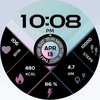

rens watchface76
ASO Keyword Dashboard
Tracking 99 keywords for rens watchface76 in Google Play
rens watchface76 tracks 99 keywords (no keywords rank yet; 99 need traction). Key metrics: opportunity 69.7, difficulty 56.9.
Please read description and installation guide :)
Tracked keywords
99
0 ranked • 99 not ranking yet
Top 10 coverage
—
Best rank — • Latest leader —
Avg opportunity
69.7
Top keyword: wait
Avg difficulty
56.9
Lower scores indicate easier wins
Opportunity leaders
- 68.3
wait
Opportunity: 73.0 • Difficulty: 49.0 • Rank —
Competitors: 1,347
- 67.8
helpful
Opportunity: 73.0 • Difficulty: 73.7 • Rank —
Competitors: 1,013
- 65.9
wear
Opportunity: 72.0 • Difficulty: 79.5 • Rank —
Competitors: 839
- 70.8
giving
Opportunity: 72.0 • Difficulty: 53.8 • Rank —
Competitors: 1,445
- 67.5
hold
Opportunity: 72.0 • Difficulty: 53.5 • Rank —
Competitors: 1,121
Unranked opportunities
wait
Opportunity: 73.0 • Difficulty: 49.0 • Competitors: 1,347
helpful
Opportunity: 73.0 • Difficulty: 73.7 • Competitors: 1,013
wear
Opportunity: 72.0 • Difficulty: 79.5 • Competitors: 839
giving
Opportunity: 72.0 • Difficulty: 53.8 • Competitors: 1,445
hold
Opportunity: 72.0 • Difficulty: 53.5 • Competitors: 1,121
High competition keywords
best
Total apps: 131,644 • Major competitors: 18,001
Latest rank: — • Difficulty: 63.2
enjoy
Total apps: 131,386 • Major competitors: 18,531
Latest rank: — • Difficulty: 63.0
features
Total apps: 116,743 • Major competitors: 14,116
Latest rank: — • Difficulty: 64.6
using
Total apps: 114,758 • Major competitors: 13,323
Latest rank: — • Difficulty: 64.0
play
Total apps: 113,236 • Major competitors: 19,366
Latest rank: — • Difficulty: 67.3
All tracked keywords
Includes opportunity, difficulty, rankings and competitor benchmarks
| Major Competitors | |||||||
|---|---|---|---|---|---|---|---|
| play | 65 | 100 | 67 | 86 113,236 competing apps Median installs: 62,750 Avg rating: 3.2 | — | — | 19,366 major competitor apps |
| best | 65 | 100 | 63 | 87 131,644 competing apps Median installs: 43,740 Avg rating: 2.9 | — | — | 18,001 major competitor apps |
| single | 69 | 100 | 56 | 77 32,754 competing apps Median installs: 37,118 Avg rating: 2.9 | — | — | 3,952 major competitor apps |
| enjoy | 65 | 100 | 63 | 87 131,386 competing apps Median installs: 45,784 Avg rating: 3.0 | — | — | 18,531 major competitor apps |
| phone | 67 | 100 | 69 | 83 75,756 competing apps Median installs: 37,780 Avg rating: 3.0 | — | — | 9,010 major competitor apps |
| via | 68 | 100 | 58 | 81 54,601 competing apps Median installs: 29,805 Avg rating: 2.7 | — | — | 5,243 major competitor apps |
| connected | 70 | 100 | 56 | 74 22,704 competing apps Median installs: 25,700 Avg rating: 2.8 | — | — | 2,181 major competitor apps |
| contact | 67 | 100 | 58 | 82 58,884 competing apps Median installs: 30,986 Avg rating: 2.8 | — | — | 5,729 major competitor apps |
| heart | 71 | 100 | 50 | 71 15,090 competing apps Median installs: 29,042 Avg rating: 2.9 | — | — | 1,461 major competitor apps |
| wear | 72 | 100 | 80 | 66 7,173 competing apps Median installs: 24,222 Avg rating: 3.2 | — | — | 839 major competitor apps |
| wear os | 71 | 100 | 76 | 60 3,443 competing apps Median installs: 13,088 Avg rating: 3.5 | — | — | 279 major competitor apps |
| using | 65 | 100 | 64 | 86 114,758 competing apps Median installs: 37,480 Avg rating: 2.8 | — | — | 13,323 major competitor apps |
| available | 66 | 100 | 66 | 85 92,463 competing apps Median installs: 34,120 Avg rating: 2.9 | — | — | 9,952 major competitor apps |
| provide | 67 | 100 | 55 | 82 61,536 competing apps Median installs: 28,348 Avg rating: 2.7 | — | — | 5,453 major competitor apps |
| goal | 71 | 100 | 49 | 72 16,094 competing apps Median installs: 32,556 Avg rating: 3.0 | — | — | 1,779 major competitor apps |
| request | 71 | 100 | 48 | 72 16,722 competing apps Median installs: 24,376 Avg rating: 2.7 | — | — | 1,361 major competitor apps |
| video | 68 | 100 | 67 | 79 44,741 competing apps Median installs: 49,603 Avg rating: 2.9 | — | — | 6,431 major competitor apps |
| account | 68 | 100 | 60 | 79 41,533 competing apps Median installs: 33,567 Avg rating: 3.0 | — | — | 4,686 major competitor apps |
| giving | 72 | 100 | 54 | 71 13,929 competing apps Median installs: 31,475 Avg rating: 2.9 | — | — | 1,445 major competitor apps |
| install | 70 | 100 | 52 | 76 28,821 competing apps Median installs: 36,035 Avg rating: 3.0 | — | — | 2,729 major competitor apps |
| store | 69 | 100 | 60 | 78 34,411 competing apps Median installs: 36,549 Avg rating: 2.9 | — | — | 4,003 major competitor apps |
| watch | 69 | 100 | 69 | 78 38,532 competing apps Median installs: 39,176 Avg rating: 3.0 | — | — | 5,315 major competitor apps |
| search | 67 | 100 | 67 | 82 64,261 competing apps Median installs: 33,401 Avg rating: 2.9 | — | — | 6,565 major competitor apps |
| many | 66 | 100 | 62 | 85 96,753 competing apps Median installs: 43,740 Avg rating: 2.9 | — | — | 12,574 major competitor apps |
| click | 69 | 100 | 54 | 78 35,009 competing apps Median installs: 38,208 Avg rating: 3.0 | — | — | 3,894 major competitor apps |
App Description
Please read description and installation guide :)
**If "This app is not available for your device" appears, use the Play Store on a WEB browser (CHROME) from a PC or Laptop or Phone Web Browser instead of the Play Store app on your phone. Copy and paste the watch face link into a WEB browser (CHROME), then install.
Rens Watchfaces goal is to provide you with the best watch face so you can enjoy it. Contact us at renswatchface@gmail.com before giving a bad rating and request refund. We'll provide screenshots and instructions on how to install the watch face.
Several ways to install a Wear OS watch face are shown in this helpful video from Samsung Developers: https://youtu.be/vMM4Q2-rqoM
INSTALLATION GUIDE
INSTALLATION GUIDE
1.) LOG IN TO YOUR GOOGLE ACCOUNT "ON WATCH" and ensure that the watch is strongly connected to your phone via BLUETOOTH and is using the SAME WIFI.
2.) After downloading, WAIT a short while for the watch face to appear on the device. (There will be a notification on your watch if the watch face was successfully transferred.)
3.) If there is no notice, go to PLAYSTORE ON YOUR WATCH and type on the SEARCH BOX "rens watchface76".
4.) After the watch face show up, click the install button.
ALLOW/ENABLE all permissions from Settings > Applications > Permissions
FEATURES
*PRESET APPS (single tap as shown in feature graphics) Measure Heart Rate, Battery Status, Alarm, Calendar
*ALWAYS ON DISPLAY
*MANY BACKGROUND COLOR (TAP AND HOLD TO CUSTOMIZE)
*some features may not be available on some watches.
Thank you for your support.
**************
Full Collection: rens watchfaces
Contact us at: renswatchface@gmail.com
Facebook Page: https://www.facebook.com/renswatchfaces
