Retro Analog WF Wear OS 4+
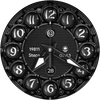

Retro Analog WF Wear OS 4+
Developer: OQ Watchfaces
Category: Personalization
398 installs
ratings
+3 weekly installs
+12 monthly installs
Retro Analog WF Wear OS 4+ icon

ASO Keyword Dashboard

Tracking 189 keywords for Retro Analog WF Wear OS 4+ in Google Play

Developer: OQ Watchfaces Category: personalization

Retro Analog WF Wear OS 4+ tracks 189 keywords (no keywords rank yet; 189 need traction). Key metrics: opportunity 69.5, difficulty 50.7.

A stylish retro styled analog watch face for Wear OS devices with many options.

Tracked keywords

189

0  ranked •  189  not ranking yet

Top 10 coverage

Best rank — • Latest leader —

Avg opportunity

69.5

Top keyword: maps

Avg difficulty

50.7

Lower scores indicate easier wins

Opportunity leaders

  • maps

    Opportunity: 73.0 • Difficulty: 70.4 • Rank —

    Competitors: 1,419

    68.3
  • wait

    Opportunity: 73.0 • Difficulty: 49.0 • Rank —

    Competitors: 1,347

    68.3
  • alarm

    Opportunity: 73.0 • Difficulty: 49.3 • Rank —

    Competitors: 879

    67.5
  • purchases

    Opportunity: 73.0 • Difficulty: 62.6 • Rank —

    Competitors: 1,674

    68.0
  • drop

    Opportunity: 73.0 • Difficulty: 57.9 • Rank —

    Competitors: 1,534

    68.1

Unranked opportunities

  • maps

    Opportunity: 73.0 • Difficulty: 70.4 • Competitors: 1,419

  • wait

    Opportunity: 73.0 • Difficulty: 49.0 • Competitors: 1,347

  • alarm

    Opportunity: 73.0 • Difficulty: 49.3 • Competitors: 879

  • purchases

    Opportunity: 73.0 • Difficulty: 62.6 • Competitors: 1,674

  • drop

    Opportunity: 73.0 • Difficulty: 57.9 • Competitors: 1,534

High competition keywords

  • new

    Total apps: 193,474 • Major competitors: 25,823

    Latest rank: — • Difficulty: 65.7

  • make

    Total apps: 163,352 • Major competitors: 21,922

    Latest rank: — • Difficulty: 65.0

  • experience

    Total apps: 118,077 • Major competitors: 15,561

    Latest rank: — • Difficulty: 62.8

  • without

    Total apps: 113,596 • Major competitors: 12,654

    Latest rank: — • Difficulty: 63.1

  • play

    Total apps: 113,236 • Major competitors: 19,366

    Latest rank: — • Difficulty: 67.3

All tracked keywords

Includes opportunity, difficulty, rankings and competitor benchmarks

Major Competitors
play651006786

113,236 competing apps

Median installs: 62,750

Avg rating: 3.2

19,366

major competitor apps

new641006690

193,474 competing apps

Median installs: 42,470

Avg rating: 3.0

25,823

major competitor apps

messaging721007765

6,700 competing apps

Median installs: 31,408

Avg rating: 3.1

771

major competitor apps

maps731007068

9,914 competing apps

Median installs: 45,030

Avg rating: 3.0

1,419

major competitor apps

calendar721006469

11,191 competing apps

Median installs: 26,636

Avg rating: 3.0

992

major competitor apps

email691005377

32,694 competing apps

Median installs: 29,240

Avg rating: 2.9

2,918

major competitor apps

customization721004967

8,723 competing apps

Median installs: 46,389

Avg rating: 3.1

1,137

major competitor apps

mode691006578

35,564 competing apps

Median installs: 53,723

Avg rating: 3.1

5,505

major competitor apps

source721005269

11,396 competing apps

Median installs: 27,566

Avg rating: 2.9

959

major competitor apps

source code691006948

686 competing apps

Median installs: 38,662

Avg rating: 3.4

64

major competitor apps

version691006177

30,986 competing apps

Median installs: 38,306

Avg rating: 3.1

3,300

major competitor apps

device681007281

52,389 competing apps

Median installs: 37,519

Avg rating: 3.0

6,390

major competitor apps

make641006589

163,352 competing apps

Median installs: 42,108

Avg rating: 3.0

21,922

major competitor apps

phone671006983

75,756 competing apps

Median installs: 37,780

Avg rating: 3.0

9,010

major competitor apps

via681005881

54,601 competing apps

Median installs: 29,805

Avg rating: 2.7

5,243

major competitor apps

connected701005674

22,704 competing apps

Median installs: 25,700

Avg rating: 2.8

2,181

major competitor apps

users671006082

59,104 competing apps

Median installs: 30,976

Avg rating: 2.8

6,026

major competitor apps

experience651006387

118,077 competing apps

Median installs: 39,819

Avg rating: 2.9

15,561

major competitor apps

within681005680

45,953 competing apps

Median installs: 29,549

Avg rating: 2.8

4,617

major competitor apps

classic701005676

28,140 competing apps

Median installs: 50,800

Avg rating: 3.3

4,499

major competitor apps

wear721008066

7,173 competing apps

Median installs: 24,222

Avg rating: 3.2

839

major competitor apps

analog711003857

2,143 competing apps

Median installs: 22,553

Avg rating: 3.4

183

major competitor apps

clock721005166

7,715 competing apps

Median installs: 33,996

Avg rating: 3.3

796

major competitor apps

date691006077

31,688 competing apps

Median installs: 26,732

Avg rating: 2.8

2,809

major competitor apps

wear os711007660

3,443 competing apps

Median installs: 13,088

Avg rating: 3.5

279

major competitor apps

189 keywords
1 of 8

App Description

A stylish retro styled analog watch face for Wear OS devices with many options.

=======================================================
NOTICE: READ THIS ALWAYS BEFORE AND AFTER DOWNLOADING OUR WATCH FACE TO AVOID ANY SITUATION YOU DON'T LIKE.
=======================================================
a.This watch face for WEAR OS has been made in latest release Samsung Galaxy Watch face studio V 1.6.10 Stable Version & has been tested on Samsung Watch Ultra , Samsung Watch 4 Classic , Samsung Watch 5 Pro, and Tic watch 5 Pro. It also supports all other wear OS 4+ devices. Some feature experience can be slightly different on other watches.

b. Before you buy this watch face you must know this watch face has more than 9 customization menu options and Customization via Galaxy Wearable Samsung Galaxy Wearable app tends not to behave nice randomly with watch faces made in Samsung Watch Face Studio. This happens irrespective of the watch face developer if the watch face has many Customization Options. So DO NOT buy this watch face if you only are used to do customization via phone.. This bug is for last 4 years and ONLY Samsung can fix Galaxy Wearable App. Stock Watch faces on Samsung Watches are made in Android Studio & NOT Samsung Watch face Studio, so this issue does not exist on them. If you bought it by mistake just email within 24 hours of purchase & you will be refunded 100 percent .

c.Customization via long press on watch face direct never had an issue and works as it should If you need a video testimony of what is said above email at osmanqadir78@gmail.com .

d. A Big Thanks to Bredlix for source code of new helper app. Link
https://github.com/bredlix/wf_companion_app

e. An effort also has been made to make a brief install guide as well (an image added with screen previews) .It is the last image in previews of this watch face for new android Wear OS users or those who do not know how to install the watch face to your connected device.

d. DO NOT PAY TWICE FROM WATCH PLAY STORE . Wait for your purchases to be synced or if you do not want to wait you can always select direct install to watch method without even helper app.Just ensure that you select your connected watch in install button drop down menu where your wearable device will be shown.Just simply ensure that when you install from phone play store app.

The watch face has following features:-

1. Tap at 5 o clock hour index number to open watch phone app.

2. Tap at 7 o clock hour index number to open watch messaging app.

3. Tap at 11 o clock hour index number to open watch phone play store app.

4. Tap at 1 o clock hour index number to open watch Google Maps app.

5. Tap at 12 o clock hour index number to open watch battery app.

6. Tap at 6 o clock hour index number and it will open watch alarm app.

7. Tap On Date text shown and it will open watch calendar app.

8. 10 x Background styles customization option for Dark Colors which are available in Colors Customization option.

9. 10 x Background styles customization option for Light Colors which are available in Colors Customization option

10. Total 30 Color Styles added .First 15 for bright color background styles & 15 for Dark color background styles via customization menu color option. To Use Dark or Light Color Hour Indexes always 1st bring other other background style to default 1st.

13. 5 x Hour Index Style Option has been made and added in customization menu.

14. Main Center Back and AoD Center Backgrounds are changeable as an option as well in customization menu for both separately.

15. Hours number index can also be dimmed for main or AOD via customization menu via respective option for them available separately.

16. Dim Mode Options are also available for Main Display Background and AoD Display Background.

17. A Minimal Mode option has been added with which you can hide everything & it will show only a plain background with just hands on Main & AoD Display.

16. Tap on OQ Logo to open watch settings menu.