Tancha S32 Classic Watch Face

Tancha S32 Classic Watch Face Summary
Tancha S32 Classic Watch Face is a mobile Android app in Personalization by Tancha Watch Faces. Released in Mar 2022 (4 years ago). It has about 389.3K+ installs and 7.3K ratings with a 4.23★ (good) average. Based on AppGoblin estimates, it reaches roughly 3.4K monthly active users . Store metadata: updated Dec 5, 2025, version 10.
Recent activity: 695 installs this week (2.5K over 4 weeks) showing steady growth , and -3 new ratings this week View trends →
Data tracking: SDKs and third-party integrations were last analyzed on May 22, 2026. The app's network data flows (API traffic to/from the app and its SDKs) were last crawled on Aug 4, 2025.
Store info: Last updated on Google Play on Dec 5, 2025 (version 10).
SDKs, Trackers & Permissions
Tancha S32 Classic Watch Face was last scanned for SDKs 2026-05-22. Below is the overview of third party companies detected in the app. The full list of raw SDKs, app permissions and unknown SDKs is available here.
AppGoblin saw Tancha S32 Classic Watch Face uses 1 Development Tools
 Google
App Details
App Store
Ads & App-Ads.txt
AppGoblin SDK Scans
4.23★
Ratings: 7.3K
Screenshots


App Description
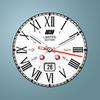
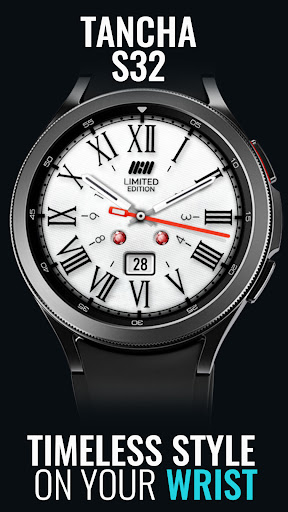
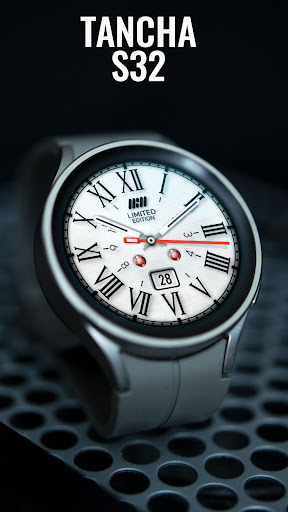
Elegant watch face Roman numerals customizable colors red accents. Date display.
Tancha S32 Classic Watch Face
Elegant watch face; Roman numerals, customizable colors, red accents. Date display.
This watch face is developed by Tancha Watch Faces for use on Wear OS devices.
FEATURES
Analog Watch Face: A traditional analog watch face for timeless elegance.
* 11 Custom Background Colors: Personalize your watch with a choice of 10 custom background colors. (tap to change color.)
* Days of the Month: Easily keep track of each day of the month.
* Always On View: Keep your watch display on at all times, ensuring your information is readily visible.
FAQ :
1- The watch face is installed on your watch but does not appear in the catalog?
FOLLOW THESE STEPS:
Press and hold your watch screen.
Swipe right until you see the text 'Add watch face.'
Press the '+ Add watch face' button.
Find and activate the watch face you installed.
2- If the companion app is installed but the watch face is not, follow the steps below:
FOLLOW THESE STEPS:
Open the companion app on your phone (ensure that your smartwatch is connected to your phone).
Next, tap the 'INSTALL WATCH FACE ON WATCH' button at the bottom of the app.
This will open the Play Store on your WEAR OS smartwatch, displaying the purchased watch face and allowing you to install it directly.
If you have any questions or requests, please don't hesitate to get in touch with me at tanchawatch@gmail.com.
Thank you sincerely for your support.
Best regards,
Tancha Watch Faces