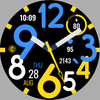

Vivid Time (Analog)

955 installs
Ratings not yet available
32 monthly active users
Revenue not available
Install Trends
Weekly +10
Declining
Monthly +54
Declining
Vivid Time (Analog) icon

ASO Keyword Dashboard

Tracking 112 keywords for Vivid Time (Analog) in Google Play

Developer: ChronoHarvest Category: personalization

Vivid Time (Analog) tracks 112 keywords (no keywords rank yet; 112 need traction). Key metrics: opportunity 70.8, difficulty 48.7.

Modern Vibrant Analog Clock for WEAR OS

Tracked keywords

112

0  ranked •  112  not ranking yet

Top 10 coverage

Best rank — • Latest leader —

Avg opportunity

70.8

Top keyword: faces

Avg difficulty

48.7

Lower scores indicate easier wins

Opportunity leaders

  • faces

    Opportunity: 75.0 • Difficulty: 40.8 • Rank —

    Competitors: 353

    63.7
  • analog

    Opportunity: 74.0 • Difficulty: 38.6 • Rank —

    Competitors: 179

    62.5
  • api

    Opportunity: 74.0 • Difficulty: 42.9 • Rank —

    Competitors: 357

    66.0
  • hands

    Opportunity: 74.0 • Difficulty: 43.3 • Rank —

    Competitors: 572

    65.2
  • box

    Opportunity: 74.0 • Difficulty: 44.2 • Rank —

    Competitors: 818

    65.8

Unranked opportunities

  • faces

    Opportunity: 75.0 • Difficulty: 40.8 • Competitors: 353

  • analog

    Opportunity: 74.0 • Difficulty: 38.6 • Competitors: 179

  • api

    Opportunity: 74.0 • Difficulty: 42.9 • Competitors: 357

  • hands

    Opportunity: 74.0 • Difficulty: 43.3 • Competitors: 572

  • box

    Opportunity: 74.0 • Difficulty: 44.2 • Competitors: 818

High competition keywords

  • time

    Total apps: 384,388 • Major competitors: 16,211

    Latest rank: — • Difficulty: 58.5

  • make

    Total apps: 327,400 • Major competitors: 18,245

    Latest rank: — • Difficulty: 58.8

  • find

    Total apps: 307,160 • Major competitors: 16,289

    Latest rank: — • Difficulty: 59.7

  • features

    Total apps: 253,879 • Major competitors: 13,788

    Latest rank: — • Difficulty: 59.3

  • using

    Total apps: 222,015 • Major competitors: 10,980

    Latest rank: — • Difficulty: 57.9

All tracked keywords

Includes opportunity, difficulty, rankings and competitor benchmarks

Major Competitors
level681005580

109,646 competing apps

Median installs: 1,860

Avg rating: 2.1

6,427

major competitor apps

email691005077

69,407 competing apps

Median installs: 2,062

Avg rating: 2.1

2,882

major competitor apps

change681005379

90,516 competing apps

Median installs: 3,512

Avg rating: 2.2

5,880

major competitor apps

make651005988

327,400 competing apps

Median installs: 2,052

Avg rating: 2.1

18,245

major competitor apps

phone671006283

152,368 competing apps

Median installs: 2,627

Avg rating: 2.1

8,547

major competitor apps

party721005570

25,079 competing apps

Median installs: 4,780

Avg rating: 2.3

2,149

major competitor apps

within681005280

102,805 competing apps

Median installs: 1,283

Avg rating: 1.9

3,686

major competitor apps

wear711006372

32,641 competing apps

Median installs: 359

Avg rating: 1.6

811

major competitor apps

analog741003963

8,427 competing apps

Median installs: 428

Avg rating: 1.7

179

major competitor apps

analog clock711003048

1,061 competing apps

Median installs: 1,790

Avg rating: 2.2

54

major competitor apps

clock731004668

19,000 competing apps

Median installs: 1,177

Avg rating: 2.0

779

major competitor apps

date681005379

93,263 competing apps

Median installs: 699

Avg rating: 1.8

2,736

major competitor apps

wear os721006170

24,337 competing apps

Median installs: 294

Avg rating: 1.5

289

major competitor apps

modern691005078

78,092 competing apps

Median installs: 979

Avg rating: 1.8

3,245

major competitor apps

using661005885

222,015 competing apps

Median installs: 2,293

Avg rating: 2.0

10,980

major competitor apps

find651006087

307,160 competing apps

Median installs: 2,265

Avg rating: 2.1

16,289

major competitor apps

time641005889

384,388 competing apps

Median installs: 1,265

Avg rating: 2.0

16,211

major competitor apps

available661006084

199,889 competing apps

Median installs: 2,016

Avg rating: 2.1

9,726

major competitor apps

api741004366

14,026 competing apps

Median installs: 409

Avg rating: 1.8

357

major competitor apps

complication731006558

4,454 competing apps

Median installs: 361

Avg rating: 1.6

32

major competitor apps

key681005381

120,307 competing apps

Median installs: 1,104

Avg rating: 1.9

5,380

major competitor apps

swipe721005169

22,431 competing apps

Median installs: 3,322

Avg rating: 2.2

1,526

major competitor apps

note711004972

31,937 competing apps

Median installs: 3,206

Avg rating: 2.2

1,565

major competitor apps

install701005076

59,106 competing apps

Median installs: 2,465

Avg rating: 2.1

2,547

major competitor apps

watch681005880

104,310 competing apps

Median installs: 1,014

Avg rating: 1.9

5,218

major competitor apps

112 keywords
1 of 5

App Description

Modern Vibrant Analog Clock for WEAR OS

📍INSTALLATION NOTES

⭐️Note for Galaxy Watch Users: The watch face editor in the Samsung Wearable app often fails to sync and load complex watch faces.
This is not an issue with the watch face. It is recommended to customize the watch face directly on the watch until Samsung resolves this issue.

📍This watch face supports all Wear OS devices with API Level 34+ | Wear OS 4 and later versions
(Some features may not be available on some watches)

⭐️KEY FEATURES:
- Modern Hybrid Clock & Date
- Pre-Set App Shortcut - FIXED (Alarm, Calendar, Settings, Battery and Steps)
- 1 Custom App Shortcut
- 1 Custom Complication (you can customize the complication with the any data you want.
For example, you can select Date, weather, steps, world clock, sunset/sunrise, next appointment, distance walked and more.
***You may need to install additional third-party complications.
- Custom Watch Hands & Index
- Custom Color Palette

TAKE NOTE❗️❗️❗️
1️⃣ Watch faces automatically install on WEAR OS watch.
2️⃣ MAKE SURE THE WATCH IS SYNCED TO YOUR PHONE USING THE SAME EMAIL ADDRESS FOR SEAMLESS INSTALLATION.
3️⃣ After download, WAIT for a few minutes for the watch face to be transferred on watch. (There will be a notification on your watch if the watch face was successfully transferred.)
4️⃣ If incase there is no notification, Go to PLAYSTORE ON YOUR WATCH and type on the SEARCH BOX "Vivid Time (Analog)"

⭐️ Watch faces don't automatically display/change after successful installation. Go back to home display. Tap and hold display, swipe until the end and tap + to add the watch face. Rotate Bezel or scroll to find the watch face.

📍ALLOW / ENABLE all permissions from settings -> applications -> permissions.

⚠️⚠️⚠️ Refund is ONLY allowed within 24 hours.

Contact us at: ajgearbusiness@gmail.com@gmail.com
Installation Tutorial: https://www.youtube.com/watch?v=vMM4Q2-rqoM