Complications Suite

Complications Suite Summary
Complications Suite is a mobile Android app in Tools by amoledwatchfaces™. Released in Jun 2022 (4 years ago). It has about 159.2K+ installs and 1.3K ratings with a 4.18★ (good) average. Based on AppGoblin estimates, it reaches roughly 6.3K monthly active users . Store metadata: updated Dec 16, 2025.
Recent activity: 364 installs this week (1.6K over 4 weeks) showing below average growth , and 1.00 new ratings this week View trends →
Data tracking: The app's network data flows (API traffic to/from the app and its SDKs) were last crawled on Mar 23, 2026.
Store info: Last updated on Google Play on Dec 16, 2025 .
4.18★
Ratings: 1.3K
Screenshots

App Description
A set of useful custom complications for Wear OS watch faces.
Only for Wear OS API 27+ devices
amoledwatchfaces.com
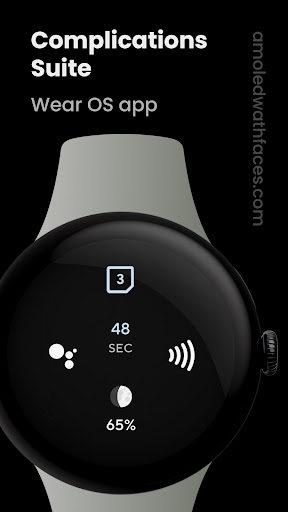
Designed to complement Wear OS, this app adds custom complications that aren’t included by default or provides enhanced versions of existing ones. Full list below.
CONTRIBUTE
https://github.com/amoledwatchfaces/Complications-Suite-Wear-OS
HOW TO SET UP COMPLICATION
1. long press watch face center
2. tap customize button
3. add custom complication - scroll down - choose one of the available complications
SUPPORTED CUSTOM COMPLICATIONS & TYPES
• Activity launcher - ICON
• Alarm - ICON, SMALL_IMAGE
• Amoled Logo - ICON, SMALL_IMAGE
• Assistant (Monochrome) - ICON, SMALL_IMAGE
• Barometer - SHORT_TEXT
• Battery Saver settings - ICON
• BTC (Bitcoin) price - SHORT_TEXT, LONG_TEXT, RANGED_VALUE
• Bluetooth settings - ICON
• Custom text - SHORT_TEXT, LONG_TEXT
• Date - SHORT_TEXT, LONG_TEXT
• Countdown to date - SHORT_TEXT, LONG_TEXT, RANGED_VALUE
• Day and Week - SHORT_TEXT, LONG_TEXT
• Day of Year - SHORT_TEXT, LONG_TEXT, RANGED_VALUE
• Developer Options - ICON, SMALL_IMAGE
• Dice - ICON, SMALL_IMAGE
• Display settings - ICON
• Dynamic calendar icon - ICON, SMALL_IMAGE
• ETH (Ethereum) price - SHORT_TEXT, LONG_TEXT, RANGED_VALUE
• Flashlight - ICON, SMALL_IMAGE
• Custom goal - SHORT_TEXT, LONG_TEXT, RANGED_VALUE
• Date Hijri - SHORT_TEXT, LONG_TEXT
• Date Jalali - SHORT_TEXT, LONG_TEXT
• Wear OS logo - ICON, SMALL_IMAGE
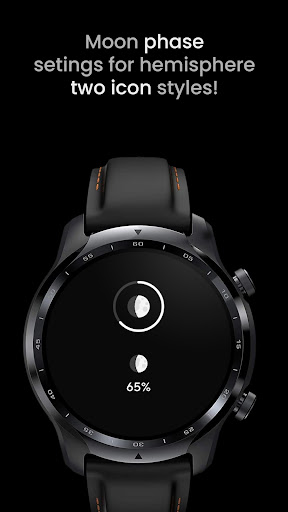
• Moon Phase - SHORT_TEXT, LONG_TEXT, RANGED_VALUE, ICON, SMALL_IMAGE
• Moonrise & Moonset - SHORT_TEXT, LONG_TEXT, RANGED_VALUE
• NFC settings - ICON
• Pay - ICON, SMALL_IMAGE
• Seconds - SHORT_TEXT, LONG_TEXT, RANGED_VALUE
• Settings - ICON
• Sunrise & Sunset - SHORT_TEXT, LONG_TEXT
• Sunrise & Sunset countdown - SHORT_TEXT, LONG_TEXT, RANGED_VALUE
• Time - SHORT_TEXT, LONG_TEXT, RANGED_VALUE
• Timer - SHORT_TEXT, RANGED_VALUE
• Time zone - SHORT_TEXT, LONG_TEXT
• Volume control - ICON, SMALL_IMAGE
• Water intake - SHORT_TEXT, LONG_TEXT, RANGED_VALUE, ICON, SMALL_IMAGE
• Week of Year - SHORT_TEXT, LONG_TEXT, RANGED_VALUE, ICON, SMALL_IMAGE
• Wi-Fi settings - ICON
• World Clock 1 - SHORT_TEXT, LONG_TEXT
• World Clock 2 - SHORT_TEXT, LONG_TEXT
Some complications have additional in-app settings. Note that the complication type used is decided by your watch face.
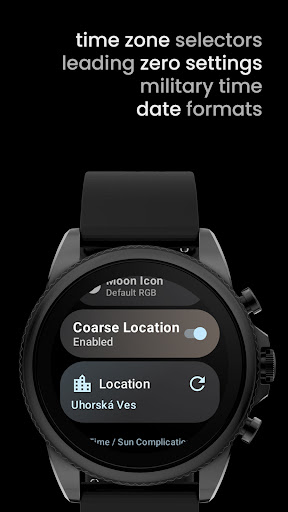
Sunrise & Sunset complication needs coarse location - this can be set up in the app. Complications Suite will not collect your location in background.
Additionally, when the location is set, moon phase complication will adjust moon icon angle to give real visual from observers position (detailed icon)
OUR WATCH FACE PORTFOLIO
play.google.com/store/apps/dev?id=5591589606735981545
ALL CUSTOM COMPLICATION APPS
amoledwatchfaces.com/apps
Please send any issues reports or help requests to our support address
support@amoledwatchfaces.com
Join our Telegram group for live support and discussion
t.me/amoledwatchfaces
Newsletter
amoledwatchfaces.com/contact#newsletter
amoledwatchfaces™ - Awf